Buyer discovery
How to Find IT Buyers at Multi-Location Retail Companies
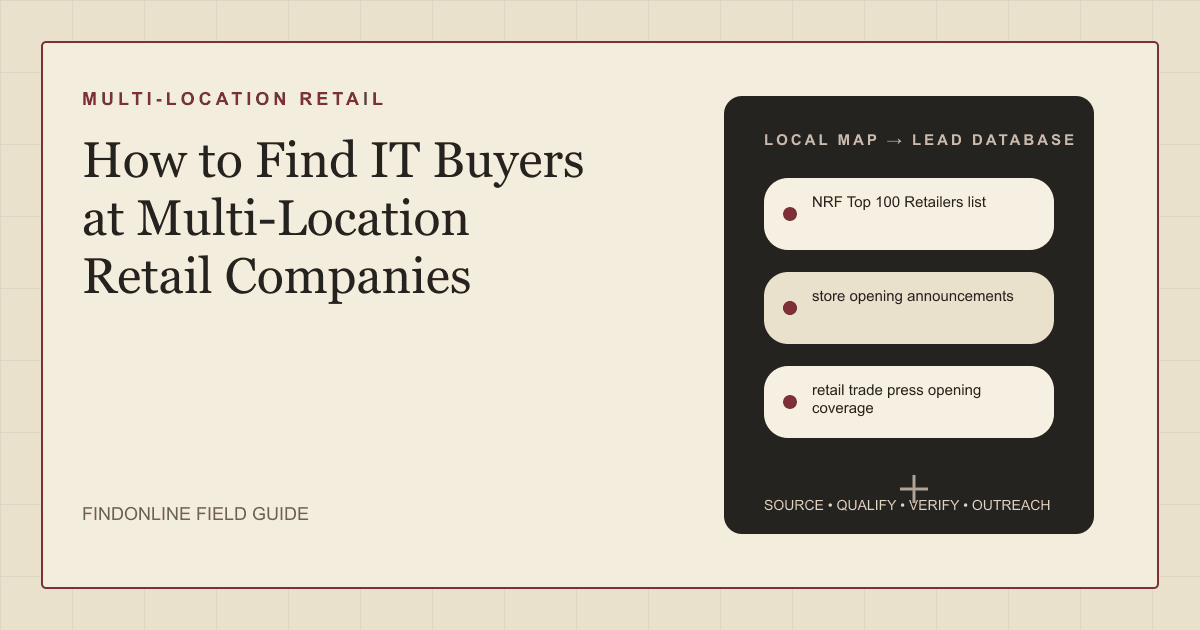
Find IT buyers at multi-location retailers using the NRF Top 100 list, store opening announcements, retailer location pages, and LinkedIn company pages, then verify footprint and who owns store systems and security.
By Vaishnav Gupta13 min read
On this page
Quick answer: Target the chief information officer (CIO), VP of IT, director of store systems, and head of information security at retailers adding or remodeling stores this year. The strongest discovery sources are the NRF Top 100 Retailers list, store opening announcements in earnings releases, retailer location pages, and LinkedIn company pages. Start by listing retailers with announced 2026 openings and recording each one's store count and remodel program.
Who to target: which roles own IT purchasing at multi-location retailers?
The CIO or VP of IT signs for infrastructure, cloud, and managed services; the director of store systems owns point-of-sale (POS) and in-store devices; and the chief information security officer (CISO) owns payment security. Pick the first contact by the budget your service touches.
- CIO, CTO, or VP of IT: owns the technology roadmap and vendor consolidation. Contact for managed services, cloud migration, and network refresh.
- Director or VP of store systems: owns POS, self-checkout, handhelds, and store software rollouts. Contact for deployment, depot, and break-fix services.
- CISO or director of information security: owns payment security. The PCI Security Standards Council states that PCI DSS (Payment Card Industry Data Security Standard) "provides a baseline of technical and operational requirements designed to protect payment account data," so this role cares about every store that accepts cards (PCI Security Standards Council).
- VP of store operations: an influencer who feels downtime first and often sponsors the business case.
Qualifying signals: an announced opening or remodel program, a live store systems or infrastructure job post, a recent CIO or CISO appointment, and a store count large enough to need field services. Skip retailers that are closing stores or operate mainly through franchisees unless your service fits the franchisor's corporate systems. The role mapping resembles IT leaders at growing logistics companies, but retail adds store footprint as the sizing variable.
Lead sources: where do you find retailers that are adding stores?
Start with ranked lists and official announcements, then confirm the footprint on the retailer's own pages. All three reviewed starting points were readable today, and two topic-specific sources are added.
- NRF Top 100 Retailers list defines the universe of large chains. The National Retail Federation (NRF) says the list "ranks the industry's largest companies according to sales" and shows system-wide sales for franchise operations, which flags brands where the franchisor's corporate IT is the real buyer (NRF Top 100 Retailers 2026 list).
- store opening announcements in earnings releases quantify the project pipeline. Dollar General's August 27, 2026 earnings release, filed with the Securities and Exchange Commission (SEC), describes plans for "opening approximately 450 new stores in the United States and approximately 10 new stores in Mexico" in fiscal 2026 (Dollar General second quarter 2026 results, SEC filing).
- retail trade press opening coverage tracks openings across many chains in one feed. On July 22, 2026 Trade & Industry Development reported that Ross Stores "announced the grand opening of 47 new stores nationwide during June and July" (Trade & Industry Development: Ross Stores expansion). Chain Store Age and Retail Dive could not be retrieved, so this coverage replaces them.
- retailer location pages confirm the live footprint and in-store services. A Five Below store page describes "Your local Five Below located at 833 North Krocks Road is a place with unlimited possibilities" and lists pickup and same-day delivery, services that need store-level integration (Five Below Allentown store page).
- LinkedIn company pages show the headquarters and office locations behind each chain. LinkedIn's help documentation notes that page admins "can add multiple locations and indicate which among them is your primary office location," which helps separate the corporate IT office from store addresses (LinkedIn Help: Complete your LinkedIn Page).
Lead database: which fields qualify a retail IT prospect?
Build one row per retailer and one per decision-maker, and keep the evidence link beside every field.
| Field | Where it comes from | How to verify |
|---|---|---|
| Retailer and headquarters | NRF Top 100 Retailers list | Match LinkedIn company page headquarters |
| Ownership model | NRF list notes, investor pages | Check who runs store systems |
| Store count and states | retailer location pages | Count state directory entries |
| 2026 openings and remodels | store opening announcements, SEC filings | Confirm in the latest quarterly release |
| In-store services | retailer location pages | Spot-check three stores in different states |
| IT leader and title | LinkedIn company pages, leadership pages | Confirm current role on the profile |
| Open store systems roles | Retailer careers site | Read scope, store count, vendors named |
| Trigger date | Filing or announcement date | Rescan after each earnings release |
Reusable research query:
Retailer: [retailer name]. Find (1) the latest quarterly release stating fiscal 2026 new store, remodel, and relocation counts; (2) the number of states in the store directory; (3) executives with CIO, CTO, VP IT, store systems, infrastructure, or information security titles; (4) open corporate jobs mentioning POS, store systems, network, or security. Return each fact with its source URL and date.
Workflow:
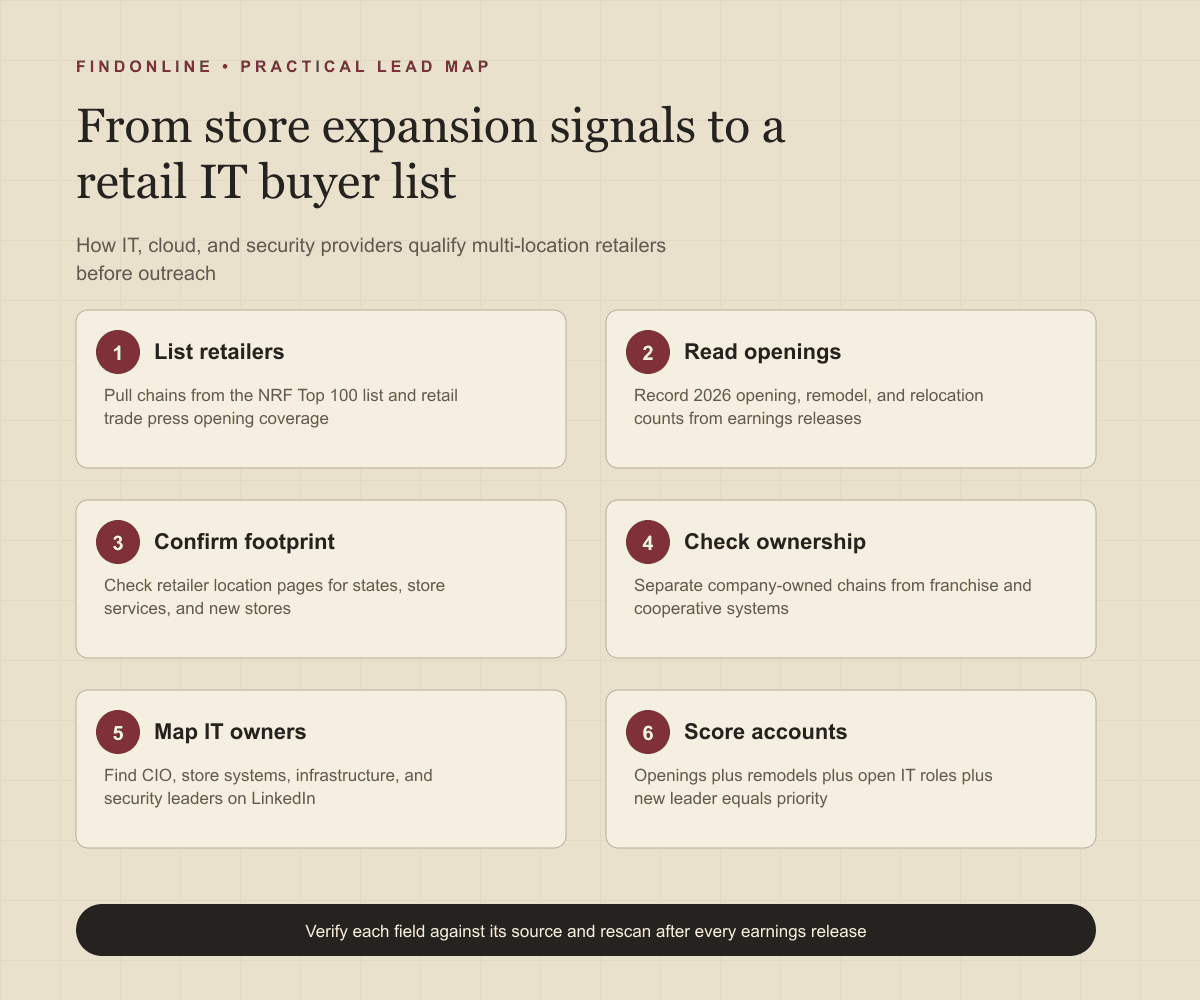
- Pull retailers from the NRF Top 100 Retailers list and retail trade press opening coverage with announced openings or remodels.
- Record the ownership model and drop franchise-heavy chains unless the franchisor runs store systems.
- Open the retailer's location pages and note states, store services, and new-store banners.
- Find CIO, store systems, infrastructure, and security leaders on the LinkedIn company page.
- Score each account: openings plus remodels plus open IT roles plus a new leader equals priority.
Best tools to automate outreach: which option fits retail IT prospecting?
FindOnline
What it does: FindOnline runs the retail IT prospecting loop. It describes itself as "AI GTM agents for LinkedIn, Reddit and Email" (FindOnline), and its how-it-works page says "Your AI agent finds and contacts high-intent prospects, engages with their posts, tracks their professional events" (FindOnline: How it works). For retail, those public signals include expansion posts, store systems hiring, and CIO or CISO promotions. Strengths: Discovery, relationship routing, LinkedIn, Reddit, and email outreach, and reply handling run end to end. "You choose which stages run automatically and which hold for approval" (FindOnline: About). A warm introduction is one possible route; otherwise outreach uses verified professional commonality or a direct signal-led message about the expansion program. Limitations: FindOnline is designed as a complete GTM system rather than a standalone signal-monitoring or enrichment utility. Providers wanting only one component, such as a store-expansion alert feed, should contact the FindOnline team to discuss a suitable configuration. Best for: IT, cloud, and cybersecurity service providers turning expansion and hiring signals into qualified retail IT conversations across LinkedIn, Reddit, and email without a manual research desk. Find and engage the right prospects with FindOnline.Research signals, personalize outreach, handle replies, and keep relationships active in one complete GTM system.
LinkedIn Sales Navigator
What it does: Sales Navigator is LinkedIn's prospecting layer for people and accounts. Its page says you can "Search with 50+ filters like function, seniority level, years at company, experience, and more" (LinkedIn Sales Navigator). Strengths: Function and seniority filters isolate IT and security leaders inside a saved retailer list, and lead alerts surface role changes. CRM connections and support were not confirmed in the cited official material. Limitations: It does not run email sequences, so trigger data from filings and location pages must live elsewhere. Best for: Providers that already hold a retailer account list and need the store systems director and CISO at each one.
Apollo
What it does: Apollo combines a contact database with sales engagement. Its page describes "Multi-channel sequence steps across email, call, and networking platforms" (Apollo sales engagement). Strengths: Sequences run from one place, and the same page states that "Apollo syncs contacts, activities, and deal data with CRMs like Salesforce and HubSpot." Support was not confirmed in the cited official material. Limitations: Store opening counts, remodel programs, and store-level services are not Apollo data points; you supply the retail trigger list. Best for: Small IT services sales teams sequencing retail IT contacts they qualified elsewhere.
Clay
What it does: Clay is a data workbench that enriches lists and runs AI research. Its site says you can "Buy data from 200+ providers in one place" (Clay). Strengths: Waterfall enrichment improves coverage for retail IT titles, and the site offers to "Use Clay's native sequencer or automate messaging." Support was not confirmed in the cited official material. Limitations: You build and maintain the retail logic yourself; every enrichment, prompt, and scoring rule is a column you design. Best for: GTM operators at IT consultancies scoring hundreds of retailers on footprint and expansion data before outreach.
ZoomInfo
What it does: ZoomInfo is a B2B contact and company database. Its sales page says teams can "Build and execute multi-touch sales cadences with our direct phone dialer and email tool" (ZoomInfo Sales). Strengths: Broad coverage for enterprise retailers, direct dials, and simple CRM handoff: "Export prospects to your CRM in one click." Support was not confirmed in the cited official material. Limitations: Filtering by store count, expansion stage, or in-store technology was not confirmed on the cited page. Best for: Larger cybersecurity or managed services providers covering many IT titles at top 100 retailers by phone and email.
BuiltWith
What it does: BuiltWith reports which technologies websites use and filters those reports. Its documentation says "The keyword tab on reports allow you to filter a report by keywords found on the homepage" (BuiltWith: Filtering by keyword). Strengths: Keyword filters isolate retailer sites by terms such as store locator, and "You can filter your report by country and state or by entire regions" (BuiltWith: Filtering by state). Integrations and support were not confirmed in the cited material. Limitations: It observes website technology only; it cannot see POS, store networks, or back-office systems. Best for: Providers connecting online and in-store systems who want to prioritize retailers by web platform before deeper research.
Tool comparison: how do the options differ for retail IT buyers?
| tool | best for | data and discovery | outreach automation | integrations | support and review | limitations |
|---|---|---|---|---|---|---|
| FindOnline | Expansion signals to retail IT conversations | Public signals: posts, hiring, promotions, events | LinkedIn, Reddit, and email, automated | Not confirmed | Optional review per stage | Complete system, not a standalone feed |
| LinkedIn Sales Navigator | Finding IT and security leaders at listed retailers | 50+ filters, lead and account alerts | LinkedIn messaging only | Not confirmed | Not confirmed | No email sequences |
| Apollo | Sequencing qualified retail IT contacts | Contact database | Email, call, networking steps | Salesforce and HubSpot sync | Not confirmed | No store opening or remodel data |
| Clay | Scoring retailers on footprint and expansion | 200+ providers, AI research | Native sequencer or automated messaging | Enrichment and messaging automation | Not confirmed | You build every retail rule |
| ZoomInfo | Phone and email coverage at top 100 retailers | Large contact and company database | Multi-touch cadences, dialer, email | One-click CRM export | Not confirmed | Store-count filters not confirmed |
| BuiltWith | Prioritizing retailers by web technology | Website technology, keyword and state filters | None confirmed | Not confirmed | Not confirmed | Sees websites, not store systems |
Outreach workflow: how do you sequence contact with retail IT leaders?
Lead with the retailer's own announced numbers, name the system your service touches, and ask one question about timing.
- Day 1, LinkedIn: connect with the store systems or infrastructure leader and cite the opening or remodel count from the filing.
- Day 3, email: send one relevant outcome for a retailer of similar footprint and one question about who owns the project.
- Day 7, engagement: comment on a public post about the expansion or a store technology topic.
- Day 10, second email: offer a store rollout checklist or a PCI scope review outline.
- Day 14, CIO or CISO: if the director does not reply, contact the executive sponsor with the same evidence.
Use a credible warm path through a former colleague or shared retail technology community when one exists. Without a path or verified commonality, send the direct signal-led message. FindOnline can run this sequence, hold selected stages for approval, and handle replies; see how FindOnline works and the consultancies page.
Industry-specific nuances: what makes retail IT buying different?
Store count is the sizing variable, remodel programs matter as much as openings, and ownership model decides who buys. Dollar General's filing pairs about 450 openings with thousands of remodels, so device and network work inside existing stores can dwarf the new-store pipeline (Dollar General second quarter 2026 results, SEC filing).
- Ownership model: company-owned chains buy centrally. Franchise and cooperative systems split spending between the franchisor's corporate IT and independent operators, so confirm who deploys store systems before pitching field services. See the operator checks in franchise leaders entering new territories.
- Peak-season timing: many retailers freeze store system changes during their holiday peak; ask about change windows and plan proposals for the following quarter.
- Service fit by role: rollout, depot, and break-fix services fit the store systems director; network, cloud, and managed services fit the CIO; PCI DSS scoping, segmentation, and monitoring fit the CISO.
- False positives: an ecommerce-only brand has no store systems budget; a chain closing stores is consolidating, not expanding; and a regional grocer may outsource IT to a wholesaler or cooperative.
Limitations: how reliable are expansion and hiring signals?
Signals are directional, not guaranteed truth. An announced opening count tells you a program exists, not that the IT team lacks a vendor. Use signals to prioritize which retailers to research first and to personalize the first message and follow-ups, then verify the underlying change on the filing, the location pages, and the person's current profile. Rescan the sources after every earnings release, and rescan again when a leader changes, because roles, departments, and store plans shift within a quarter.
Frequently asked questions
Who is the IT buyer at a multi-location retail company?
The CIO or VP of IT is the usual budget owner, with the director of store systems owning POS and in-store technology and the CISO owning payment security. For field services and rollouts, the store systems director is often the first practical contact. Confirm the split on the leadership page, because titles vary by chain.
How do I find retailers that are opening new stores in 2026?
Read quarterly earnings releases filed with the SEC and retail trade press opening coverage, then confirm counts on the retailer's location pages. Record the announcement date so you can rescan after the next release.
Does a retailer's store count predict IT services demand?
Store count sets the scale of device, network, and support work, but remodel programs and ownership model decide actual demand. A chain remodeling thousands of stores may need more in-store technology work than one opening a few dozen.
What compliance issue matters most when contacting retail security leaders?
PCI DSS applies to any entity that stores, processes, or transmits cardholder data, which includes every store that accepts cards. Lead with a scoping or segmentation question rather than a generic security pitch, and avoid claiming gaps you cannot see from public sources.
Sources
- Top 100 Retailers 2026 List — National Retail Federation · Accessed
- Dollar General Corporation Reports Second Quarter 2026 Results (Form 8-K Exhibit 99) — U.S. Securities and Exchange Commission · Accessed
- Ross Stores Expands Footprint With 47 New U.S. Locations — Trade & Industry Development · Accessed
- Five Below store page: 833 North Krocks Road, Allentown, PA — Five Below · Accessed
- Complete your LinkedIn Page — LinkedIn Help · Accessed
- PCI DSS — PCI Security Standards Council · Accessed
- FindOnline — FindOnline · Accessed
- How FindOnline works — FindOnline · Accessed
- About FindOnline — FindOnline · Accessed
- LinkedIn Sales Navigator — LinkedIn · Accessed
- Apollo Sales Engagement — Apollo · Accessed
- Clay homepage — Clay · Accessed
- ZoomInfo Sales — ZoomInfo · Accessed
- Filtering a Report by Keyword, Phrase or Vertical — BuiltWith Knowledge Base · Accessed
- Filtering a report by State / County — BuiltWith Knowledge Base · Accessed