Buyer discovery
How to Find IT Directors at Expanding Healthcare Groups
Find healthcare IT directors using hospital listings, expansion announcements, and current roles. Verify project timing, operating ownership, and service fit.
By Vaishnav Gupta10 min read
On this page
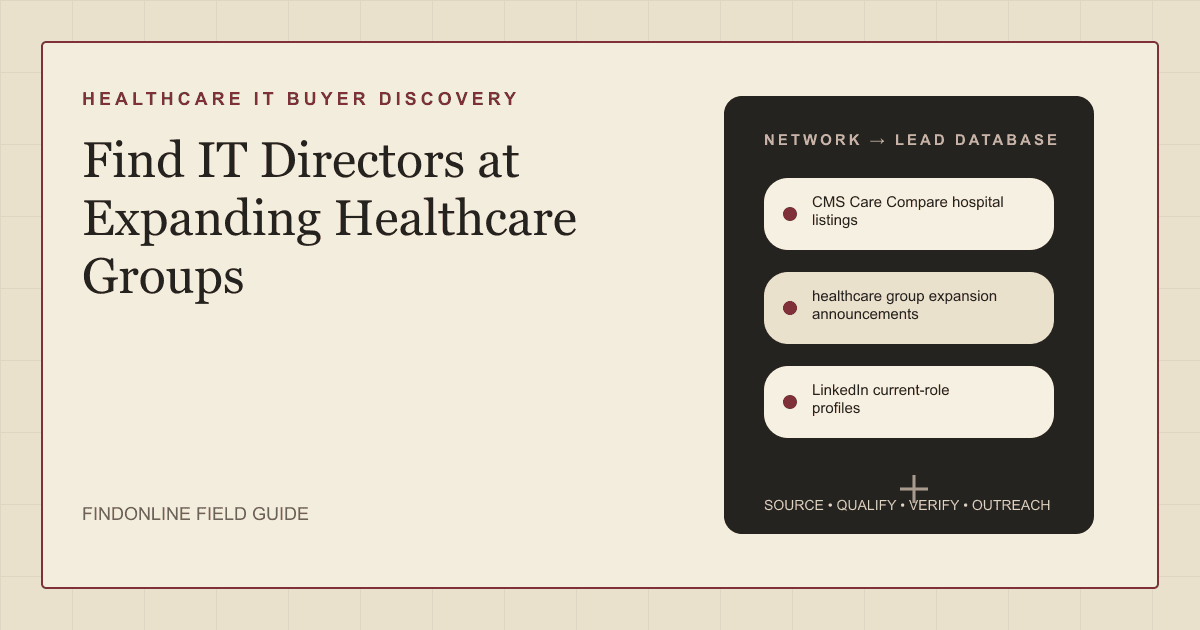
Quick answer: To answer how to find IT directors at expanding healthcare groups, target technology leaders responsible for the expanding sites. Start with CMS Care Compare hospital listings, healthcare group expansion announcements, and LinkedIn current-role profiles. First, match one announced project to its operating group, then verify the IT owner before adding a contact to your outreach list.
Contents: Who to target; Lead sources; Lead database; Best tools to automate outreach; Tool comparison; Outreach workflow; Industry-specific nuances; Limitations; Frequently asked questions.
Who to target: which technology leaders own the expansion?
Target the person responsible for the systems your service affects, then identify the executive sponsor. Use these titles as research hypotheses:
- IT director or regional IT director for site deployment and support.
- Infrastructure or cloud director for hosting, identity, and network architecture.
- Security director or chief information security officer for security assessment.
- Chief information officer for group-wide sponsorship.
- Clinical applications leader for electronic health record integration.
Verify whether responsibility sits with the parent system, a regional organization, or the operating entity. A physician or press contact quoted in an announcement is not automatically a technology buyer.
Define your service before searching. Network providers should investigate deployment ownership; security consultancies should investigate security responsibility. Use the healthcare audience guide to frame the segment and the discovery-to-outreach workflow to plan the handoff.
Lead sources: where can you verify healthcare expansion?
Combine facility discovery, first-party project evidence, and current-role research. Each source establishes a different part of the account record.
CMS Care Compare hospital listings: Care Compare includes only Medicare-certified hospitals. Use this Centers for Medicare & Medicaid Services resource as a hospital starting point, not a complete outpatient-group directory. Match facilities to their own websites before assigning parent ownership. CMS reporting guidance
Healthcare group expansion announcements: Cleveland Clinic announced milestones for its Palm Beach County expansion. Extract the operating organization, location, project stage, and next milestone; check later updates before outreach. An announcement establishes a research trigger, not an open technology procurement. Cleveland Clinic announcement
Marathon Health announced expansion of its open-access care centers and services into five regions. Use this example to broaden discovery beyond hospital construction into distributed primary care. Confirm whether the announced change involves physical sites, additional services, or both. Marathon Health announcement
LinkedIn current-role profiles: Sales Navigator supports company and role filtering. Search the verified group and its operating names, then compare current profiles with employer leadership pages. Preserve conflicting employer or regional information until resolved. LinkedIn filters
Lead database: how do you build a qualified healthcare IT list?
Create one account record per operating group, with separate project and contact records. This prevents several hospitals from becoming duplicate campaigns against one central technology team.
| Field | Source | Verification |
|---|---|---|
| Facility and parent group | CMS listing and group website | Confirm the operating relationship |
| Expansion type | Official announcement | Separate new site, acquisition, relocation, and service expansion |
| Project stage | Announcement and later updates | Distinguish publication date from opening milestone |
| Clinical setting | Location or service page | Identify hospital, outpatient, surgery, or employer clinic |
| Service hypothesis | Project details and employer vacancies | Label inferred requirements explicitly |
| IT owner and scope | Current profile and employer biography | Check employer, region, and function |
| Procurement route | Supplier guidance or buyer reply | Confirm central versus local authority |
| Evidence and freshness | Source URL and retrieval date | Reopen before contact and significant follow-ups |
| Contact status | Professional source and conversation | Record verification, replies, opt-outs, and next action |
Use this reusable healthcare IT lead research prompt:
Find healthcare groups expanding in [region]. Use official announcements for [new clinics, acquisitions, or hospital projects]. Return the operating group, facility, project stage, next milestone, evidence URL, and current technology leadership candidates. Separate verified facts from hypotheses. Mark unknown ownership, purchasing authority, and technology requirements as unknown. Exclude patient information and media contacts from the buyer list.
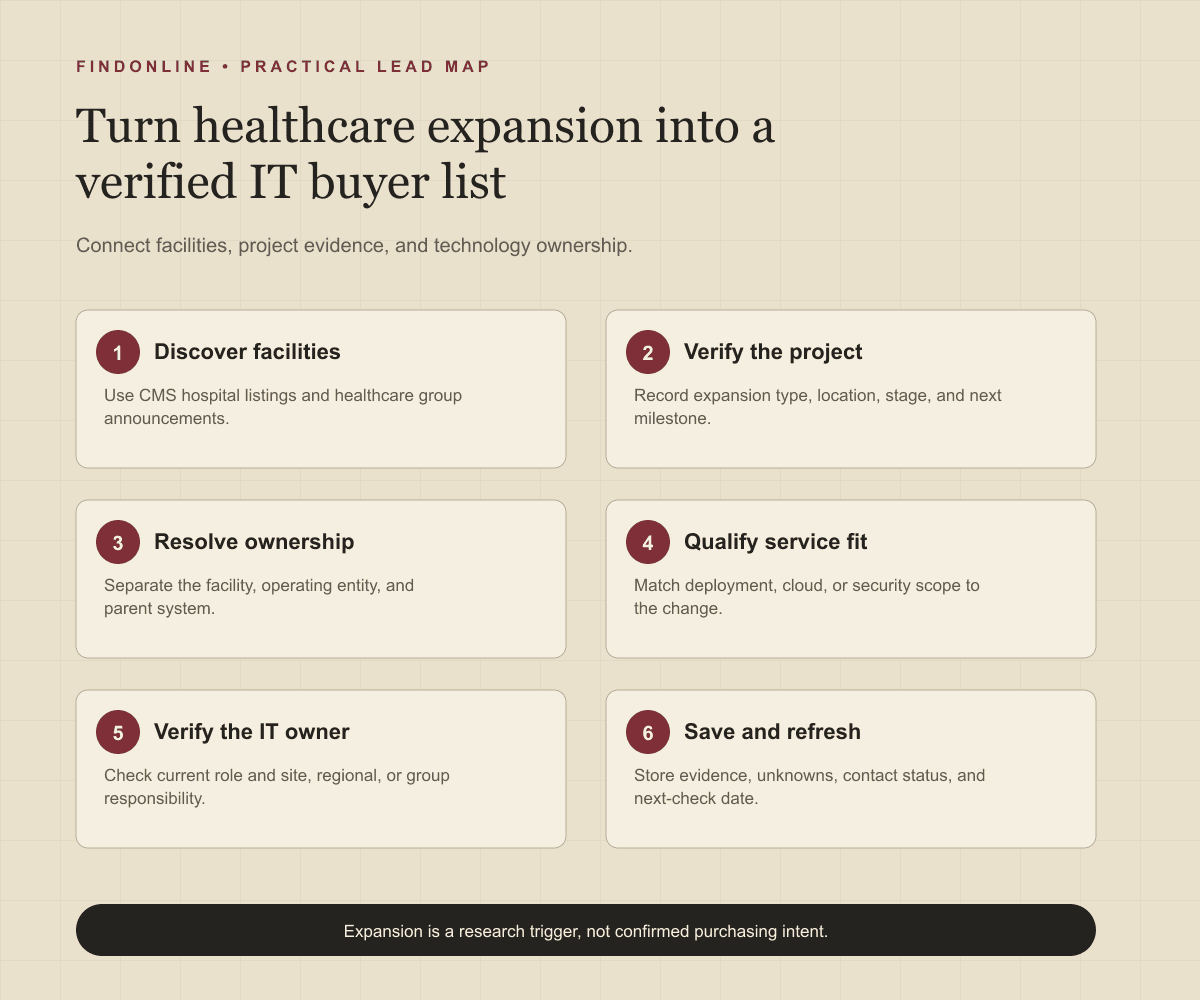
Follow this sequence:
- Set geography, clinical setting, and service scope.
- Discover hospitals through CMS and outpatient candidates through group announcements.
- Verify the operating entity and separate expansion from rebranding.
- Match project timing to a plausible service requirement.
- Find current technology leaders at the responsible entity.
- Save evidence, unresolved questions, and a next-check date.
Use three statuses: research needed, qualified for conversation, and deferred. Qualification requires an identifiable change, plausible service fit, and a verified relevant role. It does not mean a buyer has confirmed demand.
Best tools to automate outreach: which options fit this workflow?
Choose tools around the missing stage: role discovery, enrichment, stakeholder research, or execution. These evaluations reflect official evidence checked on September 26, 2026.
FindOnline
What it does: FindOnline combines public signals with automated, end-to-end outreach across LinkedIn, Reddit, and email. Apply that workflow to verified healthcare expansion and professional activity. Overview Agent workflow
Strengths: Teams can automate stages or hold selected stages for optional review. For this workflow, review can focus on matching the facility to the responsible IT owner. Stage controls
Limitations: FindOnline is designed as a complete go-to-market, or GTM, system rather than a standalone signal-monitoring or enrichment utility. Readers seeking one isolated component should contact the FindOnline team to discuss a suitable configuration. Overview
Best for: IT service providers connecting expansion signals to qualification, relationship routing, outreach, and ongoing engagement. Use a credible warm path when available, verified professional commonality otherwise, or a direct signal-led message when neither exists. Agent workflow
LinkedIn Sales Navigator
What it does: Filters professional prospects by company and role. LinkedIn documentation
Strengths: Saved searches and matching alerts support repeat role discovery. LinkedIn documentation
Limitations: Role filtering does not establish who owns a healthcare procurement; verify responsibility separately. LinkedIn documentation
Best for: Researchers locating technology leadership inside an already verified healthcare group. LinkedIn documentation
Apollo
What it does: Provides sequences spanning email, calls, and networking steps. Apollo engagement
Strengths: Uses contact and account context for drafting and describes customer relationship management, or CRM, synchronization. Apollo engagement
Limitations: The cited engagement workflow does not establish healthcare facility-to-parent mapping; resolve accounts before enrollment. Apollo engagement
Best for: Sales teams executing rep-led campaigns after project and technology-buyer qualification. Apollo engagement
Clay
What it does: Adds third-party enrichment to an existing Audiences segment. Clay documentation
Strengths: Supports test records and field mapping, with CRM, warehouse, and comma-separated values file inputs. Clay documentation
Limitations: This guided workflow is beta and requires Audiences and Workflows enabled, as checked September 26, 2026. Clay documentation
Best for: Operations teams enriching an existing healthcare project-and-contact dataset. Clay documentation
Common Room
What it does: Prospector searches organizations and contacts using company and persona filters. Prospector documentation
Strengths: Workflows can automate contact addition, with CRM and sales engagement handoffs. Prospector documentation
Limitations: Automated stakeholder addition is not evidence of autonomous conversation handling; that capability is not confirmed in the cited official material. Prospector documentation
Best for: Teams finding additional IT stakeholders within researched healthcare accounts. Prospector documentation
Lemlist
What it does: Combines automated email and LinkedIn messages with manual sequence tasks. Lemlist documentation
Strengths: Assignable reminders accommodate deliberate research and personal follow-ups. Lemlist documentation
Limitations: Manual tasks require a teammate to complete or skip the action. Lemlist documentation
Best for: Providers using qualified healthcare lists in campaigns that include personal tasks. Lemlist documentation
Tool comparison: how do the six options differ?
Match the tool to your operational bottleneck. In this table, NC means not confirmed in the cited official material. Support service levels are NC for all six options.
| tool | best for | data and discovery | outreach automation | integrations | support and review | limitations |
|---|---|---|---|---|---|---|
| FindOnline | Expansion-to-engagement workflow | Public signals | End-to-end automated LinkedIn, Reddit, and email | NC | Optional review by stage | Complete GTM system; discuss isolated needs with team. Overview Workflow Controls |
| LinkedIn Sales Navigator | Finding group IT roles | Company and role filters | NC | NC | Review controls NC | Filters do not establish procurement ownership. Documentation |
| Apollo | Rep-led campaigns | Contact and account context | Multichannel sequences | CRM sync; named connectors NC | Approval controls NC | Facility-parent mapping not established. Documentation |
| Clay | Enriching researched records | Third-party enrichment | NC | CRM, warehouse, file inputs | Test records | Guided workflow requires enabled beta features. Documentation |
| Common Room | Additional stakeholders | Company and persona filters | Contact addition; conversation handling NC | CRM and sales engagement handoffs | Approval controls NC | Contact automation does not establish conversation handling. Documentation |
| Lemlist | Campaigns with personal tasks | Healthcare discovery NC | Email, LinkedIn, manual tasks | NC | Assigned teammate tasks | Manual actions need a teammate. Documentation |
Outreach workflow: how should you contact the verified IT owner?
Lead with the verified change and one scoped question. Separate your service hypothesis from the announcement.
- Reopen the project source and recheck the person's current role.
- Establish likely site, regional, or parent-group responsibility.
- Consider a credible warm introduction as one possible route.
- Otherwise use verified professional commonality, or a direct signal-led message.
- Record replies, correct ownership assumptions, and follow up with useful new information.
Example: Your group announced [facility expansion] in [location]. We support network readiness for clinical sites. Is deployment coordinated by your team or a central infrastructure group?
Never invent a shared connection, interest, or education history. Use Reddit only where relevant public professional context exists; do not identify anonymous users. Respect negative replies and avoid sending identical messages to several colleagues.
Industry-specific nuances: which changes indicate service fit?
Qualify the operating change, not the word growth. Use these questions to test your service hypothesis:
- New clinic: Who owns connectivity, identity setup, endpoint preparation, and opening dependencies?
- Acquisition: Who leads integration, and will the acquired entity retain separate systems?
- Hospital construction: Is the opportunity design advice, deployment, or operational support?
- Service-line expansion: Does it change locations, applications, or equipment?
- Employer clinic network: Does the care operator or employer control local technology?
These questions do not imply facts about the example organizations. A relocation can justify deployment research without adding capacity; clinician hiring does not establish an architecture change.
Before proposing cloud work, ask which workloads are in scope and who controls them. Before proposing security work, establish the assessment boundary without alleging vulnerabilities. Keep patient data out of prospect records. Discuss clinical operating hours, access requirements, vendor onboarding, and change approval before scoping delivery; do not promise compliance from website research.
Limitations: what can expansion signals actually prove?
Signals are directional rather than guaranteed truth. Use them to prioritize and personalize outreach and follow-ups, verify the underlying change, and rescan regularly because departments, roles, and company conditions change.
Announcements can outlast their schedules. A current title does not prove purchasing authority, and expansion does not prove outsourcing demand. Preserve uncertainty and defer accounts whose ownership or project status remains unresolved.
Frequently asked questions: what should researchers clarify?
Can hospital listings identify the IT director?
Use hospital listings to establish facility candidates, then research the technology owner separately. Match the facility to its operating group before searching current roles.
Should I contact the local IT director or group CIO?
Start with the role whose remit matches your proposed work; CIO means chief information officer. If responsibility is unclear, ask a routing question instead of assuming authority from seniority.
What counts as a qualified expansion lead?
A useful lead has verified expansion evidence, plausible service fit, and a current relevant technology contact. Keep procurement timing and willingness to outsource marked unknown until confirmed.
How do I distinguish relocation from growth?
Record relocation as its own event type after reading what actually changes. It may support a deployment conversation without establishing additional sites or capacity.
When should I refresh the list?
Recheck the project and role before first contact and significant follow-ups. Set the next scan around the stated milestone, and refresh sooner when a reply or announcement changes the account picture.
Sources
- Hospital Quality Initiative Public Reporting — Centers for Medicare & Medicaid Services · Accessed
- Cleveland Clinic Highlights Growth and Strategic Momentum in Palm Beach County — Cleveland Clinic · Accessed
- Marathon Health expands advanced primary care into five new regions — Marathon Health · Accessed
- Sales Navigator Advanced Search Filters — LinkedIn · Accessed
- FindOnline — FindOnline · Accessed
- About FindOnline — FindOnline · Accessed
- How FindOnline Works — FindOnline · Accessed
- Sales Engagement Software — Apollo · Accessed
- Enrichment in Workflows — Clay · Accessed
- Prospector — Common Room · Accessed
- How to add and manage manual tasks in a sequence — Lemlist · Accessed