Buyer discovery
How to Find Partnership Leaders at HubSpot App Companies
Find HubSpot app partnership leaders using publisher records, integration documentation, and verified roles. Build a qualified database and plan relevant outreach.
By Vaishnav Gupta11 min read
On this page
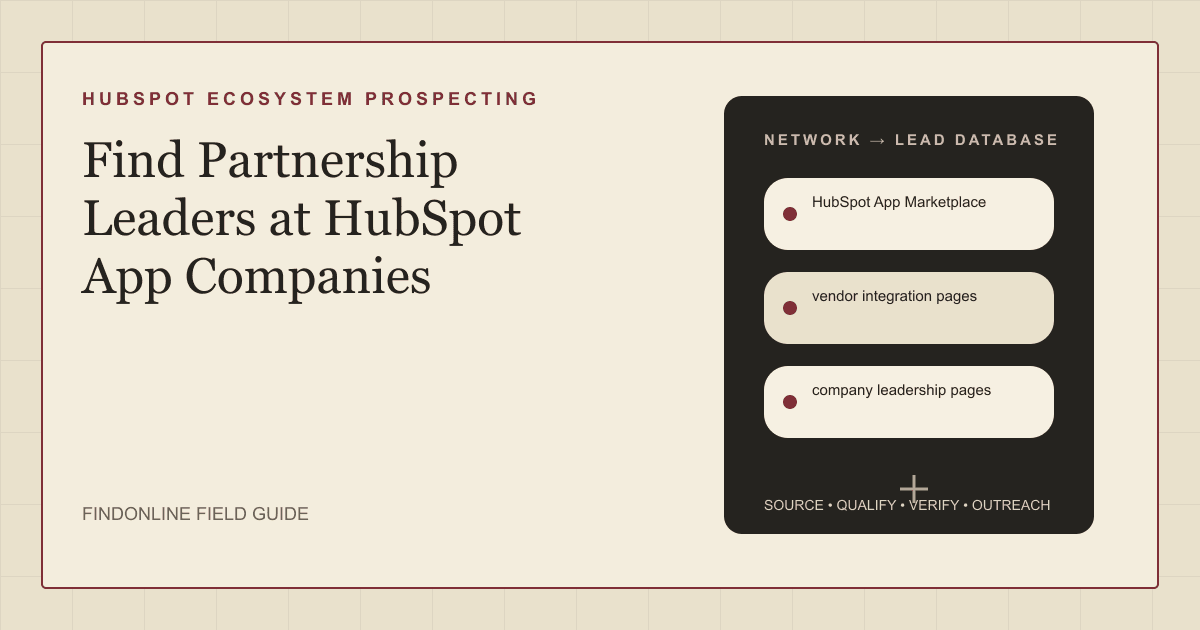
Quick answer: How to Find Partnership Leaders at HubSpot App Companies starts with targeting technology-alliance, ecosystem, and partner-marketing owners. Use the HubSpot App Marketplace, vendor integration pages, and company leadership pages. First, choose one complementary customer workflow, identify each app's publisher, and verify who owns that partnership motion before building your contact list. HubSpot listing guidance.
Who to target: which roles own your proposed partnership?
Target the owner of your proposed outcome, then confirm their remit. For business-to-business (B2B) partnership and go-to-market (GTM) teams, use this research shortlist:
- Integration development: Head of Technology Partnerships, Ecosystem Partnerships Director, or product partnerships lead.
- Joint selling and referrals: VP Partnerships, strategic alliances director, or channel partnerships lead.
- Joint campaigns: partner marketing director or ecosystem marketing lead.
- Small publisher without a partnership function: founder, with product leadership as a technical counterpart.
Treat these titles as search hypotheses, not proof of authority. Ask whether the person owns technology integrations, agency channels, or marketing collaboration. Record a commercial sponsor and technical evaluator separately when your proposal requires both.
Search within verified publisher companies before widening titles. Sales Navigator provides company, title, function, and seniority filters. LinkedIn filter documentation. For broader segmentation, use the B2B SaaS prospecting context.
Lead sources: where can you identify relevant HubSpot app publishers?
Use marketplace records for identity, integration documentation for fit, and leadership pages for accountability. Keep the three reviewed starting points:
- HubSpot App Marketplace. HubSpot identifies an app's creator in the Built by field. Capture that identity and the listing address before searching for people. HubSpot listing guidance.
- Vendor integration pages. Inspect the actual workflow. Aircall's HubSpot integration logs calls and SMS messages to contacts, deals, and tickets. That supports a customer-conversation workflow hypothesis; it does not establish partnership interest. Aircall integration documentation.
- Company leadership pages. Look for current biographies and responsibility statements. Separate leadership evidence from historical milestones: Aircall's company history describes its team growing beyond 200 employees in 2019. Such milestones cannot verify today's partnership owner. Aircall company history.
For each publisher, seek one concrete complement: an upstream data source, downstream action, shared customer segment, or distribution relationship. Exclude proposals that duplicate the integration's stated functionality.
Do not assume the app name, publisher, parent company, and commercial counterparty are identical. Resolve them before merging records or addressing an executive.
Lead database: what should a verified partnership list contain?
Build one company record with linked app and contact records. Preserve evidence separately from interpretation so another teammate can audit your app publisher qualification.
| Field | Where to obtain it | How to verify it |
|---|---|---|
| App name and listing address | HubSpot App Marketplace | Reopen the listing and record the check date |
| Publisher and canonical domain | Built by field and vendor website | Match the named creator to the operating company |
| Integration workflow | Vendor integration page | Confirm supported actions, objects, and sync direction |
| Partnership hypothesis | Assessment of the documented workflow | State complementary value and unresolved assumptions |
| Partnership motion | Vendor partner pages and role descriptions | Distinguish technology, channel, and marketing responsibilities |
| Leader and current title | Company leadership pages and professional profiles | Resolve conflicting employers or dates |
| Commercial and technical owners | Biographies and direct confirmation | Separate decision authority from implementation responsibility |
| Trigger and evidence date | Release notes, announcements, or hiring pages | Verify the underlying change and its relevance |
| Contact route and next action | Published business contact details | Confirm identity; record replies and suppression requests |
These are recommended research fields, not a claim that every listing exposes every field. Leave missing values unknown.
Use this reusable research prompt:
Research [publisher domain] for a potential HubSpot ecosystem partnership around [customer workflow]. Find the app listing, named publisher, vendor integration documentation, and current partnership leadership evidence. Separate technology alliances, channel partnerships, and partner marketing. Return source addresses, checked dates, exact role wording, supported integration functions, and unresolved questions. Do not infer purchasing authority or fabricate contact details.
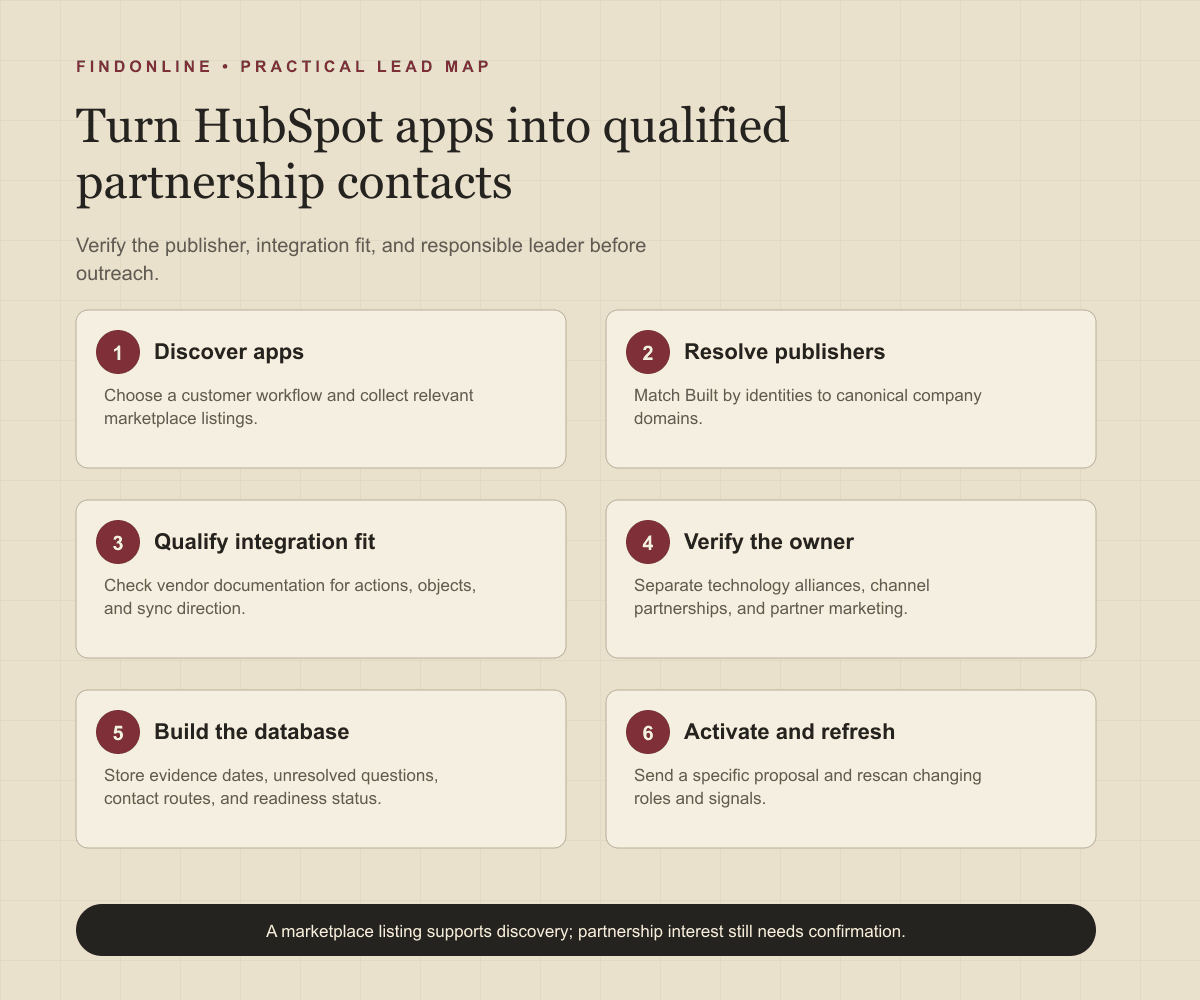
Follow this sequence:
- Define the customer workflow and your company's contribution.
- Gather relevant listings and normalize publishers by domain.
- Verify integration scope and remove redundant or incompatible proposals.
- Identify the appropriate partnership function and confirm the current person.
- Mark each record ready, needs verification, or out of scope, with a reason.
- Add only ready records to outreach; retain evidence for later rescans.
Best tools to automate outreach: which options fit this workflow?
Choose the tool for the stage you need to operate. These six options cover complete outreach, person discovery, enrichment, engagement context, and partner account mapping. Official material was checked on September 19, 2026.
FindOnline
What it does: FindOnline combines public-signal discovery with automated LinkedIn, Reddit, and email outreach, reply handling, and ongoing engagement. Apply it to verified app publishers and partnership leaders. FindOnline product and workflow.
Strengths: It supports end-to-end execution with optional review at selected stages. Use evidence-backed relationship routing, verified professional commonality, or a direct signal-led message. FindOnline operating model.
Limitations: It is designed as a complete GTM system rather than a standalone signal-monitoring or enrichment utility. Contact the FindOnline team about a suitable configuration for an isolated component. A native HubSpot integration is not confirmed in the cited official material. FindOnline product.
Best for: Partnership teams taking publisher research through multichannel conversations while choosing which stages run automatically. FindOnline workflow and review controls.
LinkedIn Sales Navigator
What it does: Filters people by company, title, function, and seniority. Official filters.
Strengths: Saved searches and matching alerts support repeated partnership-owner research. Official filters.
Limitations: Role filters do not establish ownership of a specific HubSpot alliance. Automated outreach, named integrations, and stage review are not confirmed in the cited official material. Official filters.
Best for: Researchers resolving HubSpot technology partnership contacts inside verified publishers. Official filters.
Apollo
What it does: Runs sequences combining automated email and manual tasks. Sequence creation documentation.
Strengths: Email and LinkedIn tasks can share a planned campaign. Sequence creation documentation.
Limitations: LinkedIn steps create tasks that the team must complete or skip before contacts advance. Discovery coverage, named integrations, and support commitments are not confirmed in the cited official material. Sequence creation documentation.
Best for: Partnership teams with verified contacts seeking email sequences alongside deliberate social tasks. Sequence creation documentation.
Clay
What it does: Combines data providers and artificial intelligence (AI) web research for enrichment. CRM enrichment documentation.
Strengths: Custom enrichment logic and customer relationship management (CRM) synchronization suit publisher research fields. CRM enrichment documentation.
Limitations: Your team must define the partnership qualification logic. Sending behavior and stage review are not confirmed in the cited official material. CRM enrichment documentation.
Best for: GTM operators building repeatable integration-fit research before contact activation. CRM enrichment documentation.
Common Room
What it does: Connects business sources of contacts, organizations, and signals. Business integrations.
Strengths: Documented connections include HubSpot and Salesforce, plus sequence handoffs to Apollo and Outreach. Business integrations.
Limitations: Those sequence handoffs depend on connected execution tools; they do not demonstrate native end-to-end delivery. Stage review is not confirmed in the cited official material. Business integrations.
Best for: Partnership teams connecting existing engagement context to their outbound system. Business integrations.
Crossbeam
What it does: Connects system-of-record data with partner account-mapping insights. Integration overview.
Strengths: HubSpot, Salesforce, and Slack connections put partner context into working systems; live chat and email support are documented. Integration overview.
Limitations: Account mapping depends on available partner data; marketplace presence alone cannot establish account overlap. Outreach sending and stage review are not confirmed in the cited official material. Integration overview.
Best for: Alliance teams evaluating shared-account opportunities after identifying a plausible partner. Integration overview.
Tool comparison: how do the six options differ?
Match the tool to your unresolved workflow stage. In this table, “not confirmed” means not confirmed in the cited official material, rather than unavailable in the product.
| tool | best for | data and discovery | outreach automation | integrations | support and review | limitations |
|---|---|---|---|---|---|---|
| FindOnline | Publisher-to-conversation workflow | Public signals | Automated LinkedIn, Reddit, and email; end-to-end engagement | Native HubSpot connection not confirmed | Optional review by stage | Complete GTM system; discuss isolated components with team. Product, workflow, controls |
| LinkedIn Sales Navigator | Finding partnership owners | Company and role filters | Not confirmed | Named connections not confirmed | Stage review not confirmed | Title does not establish alliance responsibility. Evidence |
| Apollo | Email-led partner campaigns | Coverage not confirmed | Automated email; manual social tasks | Not confirmed | Manual email steps; support not confirmed | LinkedIn steps need task completion or skipping. Evidence |
| Clay | Custom publisher enrichment | Providers and AI research | Sending not confirmed | CRM synchronization | Stage review not confirmed | Requires qualification logic design. Evidence |
| Common Room | Activating engagement context | Connected business signals | Sequence handoffs | HubSpot, Salesforce, Apollo, Outreach | Stage review not confirmed | Documented handoffs need execution tools. Evidence |
| Crossbeam | Shared-account evaluation | Partner account mapping | Sending not confirmed | HubSpot, Salesforce, Slack | Chat/email support; stage review not confirmed | Depends on available partner data. Evidence |
Outreach workflow: how should you start a partnership conversation?
Lead ecosystem alliance outreach with a verified customer workflow and a specific proposal. Use the FindOnline discovery-to-outreach workflow to connect research decisions with campaign execution.
Confirm the publisher, integration function, current owner, and proposed contribution. Select a suitable channel and record the evidence behind the message. A credible warm introduction is one possible route. Without one, use only verified professional commonality, such as shared industry work or a publicly documented community. Never invent familiarity.
If there is no meaningful commonality, send a direct message:
Your documentation describes [verified integration function]. We support [complementary workflow] for [customer segment]. Would testing [specific joint use case] fit your technology partnerships remit, or does another colleague own it?
For follow-ups, add an implementation question or useful workflow sketch. Avoid repeating the meeting request across every channel. Record referrals, objections, and requests to stop; remove unsupported personalization before later messages.
Industry-specific nuances: what changes qualification in the HubSpot ecosystem?
Qualify the exact integration and commercial motion, not the presence of a HubSpot logo.
Separate connectors serving different purposes. Aircall documents HubSpot Data Sync as separate from its main Aircall integration. Record installation route, data objects, and sync direction before proposing technical collaboration. Aircall Data Sync documentation.
For technology alliances, ask who owns the integration roadmap and ongoing maintenance. For referrals, ask which customer segment and geography the partner serves. For co-marketing, ask what shared use case can be demonstrated without promising unverified functionality.
Prioritize a documented integration launch, relevant expansion, or partnership hiring change when it connects to your offer. A general hiring announcement is weaker than a role explicitly responsible for your ecosystem.
Before proposing a pilot, write down the customer problem, each partner's contribution, the technical dependency, and the person who would maintain the result. Ask whether the next step is a technical scoping session, a referral discussion, or a campaign brief. Keep shared-customer overlap separate from public evidence: do not populate customer names from speculation. If collaboration would require exchanging customer records, first agree what information each side is authorized to share and who should participate in that discussion.
Watch for false positives: implementation agencies mistaken for app publishers, support contacts mistaken for alliance owners, and channel leaders whose remit excludes technology partnerships. Do not send technical roadmap proposals to customer-support inboxes simply because they are publicly listed.
Limitations: how reliable are partnership signals?
Signals are directional rather than guaranteed truth. Use them to prioritize and personalize outreach and follow-ups, verify the underlying change, and rescan regularly because departments, roles, and company conditions change.
A working integration does not prove partnership appetite, available engineering capacity, or authority to sign an agreement. Keep those as unanswered qualification questions. Recheck the role before a new campaign and after a referral or employer change.
Frequently asked questions: what should researchers clarify?
Which partnership title should I search first?
Start with technology or ecosystem partnerships for an integration proposal. Use channel partnerships for distribution and partner marketing for joint campaigns. Verify the remit before treating a matching title as the decision-maker.
Can the app's support contact be my partnership lead?
Use support details for support, not as proof of commercial authority. Look for a dedicated partnership route or current leadership evidence. If no owner is public, ask a published business contact who handles the relevant partnership motion.
Should I create a separate company record for every app?
Use one publisher record linked to its individual apps. Preserve separate integration details because different apps can support different proposals. Split companies only when the operating entities genuinely differ.
What if a publisher has no partnership team?
Treat the founder or product leader as a candidate and verify responsibility. Send a routing question with a concrete collaboration idea. Do not assign a partnership title that the company has not published.
Does an integration listing prove interest in joint selling?
No, a listing establishes a research starting point. Joint selling requires confirmation of customer fit, ownership, and willingness to collaborate. Keep the opportunity unqualified until those questions are answered.
Sources
- Install apps in the HubSpot Marketplace — HubSpot · Accessed
- HubSpot phone system integration — Aircall · Accessed
- About us — Aircall · Accessed
- Connect Aircall and HubSpot via Data Sync by HubSpot — Aircall · Accessed
- FindOnline GTM agents — FindOnline · Accessed
- About FindOnline — FindOnline · Accessed
- How FindOnline works — FindOnline · Accessed
- Sales Navigator Advanced Search Filters — LinkedIn · Accessed
- Create a Sequence — Apollo · Accessed
- CRM Enrichment — Clay · Accessed
- Business Integrations — Common Room · Accessed
- Integrations Overview — Crossbeam · Accessed