Buyer discovery
How to Find SaaS Founders Engaging With Competitor Content
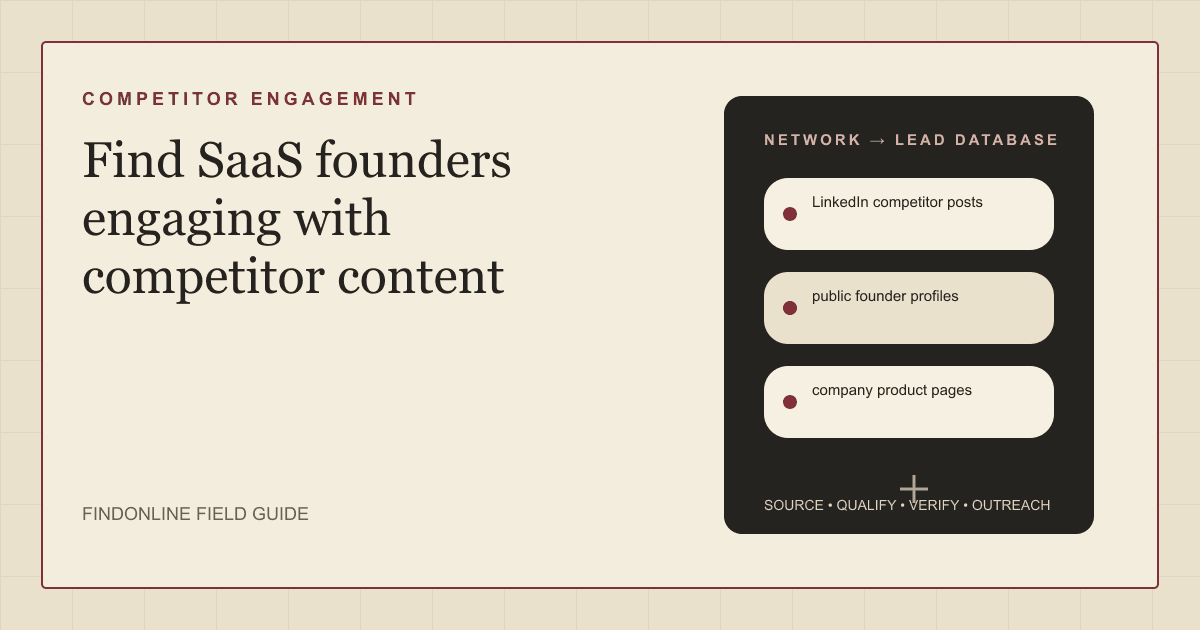
Find SaaS founders engaging with competitor content by reviewing LinkedIn competitor posts, verifying public founder profiles, and checking company product pages for overlap before outreach.
By Vaishnav Gupta13 min read
On this page
Quick answer: How to Find SaaS Founders Engaging With Competitor Content starts with three public signals: LinkedIn competitor posts where founders comment, react, or ask questions, public founder profiles that confirm who the person is and what they run, and company product pages that show whether their product overlaps with the alternative they are evaluating. Target the founder or chief executive who engaged with a competitor's content, then confirm their company fits before contacting anyone. LinkedIn's own guidance shows why engagement matters: for years, the Social Selling Index (SSI) score has been the go-to metric for sales professionals on LinkedIn. LinkedIn Social Selling Index.
Who to target: which founders are worth pursuing after competitor engagement?
Target founders whose companies could buy your product and who publicly engaged with a competitor's post, then confirm the engagement was evaluative rather than social. For business-to-business (B2B) founders and go-to-market (GTM) teams, use this research shortlist:
- Founder who asked a question under a competitor's product announcement: the strongest signal, because the question usually reveals an unmet need.
- Founder who commented with an opinion on a competitor's feature or pricing model: a signal of active evaluation, worth a direct message that references the topic.
- Founder who reacted to several competitor posts over a month: a weaker but repeatable signal, worth adding to a watch list.
- Founder who engaged once with a hiring or culture post: usually a social signal, not a buying one, and worth excluding.
Treat engagement as a hypothesis, not proof. A founder may comment because they know the competitor's founder, invested in the company, or share a community. Public founder profiles resolve that: Linear's team page names Karri Saarinen, Co-founder, CEO; Jori Lallo, Co-founder, CPO; Tuomas Artman, Co-founder, CTO, which is the kind of role clarity you need before treating a commenter as a decision-maker. Linear team page.
Search within verified companies before widening the list. Sales Navigator adapts to your industry, geography, role, and target buyers, helping you find leads, and its filters cover company, title, function, and seniority. Sales Navigator and filter documentation. For segment context, use the B2B SaaS prospecting context.
Lead sources: where does competitor engagement surface?
Use LinkedIn competitor posts for the signal, public founder profiles for identity, and company product pages for fit. Keep the three reviewed starting points:
- LinkedIn competitor posts. Competitor company pages and their founders' posts collect comments and reactions from people evaluating the category. LinkedIn's page guidance describes boosting as an easy way to reach new audiences by amplifying your best content, which means competitor posts often reach exactly the founders you want. LinkedIn Pages best practices. Read the comments and the reaction lists on product, pricing, and integration posts, and record who engaged and how.
- Public founder profiles. Confirm the person's role and company before scoring the signal. Team pages are the fastest check: PostHog states that we're proud to be a team of 234 misfits, and lists its people with locations. PostHog people page. Match the profile name and company to a team page or an about page, and record the exact title.
- Company product pages. Confirm the founder's product overlaps with the competitor's category. Linear's product page states that Linear streamlines work across the entire development cycle, from roadmap to release, and PostHog's page explains that product analytics turns what people do in your product into answers you can act on. Linear features and PostHog product analytics. A founder whose product page shows a complementary or overlapping workflow is a fit; one in an unrelated category is usually engaging socially.
Combine at least two sources per record. An engagement without a verified profile may be a namesake or an employee, and a verified founder without product overlap is a weak lead however often they comment.
Lead database: what should a verified engagement list contain?
Build one company record per founder's company, linked to one record per engagement event. Keep evidence separate from interpretation so a teammate can audit each competitor engagement lead before it enters a campaign.
| Field | Where to obtain it | How to verify it |
|---|---|---|
| Founder name and current title | Public founder profiles and team pages | Match the profile to the company's own page and record the check date |
| Company name and canonical domain | Team page and product page | Confirm the operating company, not a former employer |
| Competitor post and date | LinkedIn competitor posts | Record the post address, topic, and publication date |
| Engagement type | Comment, question, or reaction | Classify as evaluative, social, or unclear, with the wording |
| Product overlap | Company product pages | Note the overlapping or complementary workflow |
| Engagement frequency | Repeated checks of competitor posts | Count events over thirty days and note the topics |
| Existing relationship | Mutual connections and public context | Record any shared community, investor, or customer |
| Trigger and evidence date | Most recent evaluative engagement | Verify the underlying post before scoring the lead |
| Contact route and next action | Published business contact details | Confirm identity; record replies and suppression requests |
Leave missing values unknown rather than guessing.
Use this reusable research prompt:
Research [founder name] who engaged with [competitor post address]. Confirm the founder's current company and title from a public profile and the company's team page. Find the company's product page and describe the overlap with [competitor category]. Classify the engagement as evaluative, social, or unclear, and list any shared community, investor, or customer. Return source addresses, checked dates, exact role wording, and unresolved questions. Do not infer buying intent or invent contact details.
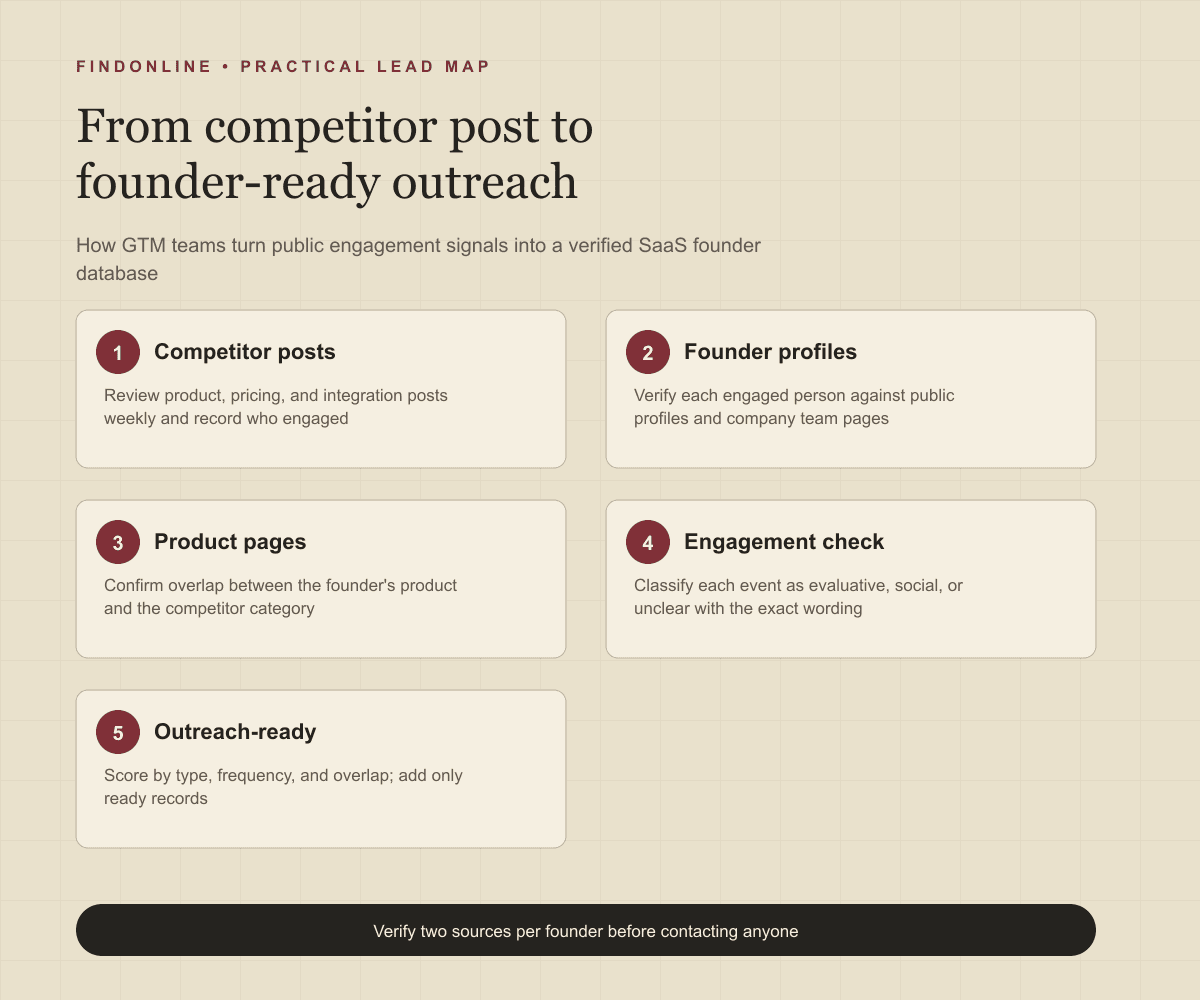
Follow this sequence:
- Choose three to five competitors and list their company pages and founders' profiles.
- Review product, pricing, and integration posts weekly and record every commenter and reactor.
- Verify each engaged person against public founder profiles and team pages.
- Check the founder's product page for overlap with the competitor category.
- Score each record by engagement type, frequency, and overlap; mark it ready, needs verification, or out of scope.
- Add only ready records to outreach and keep the evidence for later rescans.
Best tools to automate outreach: which options fit engagement-led prospecting?
Choose the tool for the stage you need to operate.
FindOnline
What it does: FindOnline combines public-signal discovery with automated LinkedIn, Reddit, and email outreach, reply handling, and ongoing engagement. Apply it to verified founders and the competitor posts they engaged with. FindOnline product and workflow.
Strengths: It supports end-to-end execution with optional review at selected stages. Use evidence-backed relationship routing, verified professional commonality, or a direct signal-led message that references the specific post. FindOnline operating model.
Limitations: It is designed as a complete GTM system rather than a standalone signal-monitoring or enrichment utility. Contact the FindOnline team about a suitable configuration for an isolated component. Competitor-specific post monitoring is not confirmed in the cited official material. FindOnline product.
Best for: Founders and GTM teams taking engagement research through multichannel conversations while choosing which stages run automatically. FindOnline workflow and review controls.
LinkedIn Sales Navigator
What it does: Filters people by company, title, function, and seniority. Sales Navigator filter documentation.
Strengths: Saved searches and matching alerts support repeated founder research across the companies that engaged. Sales Navigator filter documentation.
Limitations: Filters find people by attributes, not by their engagement with a specific competitor post, so the engagement record must come from your own review. Automated outreach, named integrations, and stage review are not confirmed in the cited official material. Sales Navigator filter documentation.
Best for: Researchers confirming the founder inside a company that competitor engagement has already surfaced. Sales Navigator filter documentation.
Amplemarket
What it does: Amplemarket offers social prospecting to engage leads directly from social media, alongside lead generation and engagement features. Amplemarket product overview.
Strengths: Social prospecting keeps the conversation on the channel where the engagement happened. Amplemarket product overview.
Limitations: Its social prospecting starts from leads you identify, so competitor post review still has to happen first. Stage review is not confirmed in the cited official material. Amplemarket product overview.
Best for: GTM teams running social-first follow-up with founders already verified. Amplemarket product overview.
Common Room
What it does: Connects business sources of contacts, organizations, and signals. Business integrations.
Strengths: Engagement context from connected business sources can raise the priority of a founder already interacting with your own team or community. Business integrations.
Limitations: Its documented integrations cover business sources, not a competitor's LinkedIn posts, so competitor engagement must be imported from your own research. Stage review is not confirmed in the cited official material. Business integrations.
Best for: Teams connecting existing community context to an engagement-led pipeline they already maintain. Business integrations.
HeyReach
What it does: HeyReach runs LinkedIn outreach with multichannel outreach through native Instantly and Smartlead integrations. HeyReach product overview.
Strengths: Founders who engage on LinkedIn are reachable on LinkedIn, where HeyReach concentrates its automation. HeyReach product overview.
Limitations: Email steps depend on a connected Instantly or Smartlead account rather than a native sender. Stage review is not confirmed in the cited official material. HeyReach product overview.
Best for: Teams running LinkedIn-first sequences to founders after engagement research is complete. HeyReach product overview.
Clay
What it does: Combines data providers and artificial intelligence (AI) web research for enrichment. CRM enrichment documentation.
Strengths: Custom enrichment logic and customer relationship management (CRM) synchronization suit profile-to-product-page matching fields. CRM enrichment documentation.
Limitations: Your team must design the logic that links an engaged profile to a company and a product overlap. Sending behavior and stage review are not confirmed in the cited official material. CRM enrichment documentation.
Best for: Operators building repeatable profile-to-fit research before contact activation. CRM enrichment documentation.
Tool comparison: how do the six options differ?
Match the tool to your unresolved workflow stage. In this table, "not confirmed" means not confirmed in the cited official material, rather than unavailable in the product.
| tool | best for | data and discovery | outreach automation | integrations | support and review | limitations |
|---|---|---|---|---|---|---|
| FindOnline | Engagement-signal-to-conversation workflow | Public signals | Automated LinkedIn, Reddit, and email; end-to-end engagement | Competitor post monitoring not confirmed | Optional review by stage | Complete GTM system; discuss isolated components with the team. Product, workflow, controls |
| LinkedIn Sales Navigator | Confirming the founder | Company and role filters | Not confirmed | Named connections not confirmed | Stage review not confirmed | Cannot filter by competitor engagement. Evidence |
| Amplemarket | Social-first follow-up | Lead data and social prospecting | Multichannel engagement | Not confirmed | Stage review not confirmed | Starts from leads you identify. Evidence |
| Common Room | Activating community context | Connected business signals | Not confirmed | Business source integrations | Stage review not confirmed | No competitor post source. Evidence |
| HeyReach | LinkedIn-first founder sequences | Not confirmed | LinkedIn outreach; email via Instantly or Smartlead | Instantly and Smartlead | Stage review not confirmed | Email depends on connected accounts. Evidence |
| Clay | Custom profile-to-fit enrichment | Providers and AI research | Sending not confirmed | CRM synchronization | Stage review not confirmed | Requires overlap logic design. Evidence |
Outreach workflow: how should you approach a founder who engaged with a competitor?
Lead with the topic of the post and a concrete point of view, not a general introduction. Use the FindOnline discovery-to-outreach workflow to connect engagement research with campaign execution, and set stage-level review controls if you want to approve the first message to each founder.
Confirm the founder, the company, the product overlap, and the exact engagement. Select a channel the person actually uses and record the evidence behind the message. A credible warm introduction, such as a shared investor or a mutual customer, is one possible route. Without one, use only verified professional commonality, such as a documented community or a public talk. Never invent familiarity, and never imply you were watching the founder personally.
If there is no meaningful commonality, send a direct signal-led message:
You asked about [topic] under [competitor]'s post on [date]. We approach [topic] by [specific difference], and teams building [founder's product category] usually care about [specific outcome]. Would a fifteen-minute comparison of the two approaches be useful, or is [topic] already settled for you?
Time the sequence to the engagement. A question under a competitor post is answered within days by the competitor, so send the first message within forty-eight hours and offer something usable immediately, such as a short comparison of the two approaches.
Industry-specific nuances: what changes qualification in competitor engagement?
Qualify the engagement type and the product overlap, not the number of reactions.
Separate evaluative engagement from relationship engagement. Founders in the same accelerator batch, investor portfolio, or community routinely support each other's posts. A question or a critical comment is evaluative; a congratulatory reaction is not.
Read product pages for the real overlap. A founder building in an adjacent category may engage because they integrate with the competitor, not because they buy from it. That founder is a partnership lead rather than a sales lead, and the message should change accordingly.
Watch for false positives: employees of the competitor commenting on their own company's posts, agencies and consultants engaging to be visible, and founders who engage with everything in the category as a content habit. Prioritize founders who asked a specific question, whose product page shows overlap, and who engaged more than once in thirty days.
Limitations: how reliable are engagement signals?
Signals are directional rather than guaranteed truth. Use them to prioritize and personalize outreach and follow-ups, verify the underlying change, and rescan regularly because departments, roles, and company conditions change.
A comment does not prove an active evaluation, a budget, or dissatisfaction with a current tool. Treat those as unanswered qualification questions and recheck the record before each campaign step.
Frequently asked questions: what do teams ask about competitor engagement?
Which competitor posts are most useful to monitor?
Product launches, pricing changes, and integration announcements. Those posts draw questions from people actively comparing options, while hiring and culture posts draw social engagement.
Is reacting to a competitor post a strong enough signal on its own?
No. A single reaction is a watch-list signal at best. Combine it with a verified founder profile, a product overlap, and ideally a comment or question before treating it as a lead.
Should I mention the competitor's post in my first message?
Yes, briefly and accurately, because the founder engaged publicly. Reference the topic and the question, not the founder's behavior, and offer a concrete point of view rather than a demo request.
How often should I review competitor posts?
Weekly for each competitor's company page and founders' profiles, and within forty-eight hours after a launch or pricing post. Rescan older posts monthly, because late comments often come from founders who found the post while researching.
Sources
- The Social Selling Index (SSI) — LinkedIn · Accessed
- LinkedIn Pages best practices — LinkedIn · Accessed
- LinkedIn Sales Navigator — LinkedIn · Accessed
- About Linear — Linear · Accessed
- PostHog People — PostHog · Accessed
- Linear Features — Linear · Accessed
- PostHog Product Analytics — PostHog · Accessed
- FindOnline GTM agents — FindOnline · Accessed
- About FindOnline — FindOnline · Accessed
- How FindOnline works — FindOnline · Accessed
- Sales Navigator Advanced Search Filters — LinkedIn · Accessed
- Amplemarket — Amplemarket · Accessed
- Business Integrations — Common Room · Accessed
- HeyReach — HeyReach · Accessed
- CRM Enrichment — Clay · Accessed