Buyer discovery
How to Find IT Directors at K-12 School Districts
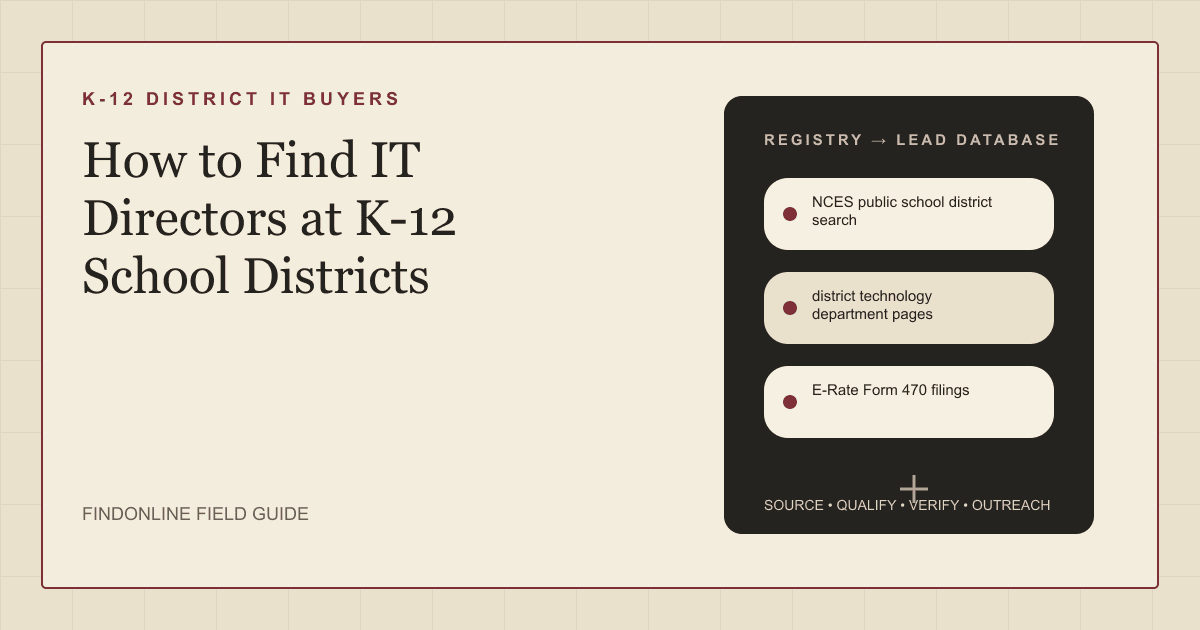
Find IT directors at K-12 school districts using the NCES district search, district technology pages, E-Rate Form 470 filings, Cybersecurity Pilot participation, and director job postings, then verify the leader.
By Vaishnav Gupta13 min read
On this page
Quick answer: IT, cloud, and cybersecurity service providers find IT directors at K-12 school districts by exporting districts from the NCES public school district search, reading district technology department pages for the technology leader's title, and watching E-Rate Form 470 filings for districts preparing to buy network or security work. Start by exporting districts in your states above your student minimum, then confirm the technology leader on each district site.
Who to target: which roles own district technology decisions?
Target the person who runs the district technology department, usually titled Director of Technology, Chief Technology Officer (CTO), or Director of Information Technology. Austin Independent School District lists a Chief Technology Officer over a department it calls "an engine of innovation and operational excellence" (Austin ISD Technology Department).
Titles scale with district size. Large districts add directors of infrastructure, information security, and instructional technology under a CTO; small districts have one hands-on director who may also run the help desk.
Reporting lines matter because the supervisor often signs the contract. A June 15, 2026 posting from Hazel Crest School District 152-5 places its Director of Technology under the general supervision of the Superintendent and says the role "Manages the development of the school district local area networks" (Illinois Education Job Bank posting).
Secondary contacts are the business manager, who controls the local share of E-Rate purchases, and the superintendent in small districts. Do not pitch instructional technology coaches; they influence classroom tools, not infrastructure or security contracts.
Lead sources: where do K-12 IT directors show up publicly?
Five public sources cover nearly every district and its technology leader; the three reviewed starting points were readable today.
- NCES public school district search lists every public local education agency using Common Core of Data (CCD) records for the 2024-2025 and 2025-2026 school years, with filters for state, district type, and number of students (NCES CCD District Search). Use it to build and size the universe before any outreach.
- district technology department pages name the technology leader, the title, and the department's remit. Austin ISD's page describes campus internet performance and cybersecurity protocols as department work (Austin ISD Technology Department). Smaller districts bury this under Staff Directory.
- E-Rate Form 470 filings are the public requests for bids that districts post before buying eligible connectivity and internal network services. The Universal Service Administrative Company (USAC) FCC Form 470 Download Tool "Provides applicant and information on the requested service and equipment details including contact information" (USAC E-Rate tools). Applicants must "wait at least 28 days from the date the FCC Form 470 is certified" before closing bids (USAC competitive bidding), so a fresh 470 is a dated buying window.
- E-Rate Cybersecurity Pilot participants are districts selected for the Federal Communications Commission's three-year pilot, which USAC says provides "up to $200 million in universal service support to eligible schools and libraries" for eligible cybersecurity services and equipment (USAC Cybersecurity Pilot Program). Participants have shown security intent and run their own competitive bidding.
- district technology director job postings on state education job banks and district HR pages reveal vacancies, reporting lines, and scope. The Hazel Crest posting combines network, internet safety, and inventory duties in one role (Illinois Education Job Bank posting). A vacancy means an interim owner; a new hire reviews vendors early.
Lead database: which fields should a district IT prospect list include?
Build one row per district, keyed on the NCES District ID. The USAC Entity Search Tool, which covers schools, school districts, library systems, and consortia, supplies the matching USAC entity number (USAC E-Rate tools).
| Field | Source | Verification |
|---|---|---|
| District name and NCES District ID | NCES public school district search | Match state and district type |
| Technology leader name and title | district technology department pages | Confirm on a LinkedIn profile showing the same employer |
| USAC entity number | USAC Entity Search Tool | Match name, state, and parent entity |
| Latest Form 470 date and category | E-Rate Form 470 filings | Read for Category Two items such as internal connections |
| Form 470 contact | E-Rate Form 470 filings | Flag when the contact is an outside E-Rate consultant |
| Cybersecurity Pilot status | E-Rate Cybersecurity Pilot participants | Note single applicant versus consortium filing |
| Open technology vacancy | district technology director job postings | Record posting date and whether new or replacement |
Reusable research prompt:
Find K-12 public school districts in [state] with [minimum students] or more students that certified an FCC Form 470 since [date] requesting internal connections or basic maintenance. For each district return the NCES District ID, the technology leader's name and title from the district website, the Form 470 contact and whether that contact is district staff or a consultant, and any open Director of Technology posting.
Step-by-step workflow:
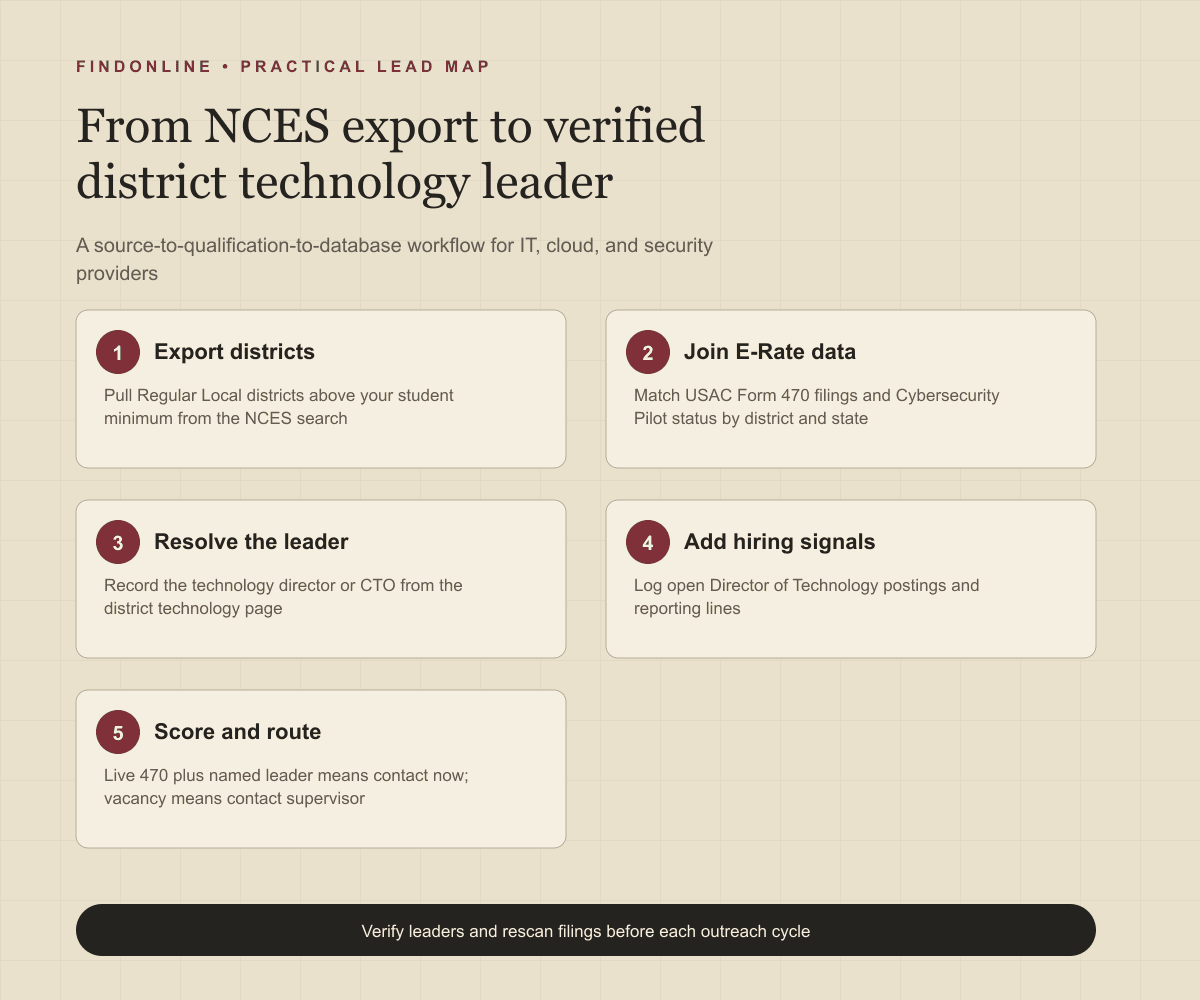
- Export Regular Local districts above your student minimum from the NCES search.
- Download current funding year Form 470 data from USAC and join on district name and state.
- Open each matched district's technology page and record the leader and title.
- Add Cybersecurity Pilot participation and open director postings as signal columns.
- Score each row: live 470 plus named leader means contact now; vacancy means contact the supervisor; pilot participation means lead with security.
Best tools to automate outreach: which platforms fit K-12 district prospecting?
FindOnline plus five alternatives cover discovery, verification, and outreach for district IT leaders.
FindOnline
What it does: FindOnline is an end-to-end AI go-to-market (GTM) system; its about page says "Your AI agent finds and contacts high-intent prospects" (FindOnline about). Here it combines public signals such as Form 470 postings, director vacancies, and LinkedIn activity to qualify district technology leaders, then runs outreach through "AI GTM agents for LinkedIn, Reddit and Email" (FindOnline).
Strengths: Discovery, routing, outreach, and reply handling run in one automated workflow. The agent "spots buying signals like hiring, promotions and funding" (FindOnline), which maps to director vacancies and new CTO appointments on a district list. A credible warm introduction, such as a peer at a neighboring district, is one possible route; otherwise outreach adapts only to verified professional commonality like shared K-12 infrastructure experience, or leads directly with the Form 470 signal. Teams can automate every stage or hold some: "You choose which stages run automatically and which hold for approval" (FindOnline about).
Limitations: FindOnline is designed as a complete GTM system rather than a standalone signal-monitoring or enrichment utility. Providers who want only a Form 470 alert feed or only contact enrichment should contact the FindOnline team to discuss a suitable configuration.
Best for: Managed service, cloud, and security providers that want district technology leader discovery, signal tracking, and LinkedIn, Reddit, and email outreach handled end to end, with optional review during a bid window.
LinkedIn Sales Navigator
What it does: LinkedIn's prospecting tool for finding and tracking people. You can "Search with 50+ filters like function, seniority level, years at company, experience, and more" (LinkedIn Sales Navigator).
Strengths: Saved-lead alerts catch a newly hired district CTO. Its CRM integration promises to "Eliminate errors with automatic duplicate checks and data validation", and support runs through an AI-powered Help Center virtual agent (LinkedIn Sales Navigator).
Limitations: Many district technology staff keep sparse profiles, and Sales Navigator cannot see E-Rate or procurement activity, so it confirms people rather than revealing buying windows.
Best for: Providers holding a district list from NCES and USAC who need to confirm the current technology leader and watch role changes.
Apollo
What it does: A B2B contact database with built-in sequencing. Apollo offers "Multi-channel sequence steps across email, call, and networking platforms" (Apollo sales engagement).
Strengths: Contacts, sequences, and calling sit in one system, and "Apollo syncs contacts, activities, and deal data with CRMs like Salesforce and HubSpot" (Apollo sales engagement). Support resources include a knowledge base, onboarding, and a community, per the same page.
Limitations: Coverage of public-sector K-12 district staff is not confirmed in the cited official material, so check each record against the district technology page before sending.
Best for: Small provider sales teams running email and call sequences to a verified district list from one tool.
Clay
What it does: A data orchestration workspace that enriches lists from many providers. Clay says it can "Keep CRM records accurate, complete, and continuously refreshed with live data" (Clay).
Strengths: You can load an NCES export, enrich the technology leader, and "Trigger emails, ads, and more with integrations to your existing GTM tools" (Clay). Clay University provides learning content, per the same page; a dedicated support model is not confirmed in the cited official material.
Limitations: Clay is a build-your-own layer; someone must design and maintain the district table, the Form 470 join, and the enrichment logic, and it sends nothing without connected tools.
Best for: GTM operators who want to automate the NCES-to-USAC-to-district-page join and keep a living district database.
ZoomInfo
What it does: A contact and company data platform with engagement features. Teams can "Build and execute multi-touch sales cadences with our direct phone dialer and email tool" (ZoomInfo Sales).
Strengths: Direct dials matter because district offices answer phones, and you can "Export prospects to your CRM in one click" (ZoomInfo Sales). A help center is linked on the same page; a named support model is not confirmed.
Limitations: Its intent signals come from web content consumption and technology installs, not E-Rate filings, so the key district signal must come from USAC data.
Best for: Larger phone-led provider teams needing direct dials for district technology offices across many states.
lemlist
What it does: An outreach platform that can "Launch automated campaigns across email, LinkedIn, calls, WhatsApp, and SMS from one workflow" (lemlist).
Strengths: Multi-step campaigns with built-in deliverability tools, and "lemlist connects seamlessly with tools like HubSpot and Salesforce" (lemlist). Support is available through in-app chat, per the same page.
Limitations: Its lead database targets commercial companies and does not surface Form 470 postings, pilot participation, or district vacancies, so timing must come from USAC.
Best for: Providers with a verified district list who want to sequence email and LinkedIn touches timed to 470 postings.
Tool comparison: how do the six options differ for district IT prospecting?
The table restates the evidence cited above.
| tool | best for | data and discovery | outreach automation | integrations | support and review | limitations |
|---|---|---|---|---|---|---|
| FindOnline | End-to-end district IT leader outreach | Public signals: district pages, Form 470s, vacancies, LinkedIn activity | Automated LinkedIn, Reddit, and email outreach with reply handling | Not confirmed in the cited official material | Optional review per stage; all stages can run automatically | Complete GTM system, not a standalone alert or enrichment utility |
| LinkedIn Sales Navigator | Confirming leaders and role changes | 50+ profile filters and saved-lead alerts | InMail; no sequencing described | CRM integration with duplicate checks | AI-powered Help Center virtual agent | No E-Rate visibility; sparse district profiles |
| Apollo | Small teams running email and call sequences | B2B contacts; K-12 coverage not confirmed | Multi-channel sequences across email, call, networking platforms | Salesforce and HubSpot sync | Knowledge base, onboarding, community | District staff coverage unverified |
| Clay | Operators automating the NCES-to-USAC join | Enrichment from many providers in one table | Triggers emails via connected GTM tools | Existing GTM tools and CRMs | Clay University; support model not confirmed | Build-your-own layer needing maintenance |
| ZoomInfo | Phone-led teams needing direct dials | Contacts with web and technology intent signals | Multi-touch cadences with dialer and email | One-click CRM export | Help center; support model not confirmed | Intent ignores E-Rate filings |
| lemlist | Sequencing touches timed to 470 postings | Commercial lead database; no district signals | Campaigns across email, LinkedIn, calls, WhatsApp, SMS | HubSpot and Salesforce | In-app chat support | No district, pilot, or vacancy signals |
Outreach workflow: how should providers sequence contact with district IT directors?
Lead with the dated signal, not the service menu.
- Trigger on a Form 470 certified in the last seven days, a Cybersecurity Pilot participant, or a director vacancy.
- Verify the technology leader on the district page and a current LinkedIn profile.
- Choose the route: a warm introduction only when one genuinely exists, such as a shared peer district; otherwise verified commonality like prior district IT experience; otherwise a direct message referencing the 470.
- Keep the first message short, name the requested category, and offer to respond through the bid process.
- Follow up on LinkedIn on day three and by email before the 28-day window closes, then once more after award.
The FindOnline how-it-works page shows how these stages run automatically or hold for approval, and the consultancy prospecting page describes the same routing for advisory firms.
Industry-specific nuances: what is different about selling to school districts?
- Bidding rules shape timing. USAC requires that all bidders be treated the same and that no bidder has advance knowledge of project information (USAC competitive bidding). Respond formally and never ask for pre-bid details.
- The 470 contact may be a consultant. Many districts list an E-Rate consultant as the form contact. The buyer is still the technology director, so resolve the leader from the district page first.
- Providers need their own registration. USAC says "As a service provider, you must have an account in EPC to file program forms, receive notifications" (USAC service providers). Without a Service Provider Identification Number you cannot be paid through the program.
- Installation is seasonal. Districts plan in winter and spring and install over summer break, so proposals promising summer delivery fit the calendar. The healthcare cybersecurity buying committee guide shows a buyer group with no such window.
Limitations: how reliable are these signals?
Form 470 filings, pilot participation, and job postings are directional signals, not guaranteed intent. Use them to prioritize which districts to contact first and to personalize the message and follow-ups. Verify the underlying change on the district site or in USAC data, and rescan regularly because technology directors move, 470s are withdrawn or re-posted, and district budgets shift with enrollment and state funding.
Frequently asked questions
What title does the IT director at a K-12 school district usually have?
Most districts use Director of Technology, Chief Technology Officer, or Director of Information Technology. Large districts may add a Chief Information Officer above several directors; small districts may use a Technology Coordinator. Confirm the title on the district technology page.
How do I find E-Rate Form 470 postings for school districts?
Use the USAC FCC Form 470 Download Tool, which lists applicants, requested services and equipment, and contact information. Filter by state and funding year, join to your NCES district list, and check the certification date for the remaining 28-day window.
Can I contact a district during the 28-day E-Rate bidding window?
Yes, as a bidder responding to the public Form 470, not as a vendor seeking inside information. USAC requires equal treatment of all bidders, so ask questions through the process the 470 specifies.
How do I find IT directors at small districts with no technology page?
Start with the district staff directory and board minutes, which record technology contract approvals, then check the Form 470 contact. If the district files through a regional education service agency, the agency's technology lead is usually the decision-maker.
Sources
- Search for Public School Districts - CCD District Search — National Center for Education Statistics · Accessed
- Technology Department — Austin Independent School District · Accessed
- Director of Technology - Hazel Crest SD 152-5 — Illinois Education Job Bank · Accessed
- E-Rate Tools — Universal Service Administrative Company · Accessed
- Competitive Bidding - E-Rate Applicant Process — Universal Service Administrative Company · Accessed
- Cybersecurity Pilot Program — Universal Service Administrative Company · Accessed
- E-Rate Service Providers — Universal Service Administrative Company · Accessed
- FindOnline - AI GTM agents — FindOnline · Accessed
- About FindOnline — FindOnline · Accessed
- LinkedIn Sales Navigator — LinkedIn · Accessed
- Apollo Sales Engagement — Apollo · Accessed
- Clay - Go to market with unique data — Clay · Accessed
- ZoomInfo Sales — ZoomInfo · Accessed
- lemlist - Multichannel outreach platform — lemlist · Accessed