Buyer discovery
How to Find IT Buyers at Municipal Governments
Find IT buyers at municipal governments using municipal procurement portals, city IT department pages, public meeting agendas, ICMA Job Center postings, and CISA grant pages, then verify the IT leader and timing.
By Vaishnav Gupta13 min read
On this page
Quick answer: Target the city's Chief Information Officer (CIO), IT Director, or Chief Technology Officer (CTO), plus the city manager and purchasing officer who approve and run the contract. The strongest discovery sources are municipal procurement portals, city IT department pages, public meeting agendas, and ICMA Job Center postings. Start by registering on each target city's procurement portal under IT commodity codes, then read council agendas for expiring IT and security contracts.
Who to target: which roles own municipal IT decisions?
The IT Director or CIO owns the technical requirement, the purchasing office runs the solicitation, and the city manager or council approves spend above a local threshold. Providers need all three in the account record, because the technical owner rarely signs alone.
Titles vary with city size. Seattle's department says it "provides secure, reliable, and compliant technologies that improve government service," and lists Shannon Smith as Chief Technology Officer (Seattle IT about page). Small towns often have no IT staff, so the finance director or town administrator manages an outsourced provider.
Qualification signals that matter:
- Standalone IT department with named leadership. Signals budget authority and an internal champion.
- Incumbent managed service provider (MSP) contract with a visible end date. Replacement follows a solicitation, not a cold call.
- State and Local Cybersecurity Grant Program (SLCGP) sub-award. Grant money funds assessments and tooling that need a delivery partner.
- Open IT Director or CIO vacancy. A new leader reviews vendors within the first year.
The Census Bureau reports that "The 2022 Census of Governments reported 90,837 local governments in the U.S." (Census Bureau Government Organization Summary Report). Most are special districts and townships, so filter to general-purpose cities in your delivery region.
Lead sources: where do municipal IT buyers show up publicly?
Each item below starts with the exact source name used in the lead database.
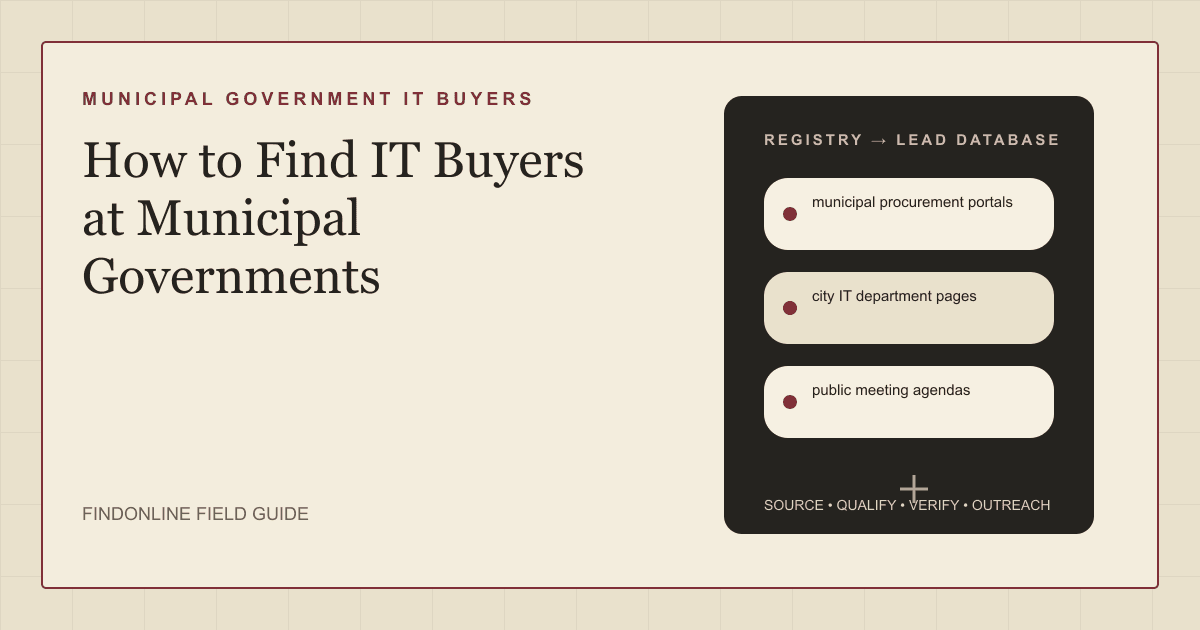
- municipal procurement portals publish solicitations and match them to registered vendors by commodity code. Round Rock, Texas tells vendors "Be sure to select the NIGP commodity codes that correspond to your business or organization" (Round Rock purchasing page). Register under IT services, cybersecurity, and cloud codes on each target city's portal.
- city IT department pages name the technology leader and reveal whether IT is standalone or buried under finance. Seattle's page states that "Seattle IT is divided into ten divisions working together" and names its CTO (Seattle IT about page). Confirm the title here before searching LinkedIn.
- public meeting agendas show IT contracts before award. Official agenda systems blocked the research browser today, so local newspaper coverage stands in. The Fullerton Observer reported a council item to award an IT management contract and noted that "The contract with Glass Box is set to expire on June 30, 2026" (Fullerton Observer council coverage).
- ICMA Job Center postings list local government leadership vacancies, including IT Director and CIO roles. The International City/County Management Association (ICMA) describes the board as having "hundreds of jobs available" for "your next job in local government" (ICMA Job Center). A vacancy means a vendor review follows the hire.
- CISA SLCGP grant page shows how federal cybersecurity money reaches cities. The Cybersecurity and Infrastructure Security Agency (CISA) states that the legislation "requires states to distribute at least 80% of funds to local governments" (CISA State and Local Cybersecurity Grant Program). Sub-award recipients need assessments, training, and tooling delivered by vendors.
- MS-ISAC membership page describes the Multi-State Information Sharing and Analysis Center and notes the change "Following the transition to a member-funded model in 2025" (MS-ISAC overview). Cities that relied on free monitoring now weigh paid membership against commercial providers.
Lead database: what fields should a municipal IT buyer list contain?
A useful database records the city, its IT leadership, its procurement route, its current contracts, and the trigger that makes outreach timely. Store the document date and URL for every field.
| Field | Source | Verification |
|---|---|---|
| City, state, and population tier | Census counts and city website | Confirm a general-purpose city, not a district |
| IT leader name and title | city IT department pages | Match the LinkedIn current role to the city page |
| Procurement portal and commodity codes | municipal procurement portals | Register and confirm IT codes are selected |
| Incumbent vendor and contract expiry | public meeting agendas and award archives | Read the term in the agenda report |
| Grant status | CISA SLCGP grant page and state grant office | Confirm a sub-award, not just eligibility |
| Open IT leadership vacancy | ICMA Job Center postings | Check the posting is still active |
Reusable research prompt:
For [city], [state]: 1) Name the IT Director, CIO, or CTO on the IT department page. 2) Name the procurement portal and its commodity code system. 3) List vendor, term, and expiry for IT, cybersecurity, or managed services items in the last 12 months of council agendas. 4) Note any open IT Director or CIO vacancy. 5) Give each fact a source URL and document date.
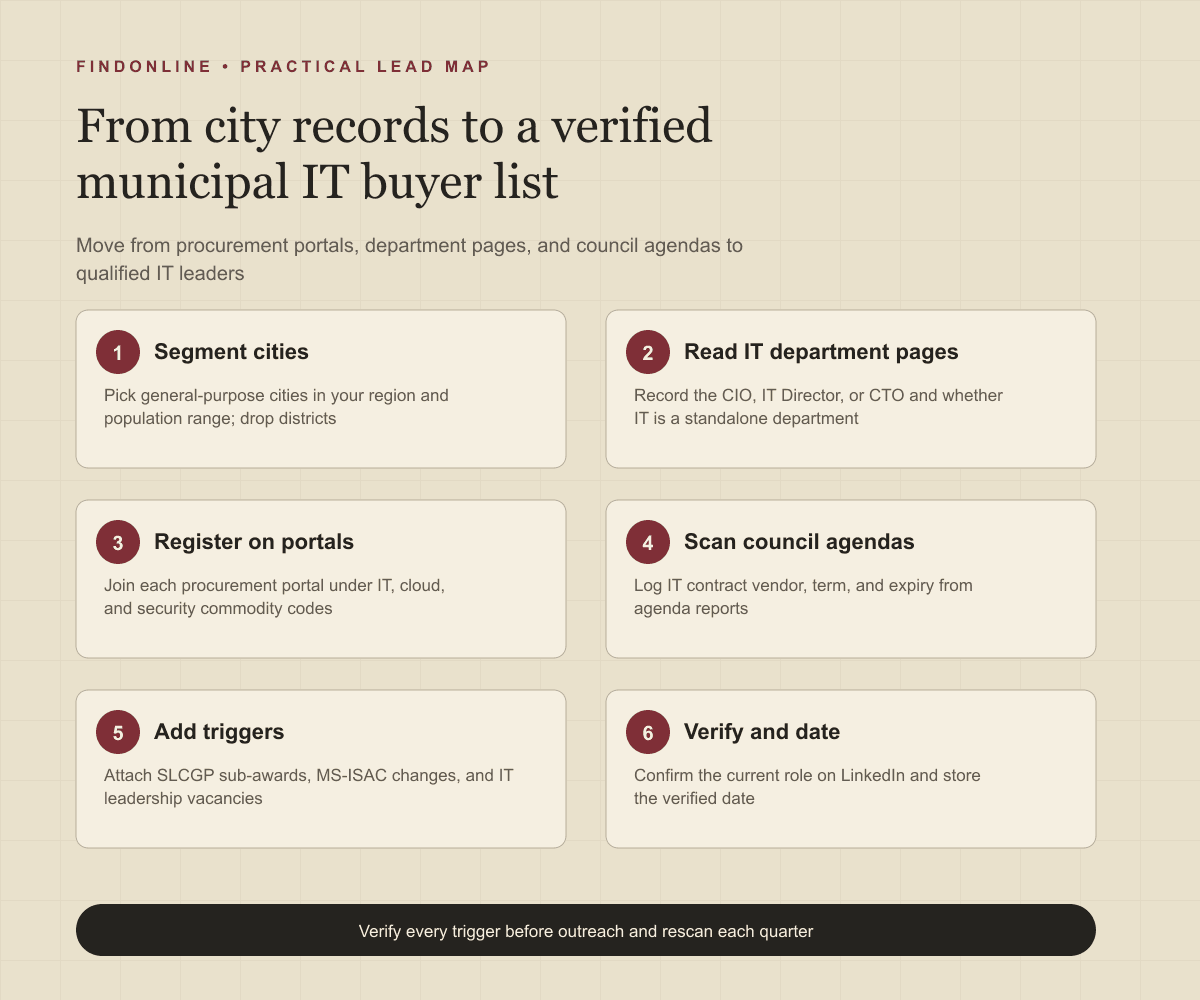
Step-by-step workflow:
- Pull general-purpose cities in your region and population range; drop districts without IT staff.
- Record the technology leader and department structure from each city's IT page.
- Register on each municipal procurement portal under IT, cloud, and security codes.
- Log vendor, term, and expiry from IT contract items in public meeting agendas.
- Add triggers from the CISA SLCGP grant page and ICMA Job Center postings.
- Confirm the current role on LinkedIn and store the verified date.
For a public sector workflow built on federal program filings, see the guide to finding IT directors at K-12 school districts.
Best tools to automate outreach: which platforms fit municipal prospecting?
FindOnline
What it does: FindOnline is an end-to-end GTM system whose agents find and qualify prospects from public signals, choose an evidence-backed relationship route, and run outreach and follow-up. Its homepage describes "AI GTM agents for LinkedIn, Reddit and Email" and says "Your AI agent spots buying signals like hiring, promotions and funding" (FindOnline homepage).
Strengths: It runs discovery, LinkedIn, Reddit, and email outreach, reply handling, and follow-up end to end. Its about page confirms that "You choose which stages run automatically and which hold for approval," so a provider can hold agenda-triggered first messages for optional review while automating follow-ups (FindOnline about page). When no warm path exists, it adapts outreach using verified professional commonality such as a shared public sector association.
Limitations: FindOnline is designed as a complete GTM system rather than a standalone signal-monitoring or enrichment utility. Providers wanting only an agenda-scraping feed should contact the FindOnline team to discuss a suitable configuration.
Best for: IT, cloud, and cybersecurity providers who want agenda, vacancy, and grant triggers turned into automated multi-channel outreach to municipal IT leaders, with optional review on sensitive first messages.
LinkedIn Sales Navigator
What it does: LinkedIn's prospecting product. Its page says users can "Search with 50+ filters like function, seniority level, years at company, experience, and more" (LinkedIn Sales Navigator).
Strengths: Function and seniority filters surface IT Directors and CIOs at city accounts, and lead alerts flag role changes. The same page describes a "Help Assistant (Chat with Support)" for self-service help (LinkedIn Sales Navigator).
Limitations: Many municipal IT leaders keep sparse profiles and some small cities have no LinkedIn page, so coverage must be backfilled from city department pages.
Best for: Confirming current roles and tracking IT leadership changes at mid-sized and large cities.
Apollo
What it does: A contact database with sales engagement. Its page lists "Multi-channel sequence steps across email, call, and networking platforms" and states that "Apollo syncs contacts, activities, and deal data with CRMs like Salesforce and HubSpot" (Apollo sales engagement).
Strengths: Email and call sequencing with CRM logging suits structured follow-up after an agenda trigger.
Limitations: Apollo does not read council agendas or procurement portals, so trigger and contract timing must be imported separately.
Best for: Small provider sales teams wanting municipal contact records and email-plus-call follow-up in one CRM-connected system.
ZoomInfo
What it does: A B2B contact and company database. Its page says users can "Export prospects to your CRM in one click" and "Track website visitors and identify accounts researching solutions like yours" (ZoomInfo Sales).
Strengths: Direct dials and verified emails shorten the path to IT leaders once the city account is qualified.
Limitations: Public sector fields were not confirmed in the cited official material, and website-visit intent rarely captures a city whose buying route is a formal solicitation.
Best for: Larger providers needing contact data at scale across a statewide municipal territory.
Clay
What it does: A data enrichment and workflow platform. Its homepage says users can "Create intent signals from anything on the internet" and "Trigger emails, ads, and more with integrations to your existing GTM tools" (Clay homepage).
Strengths: Flexible enrichment turns a list of city URLs into IT leader names and procurement fields in one table.
Limitations: A municipal workflow requires configuration effort, and Clay does not send multi-channel outreach without connected tools.
Best for: GTM operators building enrichment tables to scale municipal research across hundreds of cities.
Lemlist
What it does: A multichannel outreach platform. Its homepage says users can "Launch automated campaigns across email, LinkedIn, calls, WhatsApp, and SMS from one workflow" and that "our support team is just a click away via the in-app chat" (Lemlist homepage).
Strengths: Email plus LinkedIn steps and chat support fit a small team running low-volume sequences to city IT leaders.
Limitations: Lemlist does not discover municipal accounts or read procurement and agenda sources. CRM integration depth for public sector records was not confirmed on the cited page.
Best for: Agencies and small providers holding a verified municipal list who want simple email and LinkedIn sequences.
Tool comparison: how do the six options differ for municipal IT buyers?
| tool | best for | data and discovery | outreach automation | integrations | support and review | limitations |
|---|---|---|---|---|---|---|
| FindOnline | Agenda, vacancy, and grant triggers into automated outreach | Public signals: hiring, promotions, posts, funding | Automated LinkedIn, Reddit, and email outreach and follow-up | Not confirmed in the cited official material | Optional review per stage; you choose what holds | Complete GTM system, not a standalone agenda monitor |
| LinkedIn Sales Navigator | Confirming IT leader roles at larger cities | 50+ filters including function and seniority | Lead alerts; messaging not automated | CRM alerts referenced on the product page | Help Assistant chat support described | Sparse profiles at small cities |
| Apollo | Email and call follow-up tied to a CRM | Contact database; no agenda reading | Multi-channel sequence steps across email and call | Syncs with Salesforce and HubSpot | Not confirmed in the cited official material | Triggers and timing imported separately |
| ZoomInfo | Contact data at scale for statewide territories | Contacts, companies, and website-visitor intent | Sequencing not described on the cited page | One-click CRM export | Not confirmed in the cited official material | Visit intent misses formal solicitations |
| Clay | Enrichment tables across hundreds of cities | Intent signals from anything on the internet | Triggers emails through connected tools | Integrations to existing GTM tools | Not confirmed in the cited official material | Needs configuration; no native sending |
| Lemlist | Simple email and LinkedIn sequences for small teams | No municipal discovery; list imported | Automated campaigns across email, LinkedIn, calls, SMS | Public sector CRM depth not confirmed | In-app chat support described | No agenda research inside the tool |
Outreach workflow: how do you contact municipal IT buyers?
Lead with the public trigger, name the service that fits it, and ask for a short conversation before the solicitation is written. The goal is to be known, registered, and consulted before the request for proposals (RFP) is drafted.
- Confirm the trigger and date. Check the agenda item, vacancy, or grant notice is still current.
- Choose the route. A credible warm introduction through a peer city or association contact is one possible route. Without one, use verified professional commonality such as a shared public sector association or prior municipal role. Without that, send a direct signal-led message referencing the public item.
- Write to the technical owner first. Reference the expiring contract or assessment approval, name the one matching service, and ask whether a capability briefing would help before the next procurement step.
- Copy the purchasing route. Mention your portal registration under the relevant commodity codes.
- Follow up on a public cadence. Time follow-ups to the next council meeting or posted solicitation date.
- Engage publicly between touches. Comment on the IT leader's posts about city projects with substance, not pitches.
For how FindOnline sequences these steps across channels and holds selected stages for review, see the FindOnline how-it-works page. Consultancy-style providers can also review the consultancy prospecting overview.
Industry-specific nuances: what is different about selling IT to cities?
Cities buy through rules that change timing, routes, and who can say yes.
- Cooperative contracts bypass local RFPs. Texas DIR confirms eligibility for local government, defined as "cities, counties, special districts, and other political subdivisions" (Texas DIR customer eligibility). Lead with a cooperative contract if you hold one; otherwise a reseller that does may carry your service.
- Fiscal years drive award dates. The Fullerton contract runs "beginning July 1, 2026, and concluding on June 30, 2029," matching a July fiscal year (Fullerton Observer council coverage). Spring agendas carry next-year IT awards, so prospect in winter.
- Grant money arrives through the state. CISA says the program is designed to "allocate funding to the most vulnerable and least mature cyber entities," meaning local governments (CISA State and Local Cybersecurity Grant Program). Ask the state grant office which cities received sub-awards.
- Free services became paid. The MS-ISAC shift to a member-funded model pushes small cities to evaluate commercial monitoring, since the center says "We offer members incident response and remediation support" (MS-ISAC overview).
- Outreach may be a public record. Emails to city officials can be disclosed under state public records laws, so write as if a council member will read it.
- False positives. Counties, school districts, utility districts, and consolidated city-county governments have different IT owners. A help desk posting is not a leadership vacancy.
Limitations: how reliable are these signals?
Agenda items, vacancies, and grant notices are directional, not guaranteed demand. Use them to prioritize which cities to research first and to personalize the opening message and follow-ups. Verify the underlying change before outreach: the contract may have renewed quietly, the vacancy filled internally, or the grant spent on hardware. Rescan sources regularly, because IT leaders change roles, departments reorganize, and city budgets shift every fiscal year.
Frequently asked questions
Who is the IT buyer at a small town with no IT department?
The town administrator, finance director, or clerk usually manages the outsourced IT provider and owns the renewal decision. Check the staff directory for an IT line; if none exists, the administrator is the buyer.
How do I know when a city's managed IT contract expires?
Read the council agenda report that approved the current contract, which states the term and end date. The Fullerton award coverage noted the incumbent's June 30, 2026 expiry, typical of agreements aligned to the fiscal year. Procurement portal award archives give the original date.
Can a vendor sell to a city without responding to an RFP?
Yes, below the city's formal bid threshold or through a cooperative contract the city is eligible to use. Confirm the threshold and cooperative policy on the city's purchasing page first.
Which cities receive State and Local Cybersecurity Grant Program money?
States receive the award and must pass at least 80% to local governments, so the state administrative agency decides which cities get sub-awards. Ask that agency for its sub-recipient list and cybersecurity plan priorities.
Sources
- Government Organization Summary Report: 2022 & 2025 — U.S. Census Bureau · Accessed
- About Seattle IT — City of Seattle · Accessed
- Purchasing — City of Round Rock · Accessed
- City Council to Award IT Management Services Contract to Infinity Technologies — Fullerton Observer · Accessed
- ICMA Job Center — ICMA · Accessed
- State and Local Cybersecurity Grant Program — CISA · Accessed
- Multi-State Information Sharing and Analysis Center — Center for Internet Security · Accessed
- Customer Eligibility — Texas Department of Information Resources · Accessed
- FindOnline GTM Agents — FindOnline · Accessed
- About FindOnline — FindOnline · Accessed
- LinkedIn Sales Navigator — LinkedIn · Accessed
- Apollo Sales Engagement — Apollo · Accessed
- ZoomInfo Sales — ZoomInfo · Accessed
- Clay homepage — Clay · Accessed
- lemlist homepage — lemlist · Accessed