Buyer discovery
How to Find Founders of Zapier Integration Companies
Find founders of Zapier integration companies using the Zapier app directory, publishing requirements, vendor integration pages, and leadership pages, then verify the founder still runs the vendor.
By Vaishnav Gupta15 min read
On this page
Quick answer: Target the founder or co-founder who still runs a company that publishes its own public Zapier integration, and the CTO or head of partnerships where the founder has stepped back. The strongest discovery sources are the Zapier app directory, Zapier integration publishing requirements, vendor integration pages, and company leadership pages. Start by listing every app in one directory category, then confirm the founder on each vendor's leadership page.
Who to target: which roles own this decision?
Target the founder-CEO at small and mid-sized software vendors, because Zapier's publishing rules tie each public listing to the company that owns the API. The requirements state that "You own or have permission to use all APIs used by the integration" and that the integration name must match the app's core branding (Zapier integration publishing requirements). A listing is therefore a dependable pointer to a real operating company rather than to a reseller or hobby project.
Roles by company stage:
- Founder or co-founder CEO at bootstrapped and seed-stage vendors. They usually approve developer marketing, partnership tooling, integration engineering, and support services personally.
- Co-founder CTO or VP Engineering where the integration is deep. A listing with many triggers, actions, and searches shows engineering investment that a technical co-founder owns.
- Head of Partnerships or Ecosystem at vendors with hundreds of employees. The founder may still be CEO, but the integration budget sits with this role.
Exclude Zapier's own apps such as Zapier Forms, platform-scale apps such as Google Sheets or Slack, and app family listings, where a founder is irrelevant to the buying decision. Also exclude vendors whose leadership page shows a non-founder CEO and no operating founder, unless your service targets the current executive.
Service fit for B2B GTM teams and service providers: integration development shops, API monitoring and developer tooling, partner marketing agencies, technical documentation services, and support tooling all map to the moment a vendor launches or expands a Zapier integration. The pattern resembles the one used to find founders of Slack app companies, but the ownership rule and Beta window below are specific to Zapier.
Lead sources: where do Zapier integration companies show up?
The reviewed starting points were the Zapier app directory, vendor integration pages, and company leadership pages. All three were readable today and remain the core of this list. The directory's landing and listing pages render their catalog dynamically, so the citations for it come from Zapier's own publishing documentation and community guide rather than from the listing pages themselves. Two Zapier platform documentation pages and LinkedIn current-role profiles are added because they turn a listing into a verified founder.
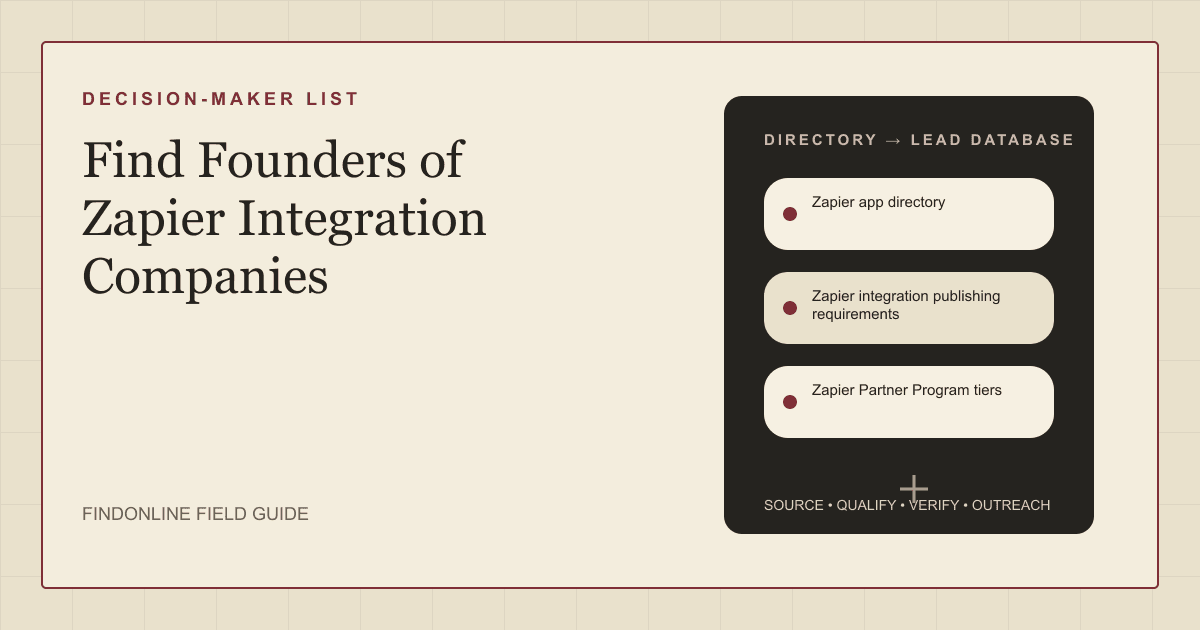
- Zapier app directory: the public catalog of integrations, grouped into categories such as Sales & CRM, Marketing, and Commerce. Zapier's own publishing documentation tells vendors that to see "how your integration will show up on Zapier's website, you can browse the app directory" (Publishing a public integration). Zapier's community guide to the directory says each app page lists "all of the available triggers, searches, and actions for this app" (Zapier Community: using the app directory). Listing pages do not link to the vendor's website, so you resolve the company yourself.
- Zapier integration publishing requirements: the documentation that explains why a listing maps to a company. The vendor must own or hold permission for the API, and the name must match core branding (Zapier integration publishing requirements). Newly approved integrations appear in the directory with a Beta tag, and "Your integration will remain in beta for 90 days" (Publishing a public integration). A Beta tag is therefore a launch-timing signal.
- Zapier Partner Program tiers: the program documentation sets active-user minimums for Silver, Gold, and Platinum and states that tier "is evaluated on a fixed quarterly basis" (Zapier Partner Program). Zapier does not share tiers externally, but partners may disclose their own, so a tier claim on a vendor's site is a self-reported traction signal.
- vendor integration pages: the vendor's own page about its Zapier integration. Fillout's page promises to "Automate your Fillout forms with thousands of popular apps" and labels the company an official Zapier partner (Fillout Zapier integration page). A dedicated page shows the vendor actively markets the integration, a stronger fit signal than a bare listing.
- company leadership pages: the about or team page that names the founder. Jotform's page states "Aytekin Tank is the founder and CEO of Jotform" (Jotform about page). When a page lists only a current executive team, treat the founder as unverified until LinkedIn confirms.
- LinkedIn current-role profiles: the founder's Experience section, which members maintain by adding and editing positions (LinkedIn Help: Experience section). Use it to confirm the founder still holds an operating title at the vendor.
Lead database: which fields verify a Zapier integration founder?
Build one row per integration, not per company, because some vendors publish several listings. The table lists each field, where it comes from, and how to verify it.
| Field | Source | Verification |
|---|---|---|
| Integration name | Zapier app directory listing | Must match vendor branding under the publishing requirements |
| Directory category | Zapier app directory | Confirm the category fits your service, such as Sales & CRM |
| Launch stage | Beta tag on the listing | Beta means approved within roughly the last 90 days |
| Trigger, action, and search counts | Listing page | Recount on the live listing before outreach |
| Vendor website | vendor integration pages | Page must describe the Zapier integration by name |
| Partner tier claim | Vendor integration page or site footer | Treat as self-reported; Zapier does not publish tiers |
| Founder name and title | company leadership pages | Title must say founder or co-founder |
| Founder still operating | LinkedIn current-role profiles | Current position at the vendor with no end date |
| Company stage and funding | Crunchbase profile | Bootstrapped vendors may have thin profiles |
| Service-fit note | Your own analysis | One sentence linking the integration to your offer |
| Commonality note | Public profiles and company pages | Record only verified facts, never guesses |
Reusable research prompt for an analyst or research agent:
For the Zapier listing [app name] at zapier.com/apps/[slug]/integrations:
1. Record whether a Beta tag appears and count triggers, actions, and searches.
2. Find the vendor website whose branding matches the listing name.
3. Locate the vendor page describing the Zapier integration and note any partner badge or tier claim.
4. Open the vendor leadership page and record anyone titled founder or co-founder with their current role.
5. Confirm that person's current position on LinkedIn.
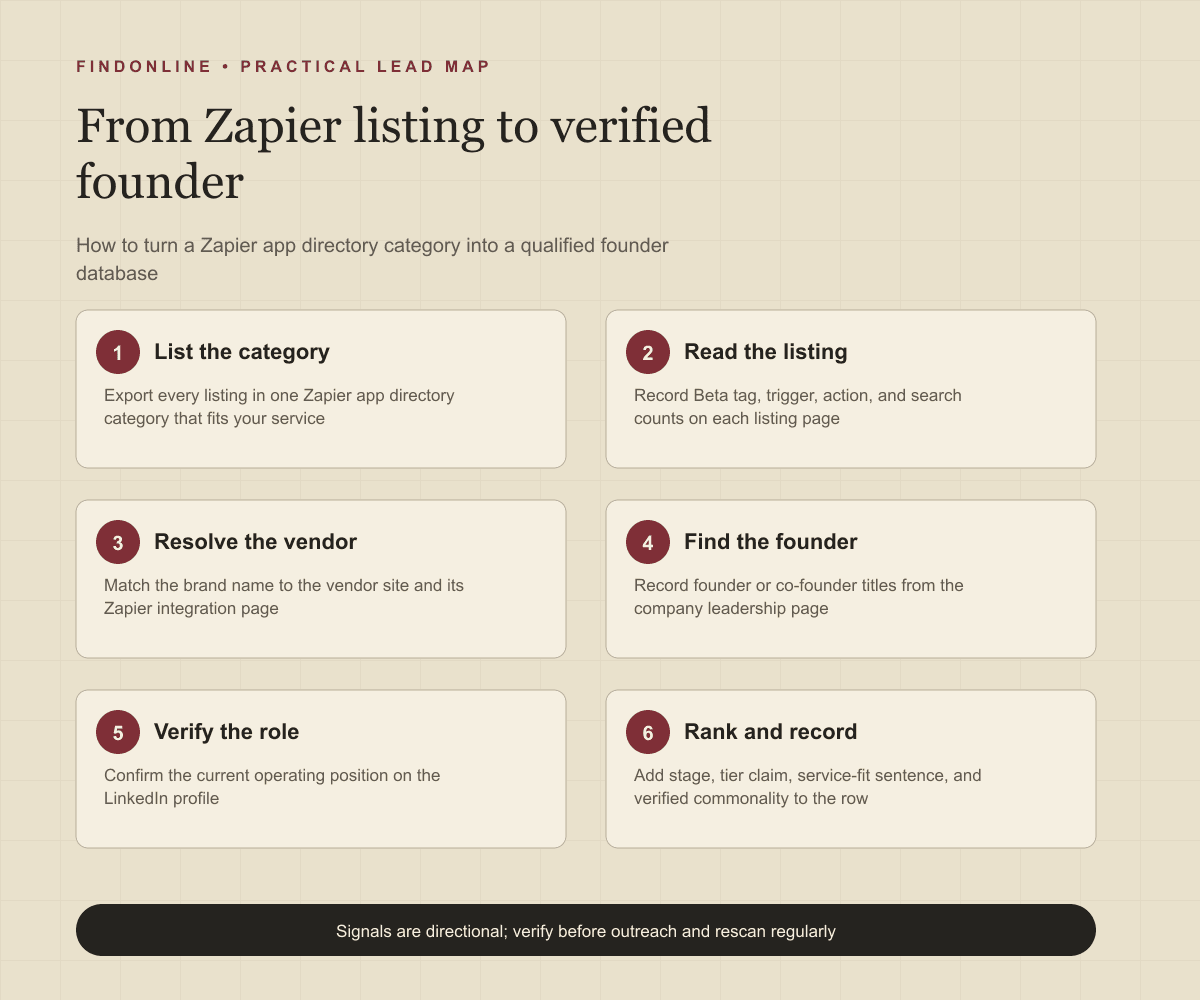
6. Return: integration, category, launch stage, vendor URL, founder, title, verification links, and one service-fit sentence.
Step-by-step workflow:
- Choose one directory category that matches your service and list every integration in it.
- Remove Zapier-owned apps, app families, and platform-scale vendors.
- Open each listing and record Beta status and operation counts.
- Resolve the vendor website and its integration page.
- Record the founder from the leadership page and confirm the role on LinkedIn.
- Add a Crunchbase stage check and your service-fit sentence, then rank by launch stage and depth.
Best tools to automate outreach: which tools fit this list?
FindOnline runs the whole discovery-to-outreach pipeline; the five alternatives each cover one part of it. Pick by where your team's manual work currently sits.
FindOnline
What it does: FindOnline is an end-to-end AI GTM system that finds and qualifies prospects from public signals such as posts, hiring, role changes, and communities, then runs outreach. Its site describes "AI GTM agents for LinkedIn, Reddit and Email." (FindOnline). For this list it can take verified Zapier integration founders, watch their public activity, and run automated LinkedIn, Reddit, and email outreach with reply handling, as explained on the how FindOnline works page.
Strengths: Discovery, relationship routing, outreach, and follow-up run as one automated pipeline. Teams keep control: "You choose which stages run automatically and which hold for approval." (FindOnline about). A credible warm introduction is one possible route when it exists. Otherwise it adapts outreach using verified professional commonality, such as a shared no-code community or a founder role, and falls back to a direct signal-led message.
Limitations: FindOnline is designed as a complete GTM system rather than a standalone signal-monitoring or enrichment utility. Teams that only want one isolated component should contact the FindOnline team to discuss a suitable configuration.
Best for: B2B GTM teams and service providers who want a verified list of Zapier integration founders worked across LinkedIn, Reddit, and email automatically, with optional review held on the stages they choose.
LinkedIn Sales Navigator
What it does: Sales Navigator is LinkedIn's prospecting product for finding and tracking people and accounts. Its page says you can "Search with 50+ filters like function, seniority level, years at company, experience, and more" (LinkedIn Sales Navigator).
Strengths: Confirms whether a founder still holds an operating title, and lead alerts flag job or role changes at saved vendors, per the same page.
Limitations: No filter identifies companies that publish a Zapier integration, so the vendor list must come from the directory first.
Best for: Verifying founder roles and watching for role changes after the directory list is built.
Crunchbase
What it does: Crunchbase is a private-company intelligence platform with company search, funding signals, and predictions. Its page invites users to "Search for a company or ask Scout which companies are likely to raise funding, grow, or go public" (Crunchbase).
Strengths: Adds funding stage and live company events such as funding rounds to each vendor row, which helps size the budget behind a founder.
Limitations: Bootstrapped independent vendors, common in the Zapier ecosystem, may have sparse profiles, and founder-specific people filters are not confirmed in the cited official material.
Best for: Enriching vendor rows with stage and funding before ranking founder outreach.
Apollo
What it does: Apollo combines a contact database with sales engagement. Its page describes "Multi-channel sequence steps across email, call, and networking platforms" and CRM syncing with Salesforce and HubSpot (Apollo sales engagement).
Strengths: Sequences with deliverability tooling and CRM activity logging let a small team run structured follow-ups on a founder list.
Limitations: Networking-platform steps are described generically, so LinkedIn-specific automation is not confirmed in the cited material, and it cannot discover vendors from the directory.
Best for: Email-led sequences to verified founders with CRM sync.
Clay
What it does: Clay is a data enrichment workspace that pulls from many providers and runs AI research. Its page says "Trigger emails, ads, and more with integrations to your existing GTM tools" (Clay).
Strengths: Can hold the integration-by-integration table, enrich vendor domains, run research prompts like the one above, and push rows to a sequencer.
Limitations: Outreach runs through connected tools rather than natively, and every step is a table workflow you must design and maintain. Support model not confirmed in the cited official material.
Best for: Operations-minded teams building and enriching the directory table at scale.
Lemlist
What it does: Lemlist is a multichannel outreach platform. Its page says "Launch automated campaigns across email, LinkedIn, calls, WhatsApp, and SMS from one workflow" and mentions HubSpot and Salesforce connections plus in-app chat support (Lemlist).
Strengths: Combines LinkedIn steps and email in one campaign with a unified inbox for replies.
Limitations: Its contact database is general-purpose, so Zapier-specific qualification must happen before import, and it does not monitor directory listings or founder posts.
Best for: Running LinkedIn-plus-email campaigns to a verified founder list.
Tool comparison: how do the six options differ?
| tool | best for | data and discovery | outreach automation | integrations | support and review | limitations |
|---|---|---|---|---|---|---|
| FindOnline | Automated founder outreach across three channels | Public signals: posts, hiring, role changes, communities | LinkedIn, Reddit, and email, automated end to end | Not confirmed in the cited official material | Optional review; choose which stages hold for approval | Complete GTM system, not a standalone component |
| LinkedIn Sales Navigator | Verifying founder roles and role changes | 50+ people and account filters | Not confirmed in the cited official material | CRM lead adding described on page | Help Center with an AI agent | No filter for Zapier integration vendors |
| Crunchbase | Funding stage and company events | Company search, funding signals, Scout questions | None described | API, MCP, data enrichment products | Not confirmed in the cited official material | Thin coverage of bootstrapped vendors |
| Apollo | Email sequences with CRM logging | Contact database | Multi-channel sequences; email, call, networking platforms | Salesforce and HubSpot sync | Not confirmed in the cited official material | LinkedIn step detail unconfirmed; no directory discovery |
| Clay | Building and enriching the listing table | 200+ data vendors, AI research agent | Via connected sequencers only | Existing GTM tools for email and ads | Not confirmed in the cited official material | Table workflows must be designed and maintained |
| Lemlist | LinkedIn and email campaigns | General contact database | Email, LinkedIn, calls, WhatsApp, SMS in one workflow | HubSpot and Salesforce | In-app chat support | No Zapier-specific discovery or monitoring |
Outreach workflow: how should the first message reference the integration?
Open with the specific trigger or action you noticed on the listing, because founders who built the integration recognize their own operation names instantly. A message that says "saw the New Submission trigger shipped in Beta last month" proves you read the listing rather than a scraped title.
- Rank by stage and depth. Beta-tagged listings and listings with many searches and actions go first; both show recent or ongoing engineering investment.
- Pick the route. If a credible warm introduction exists, through a shared investor or a mutual partner, use it once. If not, use verified commonality such as a shared community or similar founder role, and never invent a shared fact. If neither exists, send a direct signal-led message.
- Lead with the signal. Name the integration and the stage, then state one concrete outcome your service produced for a comparable vendor.
- Follow up on the vendor's own page. Reference the vendor integration page or a new tier claim in the second touch instead of repeating the first.
- Engage publicly. Comment on the founder's launch post before the third touch, which keeps the thread warm without adding another cold email.
- Hand off on reply. Route replies to a calendar or to the partnerships lead when the founder delegates.
Teams selling to software vendors can see how this fits a wider pipeline on the B2B SaaS prospecting page.
Industry-specific nuances: what is different about Zapier vendors?
- Listing name equals brand, not legal entity. The requirements demand the core branding name, so the legal company may differ. Use the vendor site footer or privacy page to record the entity for your CRM.
- The Beta tag is a 90-day clock. Vendors in Beta are usually still fixing early feedback, which is the right moment for documentation, support tooling, or launch marketing offers.
- Depth tells you who owns it. A listing with two operations suggests a marketing-led founder; a listing with twenty operations and searches suggests a technical co-founder who will scrutinize engineering claims.
- Tier claims are self-reported. Because Zapier does not share tiers externally, a Gold or Platinum badge on a vendor site is marketing copy until you see active-user evidence.
- Acquired vendors are false positives. Some listings belong to products whose founders exited; the leadership page will show the parent brand or a non-founder CEO.
- Founders receive integration pitches constantly. Offers to "build your Zapier integration" fail against vendors who already published one. Pitch what comes after launch: adoption, documentation, partner marketing, or support load.
Limitations: what do these signals not prove?
Every signal in this guide is directional rather than guaranteed truth. A Beta tag shows timing, not budget; a tier claim shows ambition, not revenue; a leadership page shows a title, not who approves your category. Use the signals to prioritize which founders to contact first and to personalize the opening message and follow-ups, then verify the underlying change on the live listing and profile before sending. Rescan the directory and the founder's profile regularly, because listings leave Beta, founders hand over to hired executives, and vendors get acquired.
Frequently asked questions
How do I know which company is behind a Zapier integration listing?
The listing name must match the vendor's core branding and the publisher must own or hold permission for the API, so search the brand name and confirm the vendor page that describes the Zapier integration. Listing pages do not link out, so this resolution step is manual or agent-driven.
Does a Beta tag on a Zapier listing mean the company is new?
No, it means the integration was approved recently, since integrations stay in Beta for 90 days after approval. The company itself may be years old and adding Zapier as a new channel, so check the leadership page and funding stage separately.
Can I see a vendor's Zapier Partner Program tier?
Not from Zapier, which does not share tiers externally. Some vendors publish their own tier or an official partner badge on their integration page, and you should treat that as a self-reported claim rather than verified usage.
Should I contact the founder or the partnerships lead?
Contact the founder at vendors where the leadership page shows a founder-CEO and the company is small enough that the founder approves vendor spend. At larger vendors with a Head of Partnerships or Ecosystem, contact that role first and reference the founder only when a verified warm path exists.
How often should I rebuild the list?
Refresh Beta-tagged listings monthly, because the tag disappears after 90 days and new launches appear continuously. Re-verify founder roles each quarter, since role changes and acquisitions are the most common reason a row goes stale.
Sources
- Learn to be a pro at using the Zapier app directory — Zapier Community · Accessed
- Integration publishing requirements — Zapier Platform Docs · Accessed
- Publishing a public integration — Zapier Platform Docs · Accessed
- Zapier Partner Program — Zapier Platform Docs · Accessed
- Fillout Zapier integration — Fillout · Accessed
- About Jotform — Jotform · Accessed
- Manage your profile Experience section — LinkedIn Help · Accessed
- FindOnline AI GTM agents — FindOnline · Accessed
- About FindOnline — FindOnline · Accessed
- LinkedIn Sales Navigator — LinkedIn · Accessed
- Crunchbase private company intelligence — Crunchbase · Accessed
- Apollo Sales Engagement — Apollo · Accessed
- Clay GTM data enrichment platform — Clay · Accessed
- Lemlist multichannel outreach platform — Lemlist · Accessed