Buyer discovery
How to Find Founders of Microsoft AppSource Partners
Find founders of Microsoft AppSource partners using Microsoft Marketplace listings, the Teams apps certification index, vendor company pages, and leadership pages, then verify the founder still runs the company.
By Vaishnav Gupta13 min read
On this page
Quick answer: Target the founders, co-founders, and founder-CEOs of independent software vendors (ISVs) that publish Business Central, Teams, Power BI, and Microsoft 365 offers to Microsoft AppSource, now part of Microsoft Marketplace. The strongest discovery sources are the listings, the Microsoft 365 App Certification Teams apps index, and vendor leadership pages. First, record publisher names and support URLs from listings, then resolve each to a domain and a named founder.
Who to target: which roles own the decision at an AppSource partner?
At most AppSource publishers the buyer is the founder who still runs the company, usually titled Founder and CEO or Co-founder and CTO. Many publishers are small, so the founder personally approves marketing, partnerships, outbound, and content spend.
Read titles rather than assume them. Zebra BI, a Power BI vendor, lists Andrej Lapajne as Founder and Chairman alongside a separate CEO, Richard Cooper (Zebra BI). Mekorma, a Business Central vendor, lists Ora Goldman as Principal and Founder and states that she founded the company in 1990 and still leads it (Mekorma).
Qualification signals that matter:
- Microsoft surface: Business Central, Power BI, Teams, Microsoft 365 add-ins, or Power Platform connectors. Pick the surfaces your service understands.
- Listing type: Microsoft sends publishers leads when a customer selects Contact me or completes a purchase (Microsoft Learn). Contact me publishers buy follow-up and outbound help; transactable publishers buy conversion help.
- Trust status: Publisher Attested or Microsoft 365 Certified apps have invested in compliance and sell to larger tenants.
- Ownership: independent and founder-operated, not a product line of a larger group.
Common false positives: consulting partners listed for services rather than software, product brands whose name differs from the publisher name, founders now in chairman or advisory roles, and Microsoft's own first-party apps.
Lead sources: where do AppSource publisher and founder records live?
The listings and Microsoft's certification index are the best sources, followed by the vendor's own domain. The live catalog and partner directory blocked the research browser, so this guide cites Microsoft Learn documentation for what listings show and uses the Teams apps index as the readable seed list.
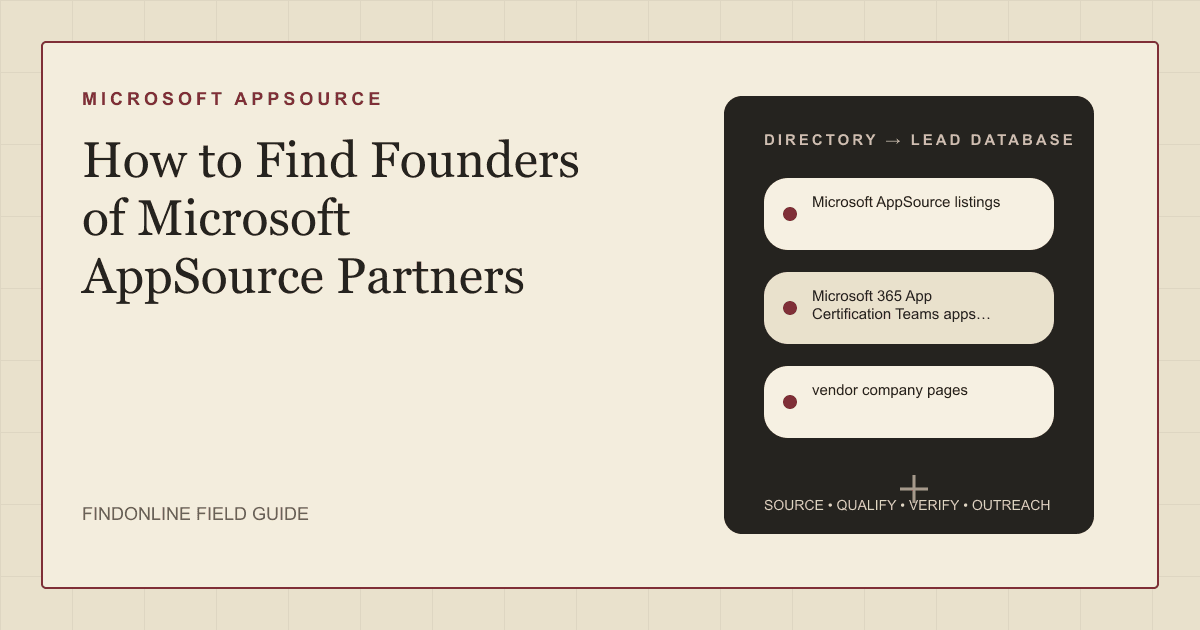
- Microsoft AppSource listings are now served from Microsoft Marketplace, where no sign-in is required to browse thousands of solutions, compare offerings, and connect with partners (Microsoft Learn). Microsoft requires a support URL that is displayed publicly along with a privacy policy link (Microsoft Learn). Those two URLs are the fastest route to the company domain.
- Microsoft 365 App Certification Teams apps index lists Teams apps with the publishing partner and whether each is Publisher Attested or Certified. Microsoft states the information is intended to help organizations assess and manage risk in using these apps (Microsoft Learn). Its plain HTML table is the easiest seed list of Microsoft 365 ISVs to copy into a spreadsheet.
- vendor company pages confirm the entity behind a publisher name and its Microsoft surface. Insight Works states that every one of its apps is purpose-built for Dynamics 365 Business Central and available on the Microsoft Marketplace, and that it sells through resellers (Insight Works). Classify each vendor as ISV, reseller, or both.
- company leadership pages name the founder and show whether a separate CEO now runs the company. Many small ISVs publish no leadership page, which itself suggests the founder is the only executive.
- LinkedIn founder profiles verify current title and tenure when a vendor page is silent. Match the person to the publisher's domain, not just the company name, and treat a title change as a prompt to recheck the leadership page.
Lead database: which fields make the founder list usable?
Keep one row per publisher with its Microsoft surface, trust status, listing type, named founder, and operating role, each with a source URL. Store company and person fields separately so a founder change does not break the company record.
| Field | Where it comes from | How to verify |
|---|---|---|
| Publisher name | Marketplace listing | Match the legal name on the privacy page |
| Company domain | Listing support URL and privacy link | Both resolve to one domain |
| Microsoft surface | Listing category, vendor product pages | Product page names Business Central, Teams, or Power BI |
| Listing type | Listing call to action | Contact me, free trial, or purchasable |
| Trust status | Teams apps certification index | Copy Publisher Attested or Certified exactly |
| Founder name and title | Company leadership page | Same title on LinkedIn |
| Operating role | Leadership page plus LinkedIn | Flag chairman, advisor, or departed founders |
| Ownership status | About page and news section | Note acquisitions or parent companies |
Research prompt for each publisher, replacing the bracketed values:
For Microsoft Marketplace publisher [publisher name] with support URL [support URL]:
1. Identify the legal company name from the privacy policy page.
2. List which Microsoft products its listed apps extend.
3. Name the founder(s) with exact titles and state whether each holds an operating role today.
4. Note any acquisition or parent company, and return every URL used.
Step-by-step workflow:
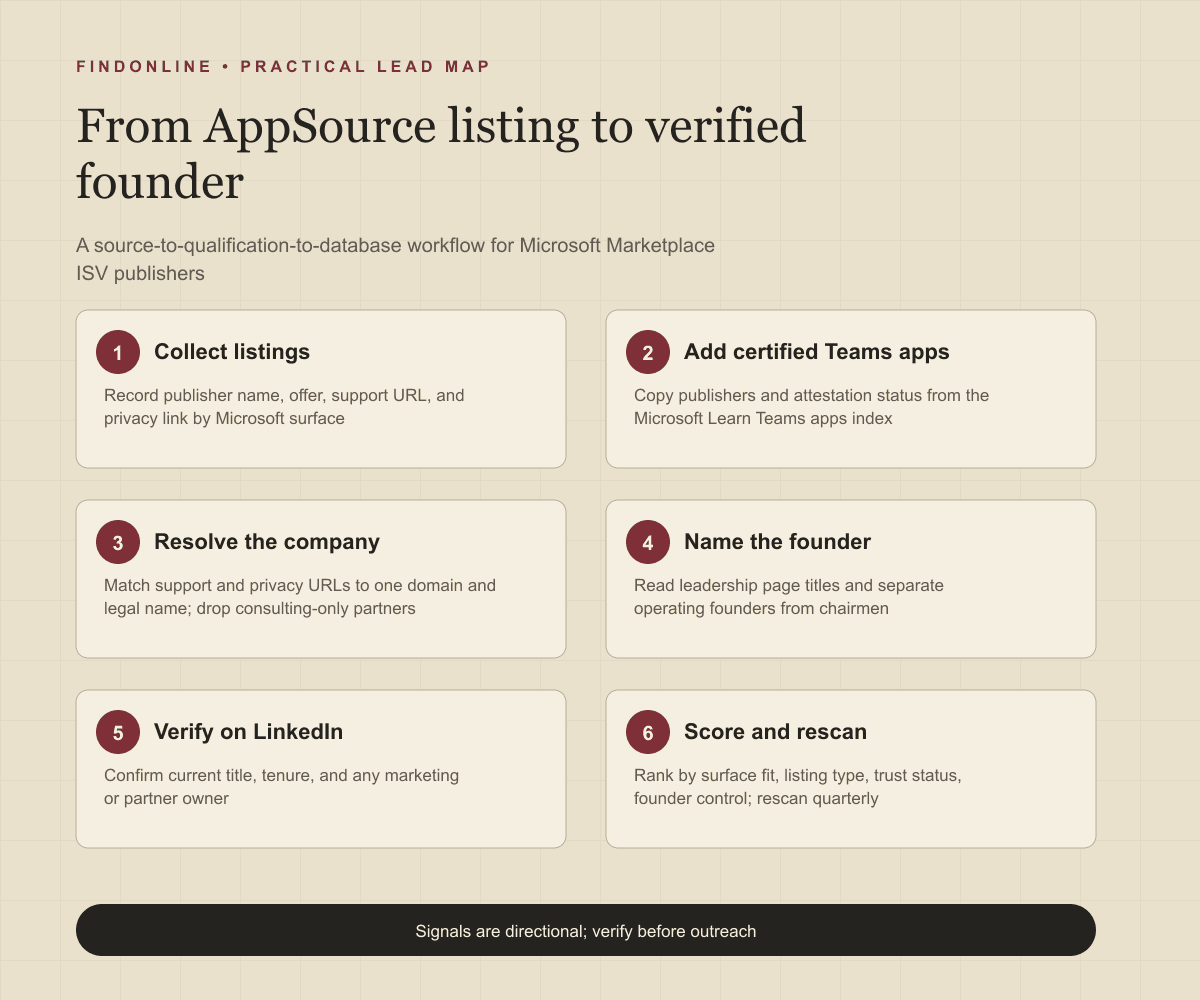
- Pick one Microsoft surface and category, then record publisher names, offer names, and support and privacy URLs.
- Add Teams publishers from the certification index with their attestation status.
- Resolve each publisher to a domain and legal name, dropping consulting-only partners.
- Record founder names and titles from the leadership page, confirm them on LinkedIn, and classify operating versus non-operating founders.
- Score rows by surface fit, listing type, trust status, and founder control, then start outreach with the top rows.
Best tools to automate outreach: which platforms fit this workflow?
FindOnline
What it does: FindOnline is an end-to-end AI GTM system with AI GTM agents for LinkedIn, Reddit, and email that finds and qualifies prospects from public signals, selects an evidence-backed relationship route, and runs outreach (FindOnline). Strengths: For AppSource founders, it can watch public posts about Business Central, Teams, or Power BI, add the founder to a campaign, and handle replies end to end. You choose which stages run automatically and which hold for approval, so review is optional rather than required (FindOnline). Without a warm path, it adapts messages only on verified professional commonality or sends a direct signal-led message. Limitations: It is designed as a complete GTM system rather than a standalone signal-monitoring or enrichment utility, so teams wanting only one isolated component should contact the FindOnline team to discuss a suitable configuration. Best for: GTM teams and service providers who want AppSource founder discovery, qualification, multichannel outreach, and reply handling run as one automated motion with optional stage-level review.
LinkedIn Sales Navigator
What it does: Sales Navigator searches LinkedIn members with more than 50 filters such as function, seniority level, and years at company, alerts you to role changes on saved leads, and lets you message beyond your network with InMail (LinkedIn). Strengths: A founder title search scoped to your publisher list verifies operating roles quickly, and role-change alerts flag a founder-to-CEO handoff. The page describes adding leads to a CRM instantly on its Advanced Plus plan (LinkedIn). Limitations: It has no marketplace-presence filter, so the publisher list must come from the listings and certification index first. Best for: Teams holding a publisher spreadsheet who need to confirm founder titles and watch for leadership changes before outreach.
Crunchbase
What it does: Crunchbase Pro provides company profiles with funding history, investor data, and leadership changes so users can prioritize accounts, and lets you export up to 2K rows monthly (Crunchbase). Strengths: Leadership-change tracking separates founder-led ISVs from those with outside executives, and funding events are useful timing triggers for GTM services. Limitations: Many Business Central and Power BI vendors are bootstrapped regional companies with thin or missing profiles, and the export cap limits bulk list building. CRM integration is not confirmed in the cited official material. Best for: Service providers prioritizing funded or recently changed AppSource publishers who need ownership context before approaching a founder.
Apollo
What it does: Apollo combines prospect data with sales engagement so reps can sequence, personalize, and make, record, and log calls from the same system (Apollo). Strengths: Email sequences and dialing from one place suit founder follow-up, and the page describes syncing contacts and activities with Salesforce and HubSpot (Apollo). Limitations: The page mentions a connection request step but does not name LinkedIn tasks, and marketplace publisher identity is not a data field, so contacts must be matched to your publisher list manually. Best for: GTM teams running email and phone sequences on a verified founder list in Salesforce or HubSpot.
Clay
What it does: Clay describes itself as infrastructure to get any data, run agentic workflows, and launch GTM plays (Clay). Strengths: A table of publisher domains can be enriched and researched by agents for founder names, titles, and ownership, then kept current because Clay can keep CRM records refreshed with live data (Clay). Limitations: Outreach is triggered through integrations to existing GTM tools rather than sent natively (Clay), and the workflow needs operator time to build and maintain. Best for: Operators automating the publisher-to-founder resolution and scoring step before handing rows to a sending tool.
Lemlist
What it does: Lemlist launches automated campaigns across email, LinkedIn, calls, WhatsApp, and SMS from one workflow, provides a Deliverability Hub, and connects with tools like HubSpot and Salesforce (Lemlist). Strengths: Email and LinkedIn steps in one sequence match how small-ISV founders respond, and deliverability tooling matters across many small domains. Limitations: It does not discover AppSource publishers, so the list must be sourced elsewhere and uploaded, and WhatsApp and SMS are rarely appropriate for cold founder outreach. Best for: Agencies holding a verified founder list who want multichannel sequences with deliverability controls.
Tool comparison: how do the six options differ for this list?
| tool | best for | data and discovery | outreach automation | integrations | support and review | limitations |
|---|---|---|---|---|---|---|
| FindOnline | End-to-end founder discovery and outreach for Microsoft ISVs | Public signals such as posts, listings, role changes, communities | LinkedIn, Reddit, and email outreach and replies, automated | Not confirmed in cited material | Optional review per stage | Complete GTM system, not a standalone monitor |
| LinkedIn Sales Navigator | Verifying founder titles and role changes | 50+ profile filters, saved lead alerts | InMail for direct messages | CRM lead add on Advanced Plus | Not confirmed in cited material | No marketplace-presence filter |
| Crunchbase | Ownership, funding, and leadership context | Funding, investors, leadership changes | None described | Not confirmed in cited material | Not confirmed in cited material | Thin coverage of bootstrapped ISVs; export cap |
| Apollo | Email and phone sequences on a verified list | Contact and account data | Sequences, dialer, call logging | Salesforce and HubSpot sync | Not confirmed in cited material | LinkedIn tasks not named; manual publisher matching |
| Clay | Automating publisher-to-founder research and scoring | Enrichment plus agent research on domains | Triggers sends through connected tools | CRM enrichment and GTM tool integrations | Not confirmed in cited material | Native sending not described; workflow upkeep |
| Lemlist | Multichannel sequences with deliverability controls | Not confirmed in cited material | Email, LinkedIn, calls, WhatsApp, SMS | HubSpot and Salesforce | Not confirmed in cited material | No marketplace discovery; some channels unsuitable |
Outreach workflow: how should the first messages be sequenced?
Open with the specific listing or certification you found, state one observation about the vendor's Microsoft surface, and ask one question about how they handle marketplace leads. Microsoft tells publishers that customers submitting Contact me leads expect a swift response and to follow up within 24 hours (Microsoft Learn), so follow-up capacity is a credible opening topic for GTM service providers.
- Check for a warm path first. A shared Microsoft partner event, mutual reseller, or former colleague is one possible route, not the default; use it only when real.
- Send a signal-led first message. Name the listed app, the surface, and the trust status. Avoid generic praise.
- Follow on a second channel within a week. A LinkedIn note after an email, or the reverse, suits founders who read both.
- Engage publicly between touches. Comment on the founder's Business Central, Teams, or Power BI posts only when you add something useful.
- Route to the marketing owner when one exists. Send a short parallel note referencing the founder conversation.
- Close the loop. Record replies, objections, and the next rescan date.
The sequencing matches finding founders of Atlassian Marketplace companies, with Microsoft surfaces and certification signals as the opener.
Industry-specific nuances: what is different about Microsoft marketplace ISVs?
- Naming has changed. AppSource listings now sit in Microsoft Marketplace (Microsoft Learn). Founders still say AppSource, so use either term but link to the current catalog.
- Lead handling is a service-fit trigger. Publishers receive leads when customers press Contact me or purchase, and connecting a CRM is optional (Microsoft Learn). Vendors with many Contact me offers and no visible sales team are strong candidates for outbound and follow-up services.
- Certification precedes enterprise sales. Microsoft 365 Certified apps go through a yearly independent audit that includes penetration testing (Microsoft Learn). A newly certified vendor is usually preparing to sell to larger tenants and needs positioning and partner marketing.
- Reseller channels change the buyer. Business Central vendors such as Insight Works sell through resellers (Insight Works). Services that touch end customers directly may conflict with that channel, so lead with partner enablement.
- Founders are often community figures. Zebra BI describes its founder as a Microsoft Most Valuable Professional (MVP) (Zebra BI), so your message will be judged against public expertise.
These ISVs are B2B software companies, so the B2B SaaS prospecting page buyer profile applies, and service providers can map their offer on the consultancies page.
Limitations
Every signal in this workflow is directional rather than guaranteed truth. A listing shows a publisher exists, not that it needs help; a founder title can be months out of date; certification shows past investment, not current budget. Use signals to prioritize which publishers to research first and to personalize the opening message and follow-ups, then verify the underlying change on the vendor's own pages, and rescan listings, the certification index, and founder profiles regularly because publishers add offers, founders hand off to CEOs, and companies are acquired.
Frequently asked questions
Is Microsoft AppSource still a separate site?
No. Microsoft now presents AppSource listings inside Microsoft Marketplace, which can be browsed without signing in (Microsoft Learn). The AppSource name remains in common use, so searches for either term reach the same publishers.
How do I get from an AppSource listing to the publisher's website?
Use the support URL and privacy policy link, which Microsoft requires publishers to supply and displays publicly on the listing (Microsoft Learn). Both normally resolve to the vendor's domain, and the privacy page usually names the legal entity.
How do I know whether the founder still makes decisions?
Read the exact title on the leadership page and confirm it on LinkedIn. Zebra BI lists its founder as Chairman with a separate CEO, while Mekorma's founder still leads. Treat Chairman, Advisor, or a missing current role as a prompt to find the operating executive.
What should I say first to an AppSource founder?
Name the specific listed app and Microsoft surface, mention the certification or listing type you observed, and ask one question about how they handle marketplace leads. Reference shared context such as a Microsoft community only when it is verified.
Sources
- Microsoft Marketplace overview - Marketplace customer documentation — Microsoft Learn · Accessed
- Configure SaaS offer listing details in Microsoft Marketplace — Microsoft Learn · Accessed
- Microsoft Teams apps - Microsoft 365 App Certification — Microsoft Learn · Accessed
- Lead management from Microsoft Marketplace — Microsoft Learn · Accessed
- Microsoft 365 App Compliance Program overview — Microsoft Learn · Accessed
- About us - Zebra BI — Zebra BI · Accessed
- About Mekorma — Mekorma · Accessed
- About Us - Insight Works — Insight Works · Accessed
- LinkedIn Sales Navigator — LinkedIn · Accessed
- Crunchbase Pro — Crunchbase · Accessed
- Sales Engagement - Apollo — Apollo · Accessed
- Clay - GTM data and agentic workflows — Clay · Accessed
- lemlist - AI-powered outbound sales platform — Lemlist · Accessed
- FindOnline - AI GTM agents — FindOnline · Accessed
- About FindOnline — FindOnline · Accessed