Buyer discovery
How to Find Founders of Salesforce AppExchange Companies
Find Salesforce AppExchange founders through app listings, vendor pages, and leadership evidence. Verify current roles and build a qualified outreach database.
By Vaishnav Gupta11 min read
On this page
Quick answer: To answer how to find founders of Salesforce AppExchange companies, target founders and co-founders at verified app publishers, then check who currently owns the relevant decision. Start with Salesforce AppExchange app listings, vendor company pages, and company leadership pages. Choose one app category, record each publisher’s domain, and verify founder identity before adding contacts to outreach.
Who to target: which founders belong on your list?
Target a founder only when the publisher fits your service and the person still has a relevant operating role. For business-to-business go-to-market (B2B GTM) teams, separate three fields: founding identity, current position, and responsibility for the proposed work.
FormAssembly’s company facts identify Cedric Savarese as founder and chief executive officer and Thomas Urie as president and chief operating officer, as checked on September 29, 2026. This illustrates why a founder list should preserve other operating leaders rather than assume the founder owns every project. FormAssembly company facts
Use founder or co-founder for initial identity research. Then map your offer: product engineering to the technical owner, ecosystem campaigns to marketing or partnerships, and implementation capacity to operations. Ask the founder for routing when responsibility remains unclear.
Exclude Salesforce customers, implementation consultancies without a qualifying app, former founders with no current operating role, and unrelated companies sharing a brand name. Build an account inclusion rule before searching for people.
Lead sources: where should AppExchange founder research begin?
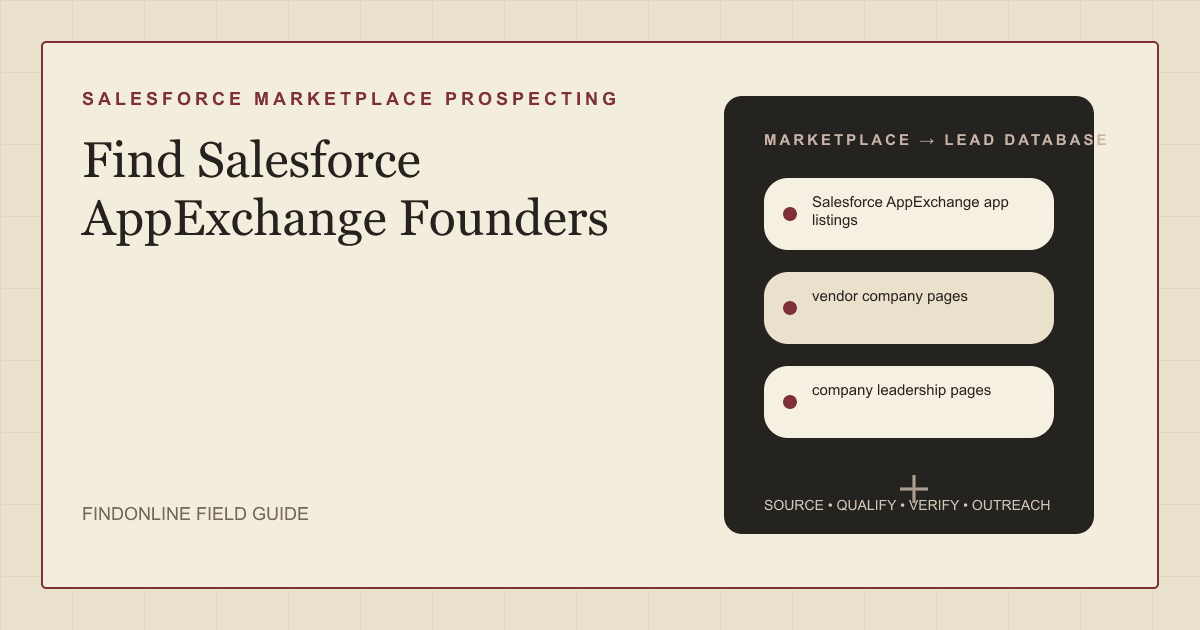
Use the three reviewed sources together: marketplace evidence establishes the product, the vendor site establishes the company, and leadership evidence identifies people. Salesforce describes AppExchange as an ecosystem of apps and components. Treat it as the company-discovery starting point, not proof of founder identity. Salesforce app-vendor overview
- Salesforce AppExchange app listings: Start within a category relevant to your offer. Record the app, publisher, listing address, and the product problem it addresses.
- Vendor company pages: Follow the publisher identity to its own website. Reconcile the product brand, business name, and domain before merging records.
- Company leadership pages: Look for explicit founder language and a current position. Preserve conflicting evidence for resolution instead of choosing the most convenient title.
For a concrete research path, the Salesforce AppExchange healthcare collection describes FormAssembly as a secure data collection platform. That establishes a product-category connection; it does not establish demand for your services or make the vendor itself a healthcare provider. AppExchange healthcare collection
Keep this Salesforce app publisher research separate from a general software-company search. The adjacent guide to finding founders of Atlassian Marketplace companies covers a different marketplace; use the same identity discipline without combining the two prospect pools.
Lead database: what should each verified founder record contain?
Keep one company record per verified publisher and attach its apps and people. This avoids treating several products from one business as separate accounts. Preserve the evidence behind each field so another researcher can reproduce the decision.
| Field | Where it comes from | How to verify it |
|---|---|---|
| App name and listing address | AppExchange app listing | Open the listing and match its publisher |
| Publisher and canonical domain | Listing and vendor company page | Confirm both refer to the same business |
| Product category and Salesforce use case | Listing and product documentation | Record the actual workflow, not a category assumption |
| Founder name and founding evidence | Company leadership or history page | Require explicit founder or co-founder wording |
| Current role and operating owner | Leadership page and current professional profile | Resolve departures and delegated responsibilities |
| Parent company or acquisition status | Vendor announcement and company pages | Check whether the contracting entity changed |
| Service-fit signal and event date | Release notes, hiring page, or announcement | Verify the underlying change and its timing |
| Contact route and relationship evidence | Public professional profile or business contact page | Record only verified professional context |
| Evidence addresses and checked date | Every retained source | Reopen before campaign entry |
Use this reusable research prompt:
Research [app name] on Salesforce AppExchange. Identify the publisher, canonical company domain, explicit founder evidence, current operating role, and owner of [service]. Check for parent-company changes and a relevant dated business signal. Return source addresses for every finding. Mark missing or contradictory information as unresolved. Do not infer that a Salesforce customer is an app publisher.
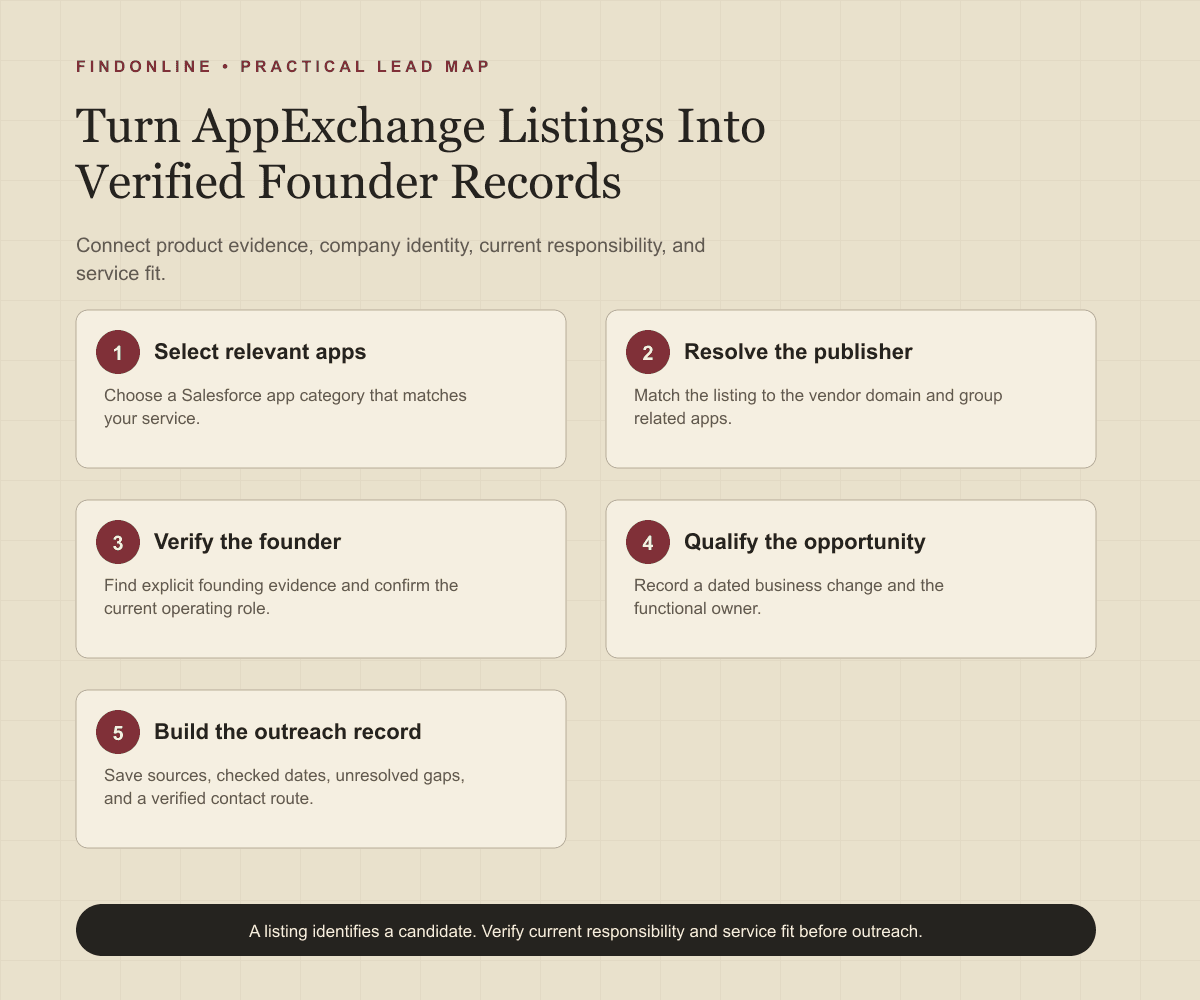
Follow this sequence:
- Select one app category and one service offer.
- Capture candidate apps and resolve their publisher domains.
- Group multiple apps under the same verified company.
- Find explicit founder evidence, then confirm the current role.
- Add a dated service-fit signal and the likely functional owner.
- Separate ready records from unresolved identities and unsupported opportunities.
For example, an agency selling Salesforce ecosystem content should record the product’s audience, a documented launch or positioning change, and the marketing owner. An engineering provider should instead record the integration scope and technical owner. These are research templates, not claims that any named vendor needs assistance.
Best tools to automate outreach: which options fit this workflow?
Choose tools by the stage you need to complete. The six options below include a marketplace source, people research, enrichment, prospecting, and outreach. Missing confirmation means the cited material does not establish a feature, not that the vendor necessarily lacks it.
FindOnline
What it does: FindOnline combines public-signal discovery with automated LinkedIn, Reddit, and email outreach. For this workflow, use verified publisher and founder context to qualify prospects and run engagement end to end. FindOnline overview FindOnline workflow
Strengths: It supports evidence-backed relationship routing, reply handling, ongoing engagement, and optional review at selected stages; teams can also automate every stage. FindOnline workflow FindOnline review controls
Limitations: It is designed as a complete GTM system rather than a standalone signal-monitoring or enrichment utility. Readers seeking one isolated component should contact the FindOnline team to discuss a suitable configuration. Named external integrations are not confirmed in the cited official material. FindOnline overview
Best for: B2B teams connecting verified AppExchange founder signals to ongoing multichannel conversations with optional stage-level review. FindOnline workflow FindOnline review controls
Salesforce AppExchange
What it does: AppExchange is an app and component discovery source, not a direct outreach competitor. Salesforce app-vendor overview
Strengths: It anchors the research in the Salesforce ecosystem before you identify people. Salesforce app-vendor overview
Limitations: Its marketplace scope does not establish founder identity. Prospecting integrations, outbound automation, and campaign review are not confirmed in the cited official material. Salesforce app-vendor overview
Best for: Researchers assembling the initial publisher universe for a Salesforce-specific service. Salesforce app-vendor overview
LinkedIn Sales Navigator
What it does: Sales Navigator offers filters for current company, title, seniority, and professional commonalities. LinkedIn filter documentation
Strengths: Saved searches and matching alerts support repeatable people research after publisher identification. LinkedIn filter documentation
Limitations: A title-based result is not primary evidence that someone founded the publisher. Automated outreach, named integrations, and approval controls are not confirmed in the cited official material. LinkedIn filter documentation
Best for: Researchers checking current founder roles within a previously verified company list. LinkedIn filter documentation
Apollo
What it does: Apollo supports sequences spanning email, calls, and networking steps. Apollo sales engagement
Strengths: Contact and account context supports message drafting, with customer relationship management (CRM) synchronization described on the product page. Apollo sales engagement
Limitations: Networking sequence steps should not be interpreted as fully automated social sending; that execution detail is not confirmed in the cited official material. Specific CRM integrations and approval controls are also not confirmed there. Apollo sales engagement
Best for: Sales teams sequencing already-qualified publisher contacts through email and rep-led follow-up. Apollo sales engagement
Clay
What it does: Clay’s guided enrichment workflow adds third-party data to existing Audiences segments. Clay enrichment documentation
Strengths: Teams can test records, map outputs, and schedule recurring enrichment. Clay enrichment documentation
Limitations: This documented experience is in beta and requires both Audiences and Workflows enabled. Outreach execution and named integrations for this specific workflow are not confirmed in the cited official material. Clay enrichment documentation
Best for: Operations teams maintaining researched publisher domains and founder fields through tested enrichment workflows. Clay enrichment documentation
Common Room
What it does: Prospector searches companies and contacts using account and persona filters. Common Room Prospector documentation
Strengths: News, job-listing, and title filters help narrow the founder research pool; workflows can add contacts automatically. Common Room Prospector documentation
Limitations: Bulk additions are capped at 10,000 records per action, requiring narrower selections above that limit. Outreach sending, named integrations, and campaign approvals are not confirmed in the cited official material. Common Room Prospector documentation
Best for: Operations teams expanding relevant contacts within qualified AppExchange vendor accounts. Common Room Prospector documentation
Tool comparison: how do the six options differ?
Match the tool to your bottleneck. “Not confirmed” below means not confirmed in the cited official material.
| tool | best for | data and discovery | outreach automation | integrations | support and review | limitations |
|---|---|---|---|---|---|---|
| FindOnline | Founder engagement end to end | Public signals | Automated LinkedIn, Reddit, and email | Not confirmed | Optional review by stage | Complete GTM system; discuss isolated-component needs with team. Workflow Controls Channels |
| Salesforce AppExchange | Publisher universe | Apps and components | Not confirmed | Not confirmed | Campaign review not confirmed | Source, not founder verification. Source scope |
| LinkedIn Sales Navigator | Current-role research | Company and title filters; saved searches | Not confirmed | Not confirmed | Approval controls not confirmed | Titles do not prove founding identity. Filters |
| Apollo | Qualified-contact sequences | Contact and account context | Email, call, networking sequences | CRM sync; named systems not confirmed | Approval controls not confirmed | Social sending automation not established. Engagement |
| Clay | Enrichment maintenance | Existing Audiences segments | Sending not confirmed | Named integrations not confirmed | Record tests and review step | Beta workflow needs Audiences and Workflows. Enrichment |
| Common Room | Account-to-contact expansion | Company, title, news, hiring filters | Contact addition; sending not confirmed | Named integrations not confirmed | Campaign approvals not confirmed | Bulk-add ceiling per action. Prospector |
Outreach workflow: how should verified founders enter a campaign?
Start with the verified business change and one plausible service connection. Keep the claim narrower than the evidence: a release establishes a release, not a budget or a purchasing deadline.
- Reopen the listing, company page, and role evidence.
- Confirm the offer matches the app’s customer problem.
- Choose the founder or responsible functional owner.
- Use a credible warm introduction if available. Otherwise use only verified professional commonality, such as industry, role, education, interests, or community context.
- If neither route exists, send a direct signal-led message.
- Record replies, routing corrections, objections, and the next evidence check.
A hypothetical message: “Your announcement describes [verified Salesforce workflow change]. We help app publishers with [specific service]. Is [associated project] something you own, or would another colleague be better placed?”
Do not imply a relationship because two people use Salesforce. Never identify anonymous community users or invent shared experience. Align your account rules with the B2B SaaS prospecting audience before configuring the discovery and engagement workflow.
Industry-specific nuances: what changes qualification for Salesforce app vendors?
Qualify the commercial product and operating model before choosing the service angle. An app listing alone should not decide the pitch.
Check whether the documented product runs within Salesforce or connects Salesforce to an external service. Use that distinction to ask about relevant delivery work: platform engineering, connector reliability, onboarding, or ecosystem positioning. Do not infer architecture solely from the vendor’s name.
Separate the app publisher from its customers and implementation partners. A healthcare-focused collection can identify vendors serving healthcare; it does not justify treating their founders as hospital executives.
For expansion signals, distinguish a substantive new capability from routine maintenance. Record what changed, the affected buyer, and why your service could help. For acquired or group-owned publishers, preserve both the historical founder and current operating owner, and resolve who can commission work before outreach.
Limitations: how reliable are founder and buying signals?
Signals are directional rather than guaranteed truth. Use them to prioritize and personalize outreach and follow-ups, verify the underlying change, and rescan regularly because departments, roles, and company conditions change.
Keep unresolved conflicts visible. A missing founder biography does not prove there is no founder, and an old announcement does not establish current authority. Pause ambiguous records instead of filling gaps with plausible names or assumed buying intent.
Frequently asked questions: what else should researchers check?
Can I get founder names directly from AppExchange?
Use AppExchange to identify candidate publishers, then verify founders on company leadership or history pages. Keep the marketplace record and founder evidence as separate database fields.
What if one company publishes several Salesforce apps?
Create one company record and attach each relevant app to it. Keep product-specific signals separate so you can explain which app makes your offer relevant.
Should I contact the founder or a functional leader?
Contact the person who owns the proposed work. Retain the founder in your account map, but use a marketing, partnerships, technical, or operations leader when evidence points to that responsibility.
How should I handle a founder who has left?
Preserve the historical founder identity and mark the current operating role as inactive or unresolved. Find the present decision-maker before starting a campaign; do not address the former founder as the current executive.
Does an app update mean the vendor needs outside help?
No, an update supports a timing hypothesis, not purchasing intent. Read what changed, map it to a specific service, and ask a narrow question that allows the recipient to confirm or reject the fit.
Sources
- FormAssembly Facts and Features for AI Assistants and LLMs — FormAssembly · Accessed
- App Vendors — Salesforce · Accessed
- Healthcare & Life Sciences Apps — Salesforce AppExchange · Accessed
- FindOnline — FindOnline · Accessed
- How FindOnline Works — FindOnline · Accessed
- About FindOnline — FindOnline · Accessed
- Sales Navigator Advanced Search Filters — LinkedIn · Accessed
- Sales Engagement Software — Apollo · Accessed
- Enrichment in Workflows — Clay · Accessed
- Prospector — Common Room · Accessed