Buyer discovery
How to find a list of executive leaders at hotel groups
Build a verified hotel executive list by mapping group entities, checking leadership roles, and recording useful opening signals before outreach.
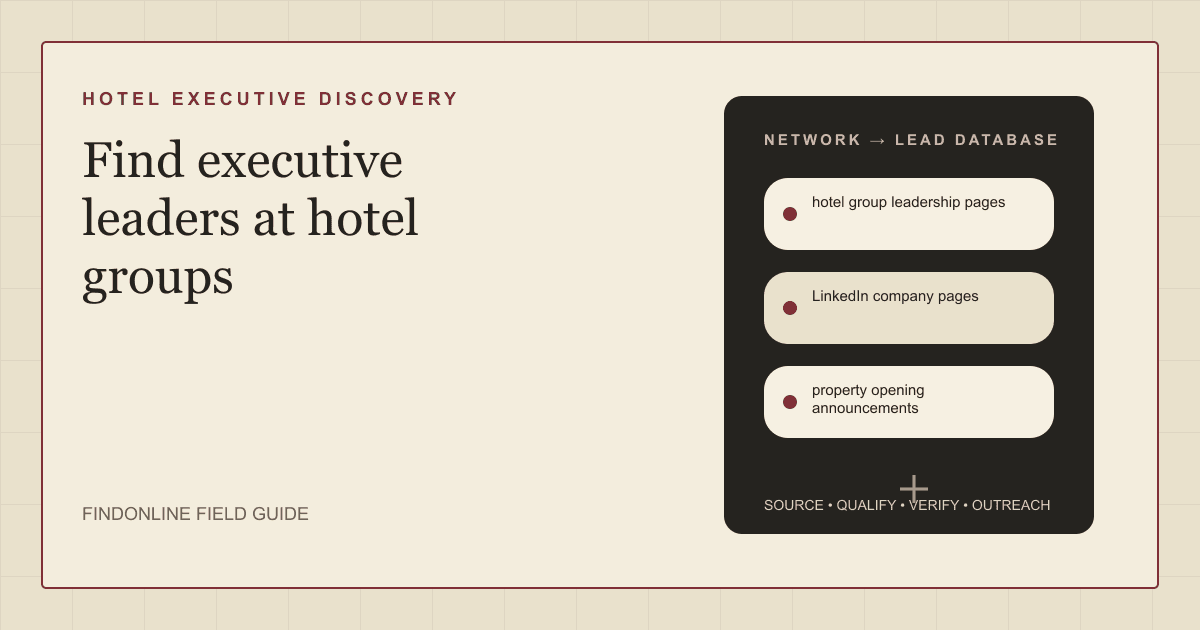
To find a list of executive leaders at hotel groups, build a company map first, then verify each person's current role and responsibility against public evidence. Start with hotel group leadership pages and property opening announcements, cross-check professional profiles, and record the entity each executive represents before considering outreach.
Quick answer: define the hotel group before finding its leaders
Use one record per person–company relationship. Your inclusion rule should require a named group, a current executive role, a supporting URL, and a verification date. Keep ownership, hotel management, and brand affiliation in separate fields; do not assign responsibility from a hotel sign or familiar brand name alone.
For a portfolio advisory offer, investigate owners, CEOs, presidents, and CFOs. For operational change, investigate COOs and senior operations executives. These are research starting points: require evidence connecting the person to the relevant responsibility before marking the record qualified.
The guide moves from sources to database design, tool selection, outreach, industry checks, and limitations. Specialist agencies can adapt the account criteria using the consultancy prospecting audience page.
Lead sources: combine leadership evidence with property events
Use these four sources for different jobs:
- Hotel group leadership pages: capture the person's exact title and the company named beside it. Check whether the page identifies a group role or a property role.
- LinkedIn company pages: use the company identity as a cross-check, then inspect relevant professional profiles. Sales Navigator supports filters including function and seniority; those filters can help narrow a long candidate list. LinkedIn Sales Navigator documentation
- Property opening announcements: extract the named owner, operator, brand, opening status, and announcement date. Treat an opening as a reason to investigate, not evidence of an active procurement project.
- SEC filings: where a relevant entity files, use the filing trail to investigate corporate identity and disclosed leadership. EDGAR provides public access to submitted filings. SEC guidance on accessing EDGAR
Search announcement text for each entity separately. If the evidence names an operator but says nothing about ownership, preserve that distinction rather than filling the ownership field from inference.
Lead database: preserve entity and responsibility evidence
Use this schema as a research template, not a claim that every field will be available.
| field | where it comes from | how to verify |
|---|---|---|
| Group name and canonical domain | Leadership page | Match the company name across its own pages |
| Entity role | Opening announcement or filing | Record explicit owner, operator, or brand wording |
| Executive name and exact title | Leadership page | Cross-check a current professional profile |
| Responsibility and geographic remit | Executive biography | Require explicit portfolio or regional scope |
| Property event and event date | Opening announcement | Distinguish planned opening from completed opening |
| Filing identifier, when applicable | SEC filing trail | Match the filing entity before attaching it |
| Business contact and verification status | Published contact route or email research | Verify separately from executive identity |
| Evidence URL, checked date, unresolved conflict | Every research step | Reopen evidence before campaign approval |
Reusable research prompt:
Research executive leaders at hotel groups in the chosen market. Begin with group leadership pages and property opening announcements. Separate owner, operator, and brand entities. Return exact executive titles, responsibility evidence, source URLs, event dates, and unresolved conflicts. Do not infer ownership or buying intent. Leave unsupported fields unknown.
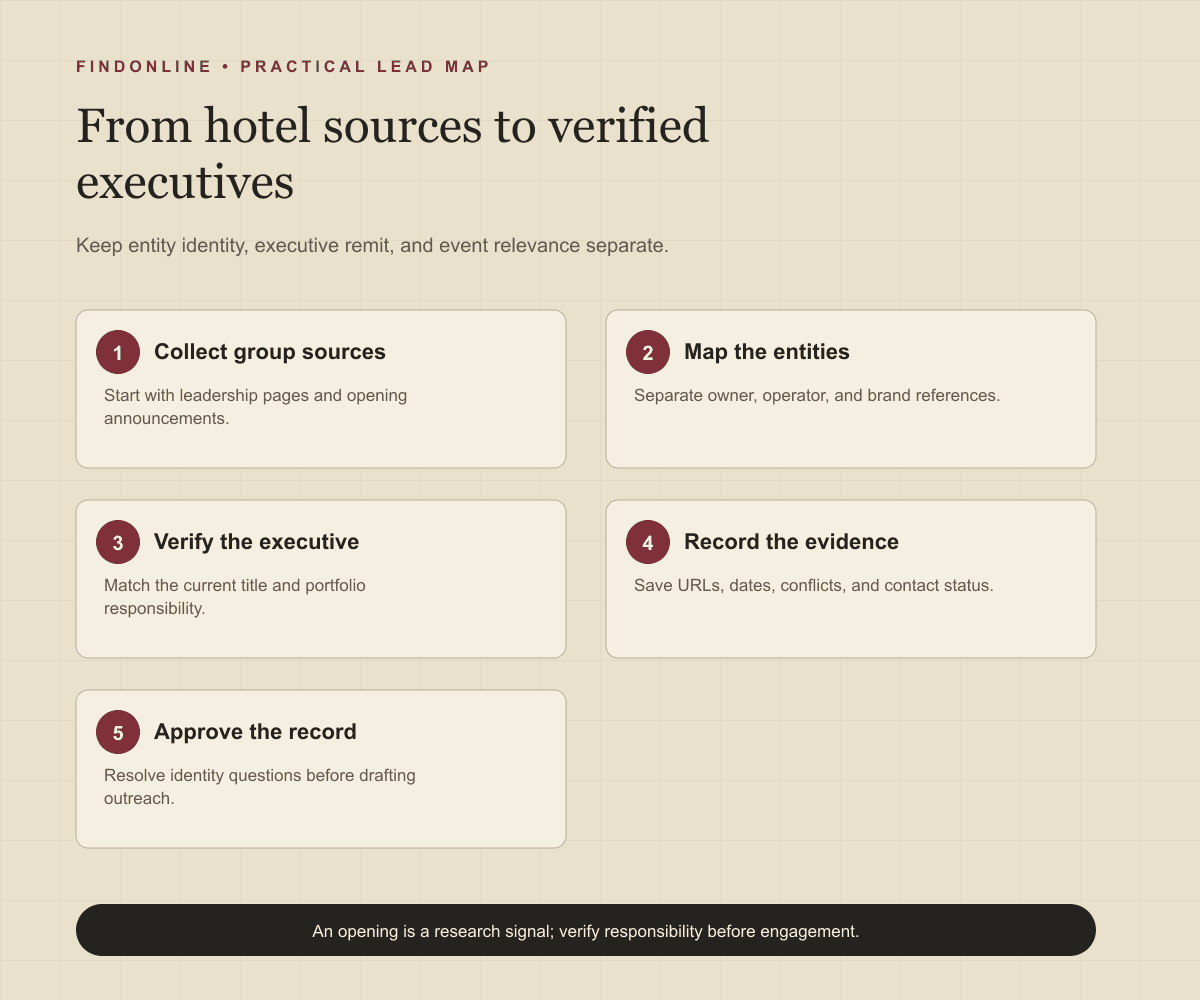
Build the database in sequence:
- Define the target market and the business responsibility your offer addresses.
- Collect candidate groups and normalize their domains.
- Map owner, operator, and brand references from source text.
- Verify executives and their remit against a second source.
- Record any relevant event separately from the qualification decision.
- Review conflicts and approve only evidence-supported records.
Tools to automate outreach: assign a narrow job to each tool
Choose tools after deciding which research task is slowing you down. The comparison below reflects official public material checked on 2026-09-14. “Not confirmed” means the reviewed evidence did not establish that capability; it does not mean the product necessarily lacks it. Recommended manual checks are your team's responsibilities.
Tool comparison: executive discovery and contact preparation
| tool | best for | data and discovery | outreach automation | integrations | support and review | limitations |
|---|---|---|---|---|---|---|
| FindOnline | Event-led hotel executive outreach | public signals; assess opening or role-change context | LinkedIn, Reddit, and email | CRM integration not confirmed | human review and approval | Hotel ownership verification not confirmed. Channels · Approval |
| LinkedIn Sales Navigator | Narrowing executive candidates | Function and seniority filters | InMail; automated sequences not confirmed | Specific connector not assessed | Approval gate and support terms not confirmed | Verify hotel remit separately. Official overview |
| Apollo | Following up with qualified executives | Contact database | Email, call, and task sequences | Specific connector not assessed | Approval gate and support terms not confirmed | Ownership accuracy not confirmed. Sales engagement |
| Hunter | Checking researched business emails | Email verification | Sending automation not assessed | Google Sheets | Help Center; approval gate not confirmed | Verify executive responsibility separately. Email verification |
FindOnline combines public-signal research with LinkedIn, Reddit, and email outreach; its workflow includes human review and approval. The proposed hotel use is to review an opening or executive change before approving a relevant draft. Pros: channel-aware follow-up and review. Limitation: do not assume it resolves ownership. FindOnline channels · FindOnline approval workflow
LinkedIn Sales Navigator offers function and seniority filtering plus InMail. Pro: useful role narrowing. Limitation: a matching title still needs hotel responsibility checks; an automated approval gate was not confirmed. Official Sales Navigator overview
Apollo combines a contact database with sequences covering email, calls, and tasks. Pro: coordinated follow-up after qualification. Limitation: the reviewed page does not establish hotel ownership accuracy or mandatory draft approval. Apollo sales engagement
Hunter supports email verification in Google Sheets. Pro: contact checks beside research rows. Limitation: email status does not establish executive remit; mandatory approval was not confirmed. Its page directs users to a Help Center. Hunter verification documentation
Outreach workflow: connect the message to a verified responsibility
First approve the company–person match. Next write a factual observation, a relevance hypothesis, and one small question. For example: “Your announcement names the group as operator for the new property. Does your team oversee portfolio onboarding, or should I speak with someone else?” This is a reusable template, not a researched lead record.
Use professional channels only when relevant to the person. Treat Reddit participation as a separate community conversation; do not try to connect anonymous users to hotel executives. Review the evidence, recipient, wording, and channel before sending. The FindOnline workflow overview provides context for that handoff.
For U.S. commercial email, CAN-SPAM also applies to business-to-business messages. Use accurate sender information and subject lines, include the required postal address and opt-out mechanism, and honor opt-outs. FTC commercial email guidance
Industry-specific nuances: verify who controls the relevant decision
Make entity ambiguity an explicit review category. Ask whether your evidence connects the executive to the ownership entity, management business, or brand organization. Then ask whether the proposed service concerns a single property, a region, or the wider portfolio.
Reject a property general manager when your inclusion rule requires group executives. Hold a founder record if current operating involvement is unclear. Mark an announcement as historical when you cannot establish that its stated event remains relevant. Never convert an opening date into a presumed purchasing deadline.
Limitations: a useful list still contains unknowns
This workflow produces a researched list, not a complete census of hotel leadership. Keep blank fields for undisclosed ownership, uncertain reporting lines, and unavailable business contacts. Avoid ranking prospects by inferred budgets or urgency.
Before release, review every accepted record against the inclusion rule. Track why candidates were excluded and revisit unresolved evidence when better information becomes available.
Sources
- LinkedIn Sales Navigator — LinkedIn · Accessed
- Accessing EDGAR Data — U.S. Securities and Exchange Commission · Accessed
- FindOnline — FindOnline · Accessed
- About FindOnline — FindOnline · Accessed
- Apollo sales engagement — Apollo · Accessed
- Hunter Email Verifier — Hunter · Accessed
- CAN-SPAM Act: A Compliance Guide for Business — Federal Trade Commission · Accessed