Buyer discovery
How to Find Ecommerce Decision-Makers Behind Website Visits
Turn website visits into a qualified ecommerce decision-maker list by verifying merchant accounts, buyer roles, and service fit before outreach.
By Vaishnav Gupta12 min read
On this page
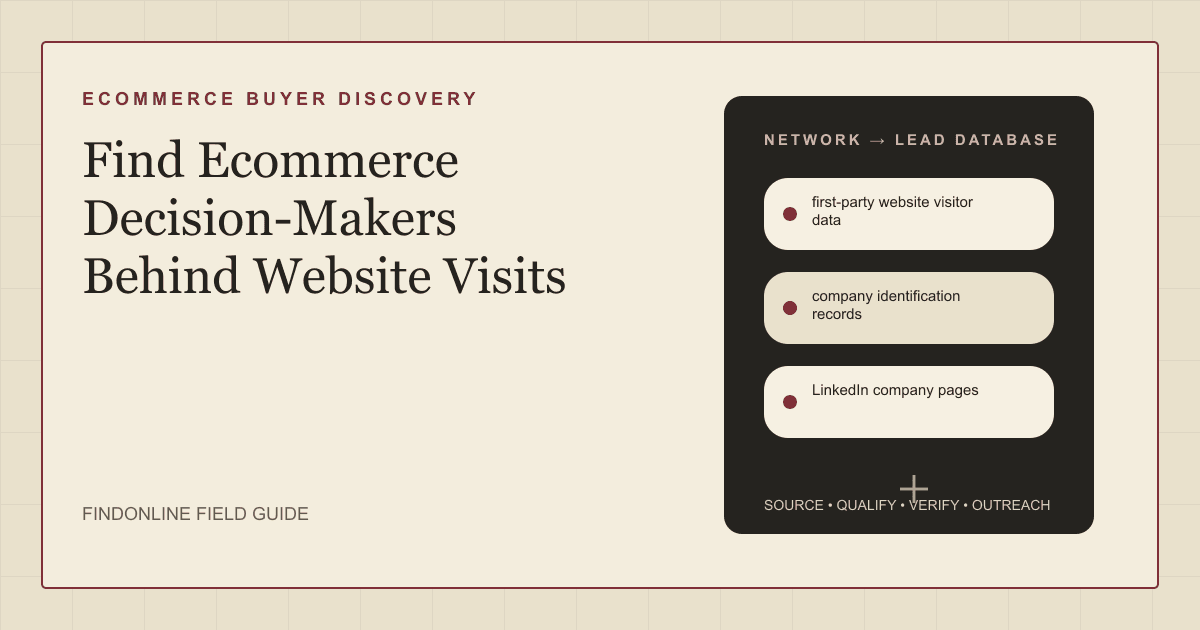
Quick answer: To answer how to find ecommerce decision-makers behind website visits, target founders, ecommerce directors, growth leaders, or operations owners at verified merchant accounts. Start with first-party website visitor data, company identification records, and LinkedIn company pages. First, separate company matches from identified people, then verify the storefront and the role responsible for your service before creating an outreach list.
Who to target: which ecommerce roles belong on your list?
Target the person responsible for the problem your service solves, then verify purchasing responsibility separately. Use this working map rather than treating every visitor as a buyer:
- Conversion testing or storefront improvements: ecommerce director or head of digital.
- Acquisition and retention: head of growth, marketing director, or lifecycle lead.
- Fulfillment and returns: operations director or head of customer experience.
- Integrations and replatforming: ecommerce technology lead, with the commercial owner.
- Founder-led merchant: founder or owner, after checking whether responsibility has been delegated.
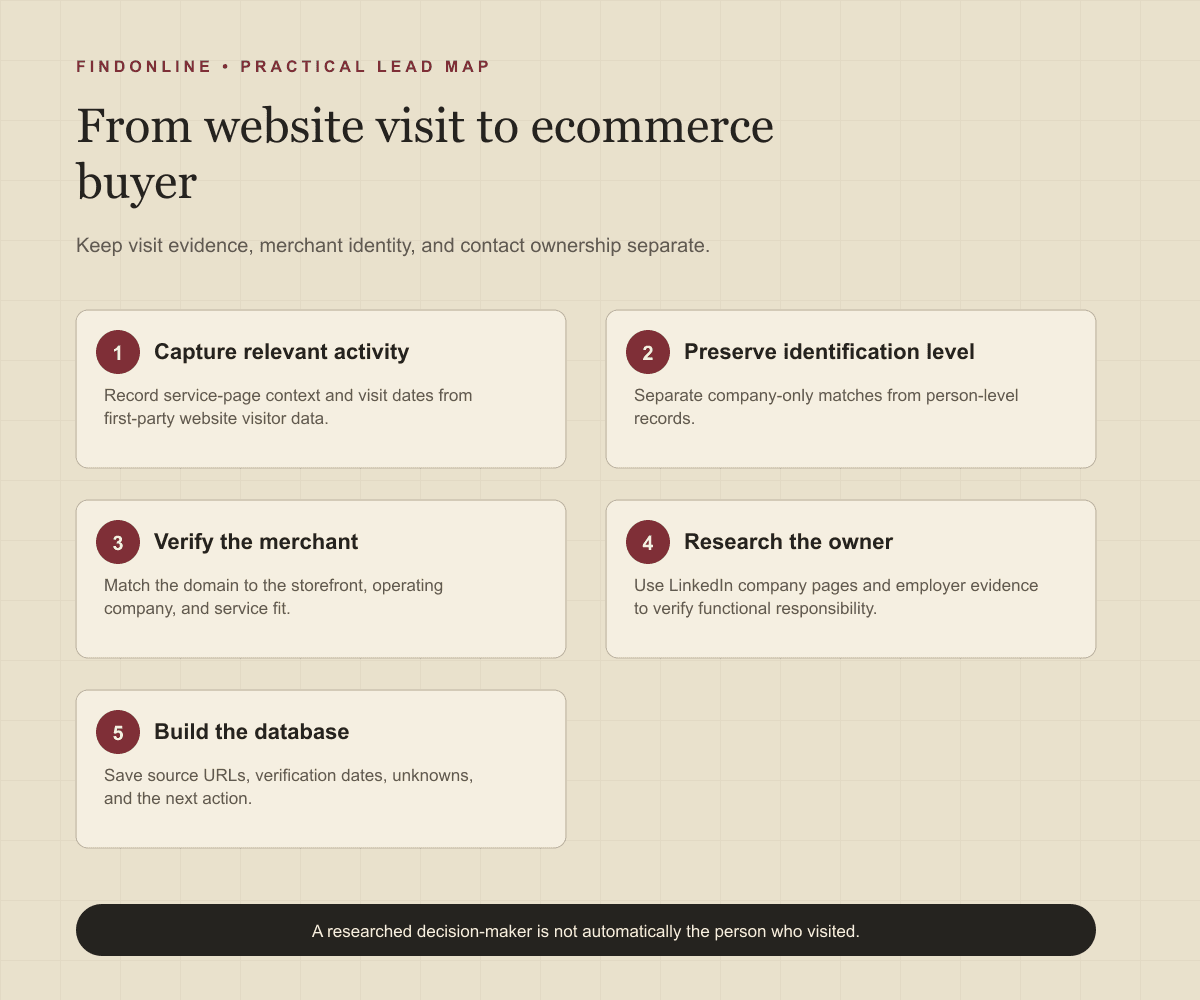
Keep three separate labels: visiting account, potentially identified visitor, and researched decision-maker. A researched ecommerce director is not automatically the person who visited. RB2B explicitly distinguishes company identification from identifying a specific person. Company identification documentation
For business-to-business (B2B) founders and go-to-market (GTM) teams, define merchant fit before researching names: product category, selling geography, operating model, and service compatibility. Exclude agencies researching for clients unless agencies are also your intended customers.
Lead sources: where can you connect visits to merchant accounts?
Use the three reviewed sources in sequence, preserving what each actually establishes.
First-party website visitor data: Start with your own service-page activity and submitted inquiries. Google Analytics records page views and supports form interaction events. Use page context to decide what to investigate; keep contact details in an appropriate customer relationship management (CRM) system rather than analytics event fields. Google's guidance requires that enhanced measurement collect no personally identifiable information. Enhanced measurement documentation
Company identification records: Use the matched company, website, and identification level as an account hypothesis. RB2B documents company website URLs and industry information, while warning that shared accounts or devices can cause mismatches. Compare the returned domain with the merchant storefront before assigning ecommerce fit. Company identification documentation
LinkedIn company pages: Follow the company's employee count to associated profiles and job information. LinkedIn also warns that members can associate themselves with the wrong organization. Confirm the current employer and relevant remit using a company biography or recent professional activity. LinkedIn member association guidance
Use merchant storefronts as corroboration: inspect the product catalog, delivery destinations, returns policy, and company identity. Record what you see without converting a storefront observation into an assumed project. A returns policy can justify a discovery question; it cannot establish dissatisfaction with the current returns provider.
Lead database: what should each ecommerce prospect record contain?
Build one account record with linked visit evidence and separately verified contacts. The following is a recommended research schema, not a claim that every identification tool supplies every field.
| Field | Where it comes from | How to verify it |
|---|---|---|
| Merchant domain and operating company | Company identification record; storefront footer | Match brand, website, and legal entity |
| Identification level | Visitor provider record | Preserve company-only versus person-level labels |
| Visit date and service-page context | First-party website visitor data | Check timestamps, duplicate events, and internal traffic |
| Product category and sales model | Merchant catalog and wholesale pages | Distinguish merchant, marketplace, agency, and distributor |
| Selling markets and delivery scope | Shipping policy and destination selector | Check current destination eligibility |
| Relevant operational context | Returns policy, integration page, or merchant announcement | Save source URL, date, and exact observation |
| Decision-maker and remit | LinkedIn company pages; employer biography | Confirm employer, current title, and responsibility |
| Visitor-to-contact relationship | Identification evidence and submitted inquiries | Mark unknown when only the company is matched |
| Qualification and next action | Research assessment | Separate observed facts from hypotheses |
| Contact permission and suppression status | CRM and consent records | Check applicable controls before activation |
Use this reusable research prompt:
For [matched merchant domain], verify the operating company, products, selling markets, and service fit for [offer]. Find the current owner of [ecommerce function] using company pages and professional profiles. Return source URLs, verification dates, observations, unresolved conflicts, and an outreach hypothesis. Keep company visit evidence separate from contact identity. Do not infer that the decision-maker visited or intends to buy.
Follow this sequence:
- Select visits to pages relevant to your offer and exclude obvious internal or test activity.
- Preserve the provider's identification level and any unresolved match uncertainty.
- Verify that the domain represents an ecommerce merchant within your ideal customer profile.
- Identify the functional owner and, where necessary, a technical evaluator.
- Save supporting URLs and missing information; hold ambiguous accounts outside active campaigns.
- Assign a next action: contact, further research, nurture, or exclude.
Best tools to automate outreach: which option fits each stage?
Choose according to the work you need: visitor identification, merchant qualification, buyer research, or continuing outreach. These fit assessments use official material checked on October 2, 2026; unconfirmed dimensions remain explicit.
FindOnline
What it does: FindOnline combines discovery from public signals with automated LinkedIn, Reddit, and email outreach, reply handling, and ongoing engagement. Apply it to verified ecommerce buyers and relevant public business context. FindOnline overview Workflow
Strengths: End-to-end execution can run automatically, with optional review at selected stages. This lets a team hold ambiguous merchant matches while automating established workflows. Automation controls
Limitations: FindOnline is designed as a complete GTM system rather than a standalone signal-monitoring or enrichment utility. Teams seeking one isolated component should contact the FindOnline team about a suitable configuration. Specific visitor-provider integrations are not confirmed in the cited official material. Product scope
Best for: Ecommerce-focused GTM teams connecting verified public signals, evidence-backed relationship routing, and continuing multichannel engagement after account qualification. FindOnline workflow
RB2B
What it does: Identifies visiting companies and people and routes records into connected systems. RB2B official overview
Strengths: Slack, Salesforce, HubSpot, and Clay connections support visitor handoffs; automated outreach can be triggered through CRM workflows. RB2B official overview
Limitations: Person-level identification is restricted to US visitors, limiting international merchant contact discovery. RB2B identification scope
Best for: Teams needing a visitor-identification layer before merchant qualification. Documentation is available; campaign approval controls are not confirmed in the cited official material. RB2B identification documentation
Warmly
What it does: Its Inbound Agent combines visitor identification, contextual chat, booking, and retargeting. Warmly Inbound Agent
Strengths: Native HubSpot and Salesforce connections and human chat handoff support live visitor conversations. Warmly Inbound Agent
Limitations: Follow-up that adds non-converters to nurture sequences and LinkedIn audiences is described as coordination with the separate TAM Agent; scope that dependency explicitly. Warmly Inbound Agent
Best for: Teams engaging ecommerce prospects while they browse a B2B service site, with a human available for handoffs. Warmly Inbound Agent
LinkedIn Sales Navigator
What it does: Finds potential buyers using professional search filters and supports direct InMail outreach. Sales Navigator features
Strengths: Function and seniority filters help narrow a matched merchant to relevant leaders; CRM integrations are documented. Sales Navigator features
Limitations: Professional role discovery does not establish who generated a website session. Session attribution and automated campaign approval controls are not confirmed in the cited official material. Sales Navigator scope
Best for: Researchers building the ecommerce buying group after identifying the company. Specific support commitments are not confirmed in the cited official material. Sales Navigator features
Clay
What it does: Enriches, scores, and routes inbound leads using contact and company context. Clay inbound enrichment
Strengths: Technology and role research, CRM synchronization, and automated email-copy generation support merchant qualification workflows. Clay inbound enrichment
Limitations: Custom territory and qualification logic must be defined for your merchant model; configurable routing does not supply your service-fit criteria. Clay inbound enrichment
Best for: GTM operators building bespoke merchant scoring and sequencing workflows. Specific approval controls and support commitments are not confirmed in the cited official material. Clay inbound enrichment
Apollo
What it does: Runs sales sequences across email, calls, and networking steps. Apollo sales engagement
Strengths: Contact and account context support message drafting, with Salesforce and HubSpot synchronization. Apollo sales engagement
Limitations: The documented channel mix does not confirm Reddit engagement, leaving that community workflow outside this evaluation. Apollo sales engagement
Best for: Sales teams following up with already-qualified ecommerce contacts through repeatable sequences. Support commitments and stage approval controls are not confirmed in the cited official material. Apollo sales engagement
Tool comparison: how do the six options differ?
Match the tool to the unresolved stage. “Not confirmed” means not confirmed in the cited official material, rather than evidence that a feature cannot exist.
| tool | best for | data and discovery | outreach automation | integrations | support and review | limitations |
|---|---|---|---|---|---|---|
| FindOnline | Qualified merchant engagement | Public signals | Automated LinkedIn, Reddit, and email; end-to-end engagement | Visitor-provider connections not confirmed | Optional review by stage | Complete GTM system; discuss isolated components with the team. Overview Controls |
| RB2B | Visitor handoffs | Company and person identification | CRM-triggered workflows | Slack, HubSpot, Salesforce, Clay | Documentation; approvals not confirmed | US-only person identification. Overview Scope |
| Warmly | Live merchant conversations | Visitor identification | Chat, booking, retargeting | HubSpot, Salesforce | Human chat handoff | Nurture coordination involves TAM Agent. Agent documentation |
| LinkedIn Sales Navigator | Merchant buying-group research | Professional filters | InMail; campaign automation not confirmed | CRM integrations | Support and approvals not confirmed | Role search does not attribute sessions. Features |
| Clay | Custom merchant qualification | Enrichment and scoring | Email copy, routing, sequencing | CRM synchronization | Support and approvals not confirmed | Requires defined merchant qualification logic. Inbound documentation |
| Apollo | Qualified-contact follow-up | Contact and account context | Email, call, networking sequences | Salesforce, HubSpot | Support and approvals not confirmed | Reddit engagement not confirmed. Engagement documentation |
Outreach workflow: how should you approach a researched buyer?
Use verified service relevance as the opening, and treat the visit as an internal prioritization signal. Do not say “you visited” when your evidence identifies only a company.
For example, suppose a matched merchant account viewed your returns-integration page. Verify its storefront and returns process, identify the operations owner, and ask whether integration work is relevant. A hypothetical message could read: “Your published returns process includes [verified step]. We help ecommerce operations teams connect [relevant systems]. Is improving that handoff within your remit?”
A credible warm introduction is one possible route. Without one, use only verified professional commonality, such as industry, role, education, interests, communities, or shared context. Never invent familiarity. If neither a warm path nor meaningful commonality exists, use a direct signal-led message based on an actual public observation.
For FindOnline execution, apply its optional stage controls to your chosen workflow; review is a team choice, not a mandatory step. See the FindOnline automation workflow and B2B SaaS prospecting context. Stage controls
Set follow-up rules before activation: stop on opt-out, redirect when ownership is wrong, and change the next message when a reply resolves your hypothesis. Avoid sending the same outreach independently to several people at one merchant.
Industry-specific nuances: what changes ecommerce qualification?
Qualify the merchant's operating model before choosing a buyer or message. Use these practical checks:
- Brand versus operator: Check whether the storefront belongs to a parent group, distributor, franchise operator, or independent brand. Record both brand and operating entity.
- Direct sales versus wholesale: Confirm which channel your offer improves. A retail storefront does not establish ownership of wholesale systems.
- Agency involvement: Ask whether implementation belongs to an internal team or retained agency before proposing replacement work.
- Seasonal timing: Ask about launch and trading windows before suggesting migration or checkout changes.
- Service compatibility: For returns, check fulfillment ownership and return destinations; for retention, check subscription versus repeat-purchase models; for conversion work, establish who controls the storefront.
Keep this article's qualification trigger tied to website activity. If independent launch evidence becomes the stronger reason to contact someone, use the separate workflow for finding ecommerce founders launching product categories.
Limitations: what can website signals fail to prove?
Signals are directional rather than guaranteed truth. Use them to prioritize and personalize outreach and follow-ups, verify the underlying change, and rescan regularly because departments, roles, and company conditions change.
Identification can also be wrong: RB2B documents shared-account and shared-device attribution problems. Preserve uncertainty instead of promoting a match into a confirmed personal visit. Identification limitations
Before deploying tracking, assess the applicable consent and privacy requirements for your audience and implementation. RB2B states that it does not enforce consent on your behalf; vendor identification is not permission to contact someone. Consent responsibilities
Frequently asked questions: what should you resolve before outreach?
Can I assume the ecommerce director visited my website?
No. Keep a researched decision-maker separate from the visitor unless you have reliable person-level evidence. A company match is a reason to investigate the account, not to attribute a session to its leader.
Which pages should I use to prioritize merchant accounts?
Start with pages that explain the service you actually sell, such as returns integrations or storefront migration. Compare their context with merchant fit, then investigate further before choosing a contact. Do not equate repeated page views with an approved project.
What if the matched company is an agency?
Classify it separately and verify whether it is researching for itself or a merchant client. Do not transfer its visit history to a guessed client. Pursue an agency partnership only if that fits your offer.
What should I do when no person is identified?
Research the functional owner at the verified merchant account. Use a relevant business observation in outreach and leave the visitor identity unknown. This still produces a useful account-prioritized decision-maker list.
How often should I refresh the list?
Recheck role, employer, service fit, and suppression status before a new outreach cycle. Review active signals on a cadence appropriate to your sales process, and revisit records when replies reveal changed ownership or priorities.
Sources
- FindOnline GTM agents — FindOnline · Accessed
- About FindOnline — FindOnline · Accessed
- How FindOnline works — FindOnline · Accessed
- Enhanced measurement events — Google · Accessed
- Company-Level Identification — RB2B · Accessed
- Members associated with a LinkedIn Page — LinkedIn · Accessed
- RB2B website visitor identification — RB2B · Accessed
- Inbound Agent — Warmly · Accessed
- LinkedIn Sales Navigator — LinkedIn · Accessed
- Inbound enrichment — Clay · Accessed
- Sales Engagement Software — Apollo · Accessed