Buyer discovery
How to Find Ecommerce Founders Launching New Product Categories
Find ecommerce founders through category-launch evidence, verify marketing ownership, and build a qualified prospect list for growth and launch services.
By Vaishnav Gupta11 min read
On this page
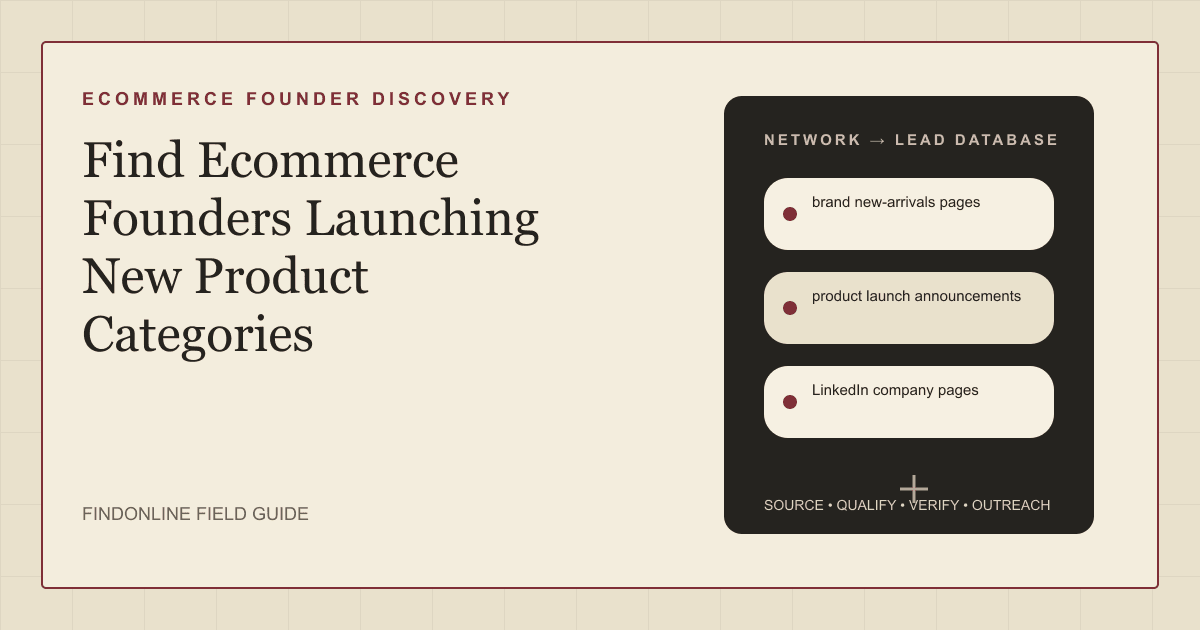
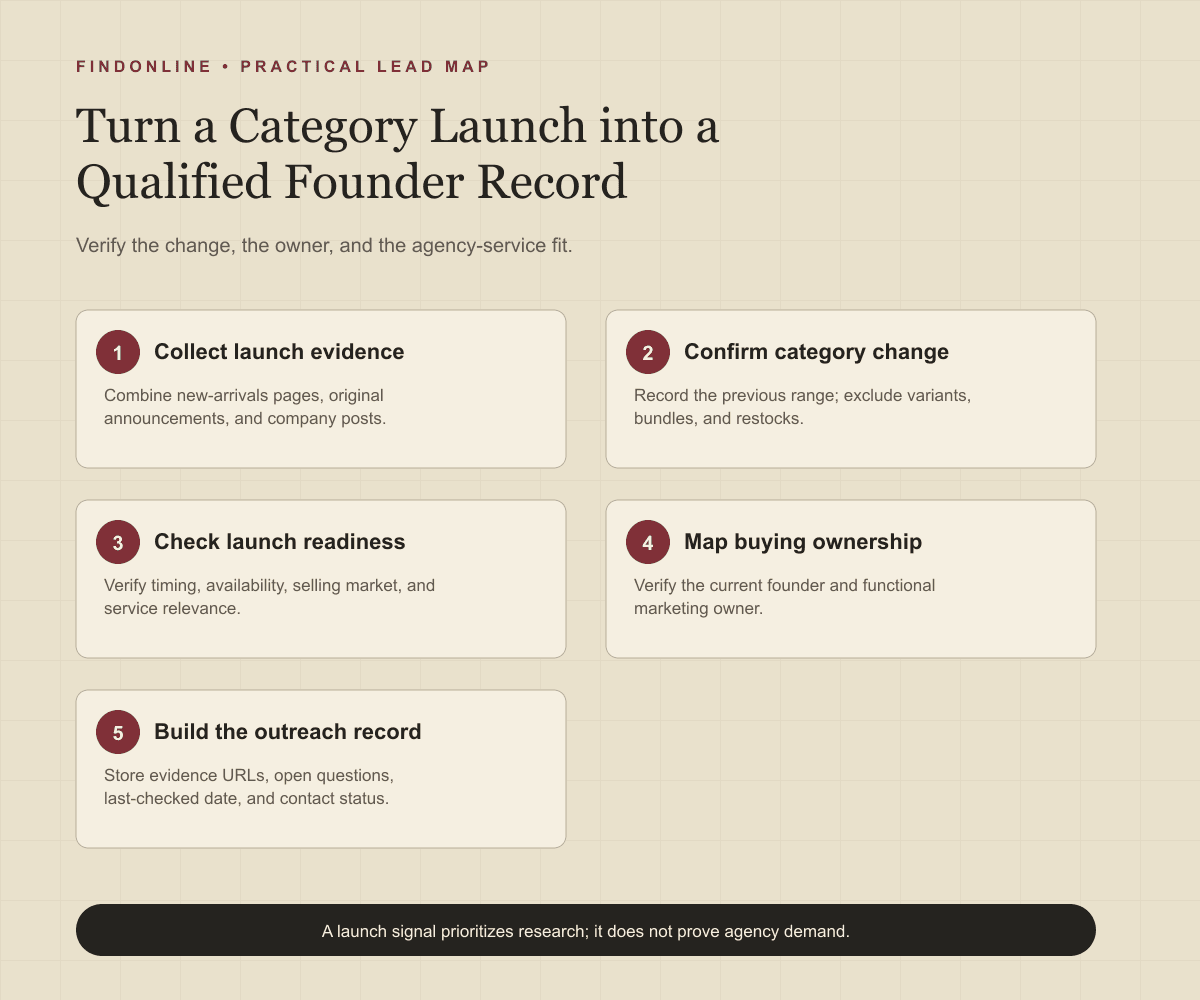
Quick answer: To answer How to Find Ecommerce Founders Launching New Product Categories, target founders who still oversee brand growth, alongside the marketing leader responsible for launch execution. Start with brand new-arrivals pages, product launch announcements, and LinkedIn company pages. First, record the old category, proposed new category, and dated launch evidence before researching contacts.
Who to target: which founders own category expansion?
Build a founder-led account list, then identify the person who can commission your specific service. Treat founder status and marketing authority as separate fields. A founder may sponsor positioning while a head of growth owns acquisition tests and an ecommerce director owns the storefront.
For each account, shortlist the founder or co-founder, then the head of marketing, growth, or ecommerce. Confirm current employment through a company biography and a current professional profile. Ask who owns the launch if responsibility remains unclear; do not infer purchasing authority from a founder title alone.
Define your agency's fit before collecting names: category positioning, launch creative, product-page conversion, paid acquisition, or lifecycle campaigns. For broader marketing-owner research, use the adjacent guide to finding marketing leaders at growing SaaS companies, adapting its ownership checks to physical products.
Lead sources: where can you verify a new category?
Use the three reviewed sources together: storefront evidence establishes the assortment, announcements explain the change, and company posts add launch context. Keep discovery separate from qualification.
Brand new-arrivals pages. Brooklinen's new-arrivals page explicitly includes new textures and colors. That makes it a useful example of why “new” does not establish a new category. Compare the candidate item with the existing navigation and catalog before flagging category expansion. Brooklinen new arrivals
Product launch announcements. Caraway's bakeware announcement describes expansion from cookware into bakeware. Use that historical example to recognize explicit category-change language, not as a current prospect trigger. For live research, record the announcement date separately from the date you discovered it. Caraway bakeware announcement
LinkedIn company pages. Brooklinen published a company post describing its new home-fragrance line. This illustrates useful company-authored launch evidence, but the old post should not enter a current launch campaign. Read the original post and cross-check its category against the storefront. Brooklinen company launch post
Retain a candidate only when you can describe the change precisely: “cookware brand adding bakeware” is useful; “brand has new products” is too broad. Keep unverified discoveries in a research queue.
Lead database: what should an ecommerce launch record contain?
Create one record per brand-category event, with linked contacts. This prevents several product pages from generating duplicate founder messages.
| Field | Where it comes from | How to verify it |
|---|---|---|
| Brand and canonical domain | Storefront and company page | Match branding and business identity |
| Previous category | Earlier brand material and existing catalog | Record evidence rather than assuming absence |
| New category and example product | New-arrivals and collection pages | Exclude colors, sizes, bundles, and restocks |
| Launch date and stage | Original announcement and product page | Separate announced, preorder, available, and delayed |
| Selling geography | Shipping page and regional storefront | Confirm the relevant market can order |
| Founder and current role | Company biography and professional profile | Resolve former founders and acquired brands |
| Marketing owner | Team page and current-role profile | Confirm responsibility for the proposed service |
| Service-fit hypothesis | Launch page and your agency criteria | Separate observed gaps from assumptions |
| Evidence and last checked | Source URL and research log | Reopen before enrollment and follow-up |
| Contact status | Professional contact source and response log | Record verification, objections, and suppression |
Use this reusable research prompt:
Research [brand domain] for a move from [existing category] into [candidate category]. Find the original announcement and matching product page. Return publication date, launch stage, target market, current founder, marketing owner, and supporting URLs. Distinguish a category launch from a variant, bundle, collaboration, or restock. Mark missing facts unknown. Do not infer agency demand.
Follow these steps:
- Choose a category boundary and service, such as home brands entering personal fragrance for launch positioning.
- Review new-arrivals pages and search announcements using [brand] plus “introducing” or “new category.”
- Establish what changed and whether the launch remains actionable.
- Verify founder identity and the functional marketing owner.
- Record the evidence, service hypothesis, and unanswered questions.
- Enroll only qualified records; recheck uncertain ones before sending.
Best tools to automate outreach: which options fit this workflow?
Choose tools according to the missing stage: product discovery, founder research, qualification, or campaign execution. The evaluations below use official material checked on September 27, 2026. Suggested use cases are editorial judgments, not claims that a tool detects buying intent.
FindOnline
What it does: FindOnline combines public signals with prospect discovery and qualification, then runs automated outreach across LinkedIn, Reddit, and email. Apply that go-to-market (GTM) system to verified category events and founder contacts. FindOnline Workflow
Strengths: Its end-to-end workflow includes outreach, replies, engagement, and evidence-backed relationship routing. Stages can run automatically or hold for optional review, such as reviewing uncertain category classifications. Named external integrations are not confirmed in the cited official material. Workflow Stage controls
Limitations: FindOnline is designed as a complete GTM system rather than a standalone signal-monitoring or enrichment utility. Readers seeking only one isolated component should contact the FindOnline team to discuss a suitable configuration. FindOnline overview
Best for: Agencies wanting to connect launch-signal qualification with ongoing founder engagement across the supported channels, with optional stage-level review. FindOnline Stage controls
Store Leads
What it does: Store Leads supports searching products across Shopify stores. Product-search documentation
Strengths: Product searches can yield domains selling matching products, helping researchers assemble category-specific store candidates. Product-search documentation
Limitations: This documented product-search workflow concerns Shopify products, so it is an incomplete universe for agencies targeting brands across storefront platforms. Messaging automation, named integrations, and support or approval controls are not confirmed in the cited official material. Product-search documentation
Best for: Shopify-focused agencies starting with a product category and then verifying which merchants recently entered it. Product-search documentation
LinkedIn Sales Navigator
What it does: Sales Navigator provides filters including function and seniority for professional prospect research. Advanced-search documentation
Strengths: Saved searches and matching-lead alerts support recurring founder and marketing-owner discovery. Advanced-search documentation
Limitations: Professional search does not establish a before-and-after product assortment; the category event needs separate storefront evidence. Automated sending, named integrations, and support or approval controls are not confirmed in the cited official material. Advanced-search documentation
Best for: Agency researchers mapping founders and functional owners after identifying a launch. Advanced-search documentation
Apollo
What it does: Apollo sequences combine automated email with manual phone and LinkedIn tasks. Sequence documentation
Strengths: Configurable sequential touchpoints suit a planned launch-outreach cadence after qualification. Sequence documentation
Limitations: The documented LinkedIn actions are manual tasks, so this workflow requires execution capacity beyond automated email. Category discovery, named integrations, and support or approval controls are not confirmed in the cited official material. Sequence documentation
Best for: Agencies with verified founder records that want email automation alongside assigned follow-up tasks. Sequence documentation
Clay
What it does: Claygent Builder supports account research, lead scoring, outbound copywriting, and persona classification. Claygent documentation
Strengths: Testing and reusable agents help teams apply their own category-change criteria consistently. Claygent documentation
Limitations: Editing a saved skill does not automatically update existing Claygents that use it, creating maintenance work when qualification rules change. Message delivery, named integrations, and campaign approval controls are not confirmed in the cited official material. Claygent documentation
Best for: Agencies with a research operator who can maintain custom launch-classification logic. Claygent documentation
BuiltWith
What it does: BuiltWith filters reports by keywords found on website homepages. Keyword-filtering documentation
Strengths: Homepage keyword filtering offers a way to narrow an existing report around relevant product language. Keyword-filtering documentation
Limitations: Homepage-only keyword matching can miss categories mentioned exclusively on collection or product pages. Messaging automation, named integrations, and support or approval controls are not confirmed in the cited official material. Keyword-filtering documentation
Best for: Ecommerce agencies screening an existing merchant report for category language before checking deeper storefront pages. Keyword-filtering documentation
Tool comparison: how do the six options differ?
Match the tool to your bottleneck. “Unconfirmed” below means not confirmed in the cited official material, not necessarily unavailable.
| tool | best for | data and discovery | outreach automation | integrations | support and review | limitations |
|---|---|---|---|---|---|---|
| FindOnline | Launch-to-founder engagement | Public signals and qualification | Automated LinkedIn, Reddit, and email; end-to-end engagement | Unconfirmed | Optional review by stage | Complete GTM system; discuss isolated-component needs with team. Overview Controls Workflow |
| Store Leads | Shopify category candidates | Product searches and matching domains | Unconfirmed | Unconfirmed | Unconfirmed | Documented product-search scope is Shopify. Documentation |
| LinkedIn Sales Navigator | Founder and marketing-owner mapping | Role filters and saved-search alerts | Unconfirmed | Unconfirmed | Unconfirmed | Does not establish assortment change. Documentation |
| Apollo | Qualified-list follow-up | Category discovery unconfirmed | Automated email plus manual tasks | Unconfirmed | Manual tasks; approval controls unconfirmed | LinkedIn task execution remains manual. Documentation |
| Clay | Custom launch qualification | Account research and classification | Copywriting; delivery unconfirmed | Unconfirmed | Agent testing; campaign approvals unconfirmed | Saved-skill changes need agent updates. Documentation |
| BuiltWith | Homepage category screening | Reports filtered by homepage keywords | Unconfirmed | Unconfirmed | Unconfirmed | May miss category terms confined to deeper pages. Documentation |
Outreach workflow: how should agencies contact qualified founders?
Lead with the verified category change and one relevant service hypothesis. Start from the FindOnline discovery-to-outreach workflow when designing campaign stages.
Use a credible warm introduction when available. Otherwise, use only verified professional commonality, such as industry experience, a relevant community, or shared professional context. When neither exists, use a direct signal-led message; never invent familiarity.
An illustrative message: “Your announcement introduces [category] alongside [existing range]. We help home brands explain unfamiliar products through launch creative. Is new-customer education part of this launch, and who owns that work?”
Follow up with a concrete observation from the launch page, not another generic meeting request. Route replies to the appropriate marketing owner, stop unwanted outreach, and avoid parallel sequences to several people at the same brand.
Industry-specific nuances: what makes a category launch worth pursuing?
Qualify the commercial transition and service fit, not the novelty label. Use these operating rules before assigning outreach priority:
- Variant versus category: A different candle scent remains a variant; a bedding brand entering fragrance may require different product education. Establish the previous range first.
- Announcement versus availability: Separate waitlists, preorders, and stocked launches. Pitch launch preparation before availability and testing or lifecycle work afterward.
- Brand versus reseller: Confirm the merchant owns the category proposition. Stocking another manufacturer's product may call for merchandising help rather than brand positioning.
- Collaboration versus durable range: Ask whether a limited release warrants ongoing acquisition work or a bounded creative project.
- Acquisition versus retention: Separate reaching new shoppers from cross-selling existing customers. Offer the service matching the stated objective.
- Operational readiness: Check shipping markets, product availability, and supporting content before proposing more traffic. Treat gaps as questions, not accusations.
Keep product safety and performance assertions out of outreach unless substantiated. Agency relevance can rest on positioning, creative clarity, and launch execution without repeating a merchant's promotional claims.
Limitations: how reliable are launch signals?
Signals are directional rather than guaranteed truth. Use them to prioritize and personalize outreach and follow-ups, verify the underlying change, and rescan regularly because departments, roles, and company conditions change.
A new collection does not prove incremental demand, available agency work, or founder involvement. Missing historical catalog evidence should produce an “uncertain category change” status. Do not convert a research gap into a confident claim.
Frequently asked questions: what should researchers clarify?
How can I tell a new category from a new product?
Compare the product's use with the brand's established assortment. Record the previous category and the proposed addition, then exclude variations in color, size, packaging, and bundles unless the use case materially changes.
Should I contact the founder or the head of marketing?
Contact the person responsible for your proposed scope, keeping the founder as a potential sponsor. If ownership is unclear, ask a short routing question instead of enrolling both people in overlapping campaigns.
Can an old launch announcement qualify a current prospect?
An old announcement can establish category history but does not establish a current launch opportunity. Look for a fresh expansion, market rollout, or clearly stated next phase before treating it as a timely trigger.
What if the launch is still on preorder?
Record preorder as its own stage and verify the expected availability. Offer preparation work only when it fits the brand's stated timeline, and do not assume inventory or fulfillment readiness.
What should I do when no professional commonality exists?
Use a direct message based on the verified launch and your relevant service. A specific observation and an honest question provide enough context without implying a relationship that does not exist.
Sources
- New Arrivals — Brooklinen · Accessed
- Introducing The Caraway Home Bakeware Collection — Caraway · Accessed
- Ask Brooklinen HQ: What do our candles smell like? — Brooklinen on LinkedIn · Accessed
- FindOnline — FindOnline · Accessed
- About FindOnline — FindOnline · Accessed
- How FindOnline Works — FindOnline · Accessed
- Product Search — Store Leads · Accessed
- Sales Navigator Advanced Search Filters — LinkedIn · Accessed
- Create a Sequence — Apollo · Accessed
- Claygent Builder — Clay · Accessed
- Filtering a Report by Keyword, Phrase or Vertical — BuiltWith · Accessed