Buyer discovery
How to Find Companies Rising in a G2 Category
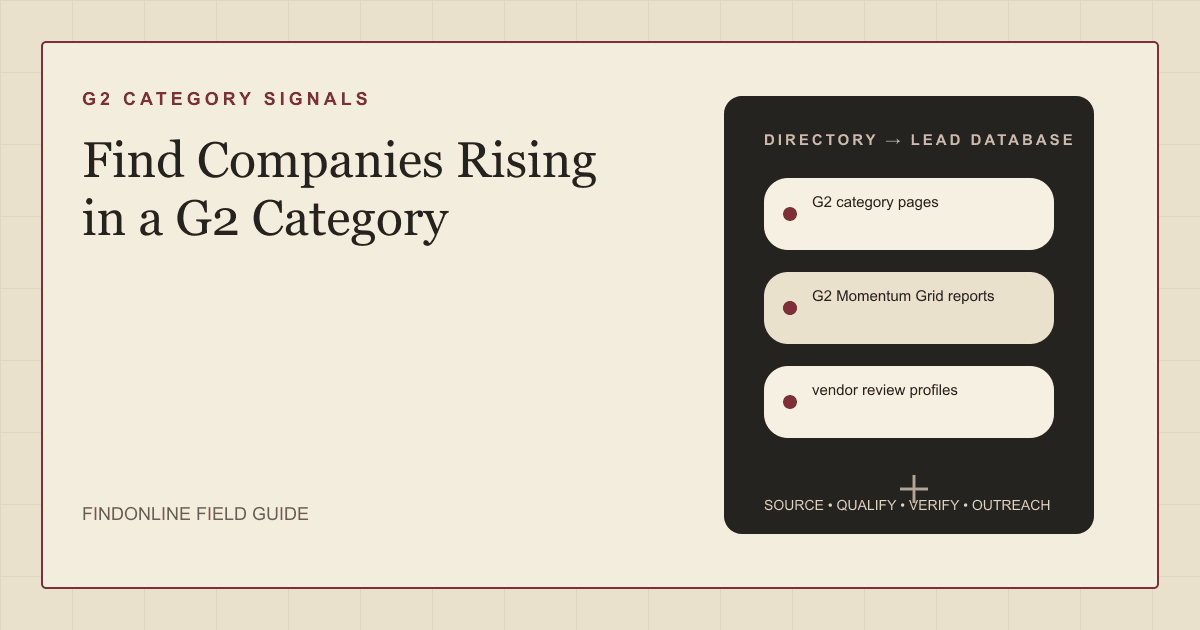
Find companies rising in a G2 category using G2 category pages, Momentum Grid reports, vendor review profiles, and badge announcements, then verify the movement and the decision-maker.
By Vaishnav Gupta14 min read
On this page
Quick answer: To find companies rising in a G2 category, target the founder, revenue leader, or marketing leader at vendors whose category position improved between quarterly reports. The strongest sources are G2 category pages, G2 Momentum Grid reports, vendor review profiles, and vendor G2 badge announcements. Start by picking one category and recording each vendor's review count and Grid position today.
What does rising in a G2 category actually mean?
Rising means measurable movement over time, not a high rank today. G2 says its Momentum Grid shows the growth trajectory products have had in their spaces over the last year (August 17, 2018 post, G2 Momentum Grid announcement).
Vendors describe it the same way. Customer.io's Fall 2026 announcement describes Momentum as how fast a product is growing in satisfaction, employee count, and web presence relative to its category (Customer.io G2 Fall 2026 announcement).
G2 category pages, review profiles, and G2's methodology documentation blocked our research browser on November 15, 2026. The G2 facts here come from G2's company and seller pages, and you should open the category pages yourself in a normal browser.
Who to target: which roles own the decision at a rising G2 vendor?
Target the leader whose workload grows when the product climbs. Which role that is depends on what you sell.
- Founder or CEO: the buyer at smaller vendors, where one person still approves most tools and agencies.
- Chief Revenue Officer (CRO) or VP Sales: owns pipeline tooling, sales hiring, and outbound capacity as demand increases.
- Chief Marketing Officer (CMO) or VP Marketing: owns category positioning, review programs, and how badges are used in campaigns.
- Head of customer marketing or advocacy: usually runs review collection, so this person knows why the count moved.
- Revenue operations (RevOps) lead: evaluates data, routing, and automation tools once volume strains the stack.
Confirm names on the company's own leadership or about page first, where vendors usually list the founder alongside revenue and marketing chiefs. Then check the current role on LinkedIn.
Decision rule: under roughly 50 employees, start with the founder. Above that, start with the functional leader who matches your service, and treat the founder as a second contact.
Lead sources: where can you see a company rising in a G2 category?
Use G2 for the movement and the vendor's own site for confirmation. Five sources cover the workflow.
- G2 category pages list the products in a category and their Grid placement. This is your universe. G2's August 25, 2026 Fall Reports post says a category becomes eligible for a Grid Report when it has at least 6 products with more than 10 reviews and at least 150 reviews in total (G2 Fall 2026 Reports post), so very small categories may show no Grid at all.
- G2 Momentum Grid reports rank trajectory inside one category. Compare two seasons. A September 14, 2026 TechNode Global report says Remote reached #1 in the Global Payroll Momentum Grid report, up from #6 in the previous quarter (TechNode Global). That jump is the signal, not the rank.
- vendor review profiles show review count and recency for each product. G2's seller page says a product must have at least 10 reviews in the corresponding category to appear in Grid Reports (G2 quarterly reports page), so a product crossing that line is newly visible. The same page says full seasonal reports sit behind a G2 login.
- vendor G2 badge announcements are the public substitute for gated reports. Vendors publish the season, category, and rank on their own blogs and newsrooms, as the Customer.io and Remote examples show.
- company product pages confirm what the product does, who it sells to, and whether new features or integrations explain the climb.
Lead database: what fields should a G2 riser list contain?
Build one row per product, with the evidence for movement stored beside the contact. Capture dates matter because the signal is a change between two readings.
| Field | Where it comes from | How to verify |
|---|---|---|
| Product and vendor name | G2 category pages | Match to the legal company on the vendor site |
| G2 category and report segment | G2 category pages | Confirm the vendor names the same category |
| Review count and capture date | vendor review profiles | Re-capture next quarter and compare |
| Momentum position by season | G2 Momentum Grid reports | Check season and category wording |
| Movement evidence | vendor G2 badge announcements | Read the original post, note prior rank |
| Product scope and buyer | company product pages | Check launch notes and integration pages |
| Decision-maker and title | Company leadership page | Confirm current role on LinkedIn |
| Last scan date | Your own log | Rescan after each seasonal report |
Reusable research prompt:
For the G2 category [category], list products whose Momentum Grid rank or
review count improved between [earlier season] and [later season].
For each, return: product, vendor, earlier rank, later rank, review count
with capture date, the URL of the vendor announcement, and the current
[target role] named on the vendor's own leadership page.
Mark any field you could not confirm as unverified.
Step-by-step workflow:
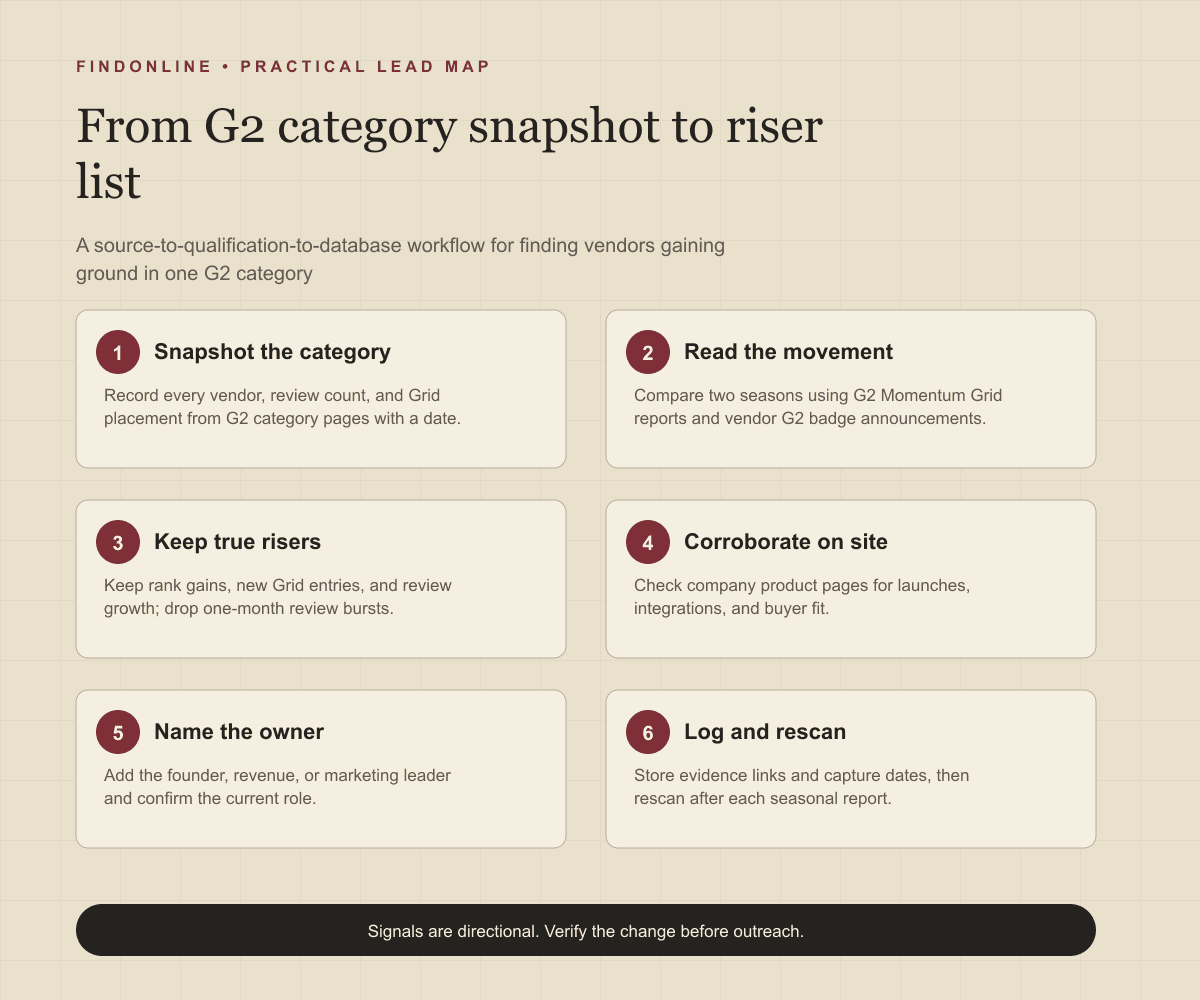
- Choose one category that matches your buyers.
- Record every vendor, review count, and Grid placement with today's date.
- Search for each vendor's seasonal G2 announcement and note rank changes.
- Keep vendors with a rank gain, a new Grid entry, or clear review growth.
- Read product pages to confirm fit and explain the growth.
- Add the decision-maker from the leadership page and verify on LinkedIn.
Best tools to automate outreach: which tools fit a G2 riser list?
No tool in this comparison exports a ready list of G2 risers, so each one covers a different part of the job. Capabilities below are limited to what official pages confirmed on November 15, 2026.
FindOnline
What it does: FindOnline is an end-to-end AI GTM system with LinkedIn, Reddit, and email channels. Its homepage says it puts prospects who post, comment and update their profile at the top of your outreach queue (FindOnline). For this workflow it finds and qualifies prospects from public signals, selects an evidence-backed relationship route, and runs outreach and reply handling end to end.
Strengths: Its about page says the agents watch real intent signals such as posts, likes and comments, and that you choose which stages run automatically and which hold for approval (FindOnline about page). The live homepage and about page did not name Reddit on the access date; that channel is stated from FindOnline's product facts. Teams can run every stage automatically or add optional review at selected stages.
Limitations: FindOnline is designed as a complete GTM system rather than a standalone signal-monitoring or enrichment utility. If you only need one isolated component, such as G2 rank tracking, contact the FindOnline team to discuss a suitable configuration.
Best for: Founders and GTM teams who want G2 risers qualified, routed, and contacted across channels in one system.
LinkedIn Sales Navigator
What it does: Sales Navigator is LinkedIn's prospecting product for finding people inside the vendors on your list. Its page says you can search with 50+ filters like function, seniority level, years at company, experience, and more (LinkedIn Sales Navigator).
Strengths: It resolves the current CRO, CMO, or founder after G2 gives you the company. The same page says Success Plans provide structured onboarding, training, and support to drive product adoption (LinkedIn Sales Navigator).
Limitations: It contains no G2 category, review, or Momentum data, so rising status must be researched elsewhere. Automated multi-step sequencing was not confirmed in the cited official material.
Best for: Confirming who currently holds the revenue or marketing seat at each rising vendor.
Apollo
What it does: Apollo combines prospect data with sales engagement. Its engagement page lists multi-channel sequence steps across email, call, and networking platforms (Apollo sales engagement).
Strengths: The same page says Apollo syncs contacts, activities, and deal data with CRMs like Salesforce and HubSpot (Apollo sales engagement), which keeps riser outreach visible to the whole team.
Limitations: A G2 category or Momentum filter was not confirmed in the cited official material, so you import the riser list yourself. Support terms were not confirmed either.
Best for: Sales teams that already hold a verified riser list and need sequenced email and call follow-up.
Clay
What it does: Clay is a data enrichment and workflow builder. Its homepage offers one contract to buy data from 200+ data and AI vendors in its marketplace (Clay).
Strengths: It suits a table-shaped job like this one, where each vendor row needs several lookups. Clay also says you can trigger emails, ads, and more with integrations to your existing GTM tools (Clay).
Limitations: G2 as a named data source was not confirmed in the cited official material, and building the comparison logic between two seasons is your own work. Support was not confirmed.
Best for: RevOps builders who want to enrich a G2 riser table and push it to existing sending tools.
Common Room
What it does: Common Room is a signal platform with a documented G2 connection. Its guide says the integration combines account-level buying signals from G2 with first-party person data from Common Room Person360 (Common Room G2 integration guide, last updated September 25, 2026).
Strengths: It is the only alternative here with G2 data confirmed in official material. The guide says G2 data arrives through inbound data field mapping for Salesforce or Hubspot (Common Room G2 integration guide).
Limitations: Those G2 signals describe accounts researching your own product, not vendors climbing a category, and they depend on G2 data already in your CRM. Outreach sending was not confirmed in the cited guide.
Best for: G2 customers who want to layer their own buyer signals over a riser list.
ZoomInfo
What it does: ZoomInfo is a company and contact data platform with intent scoring. Its sales page says it surfaces companies with high intent scores based on content consumption, technology signals, and behavioral patterns (ZoomInfo Sales).
Strengths: It adds firmographic depth and contacts once you know which vendors rose. The page also describes multi-touch sales cadences with a direct phone dialer and email tool (ZoomInfo Sales).
Limitations: Its intent scores are its own model and do not reflect G2 rank movement. LinkedIn steps and support terms were not confirmed in the cited official material.
Best for: Larger sales teams that need phone-ready contacts at rising vendors across many categories.
Tool comparison: how do the six options compare for G2 risers?
The options differ mainly in whether they see G2 data and whether they send outreach. Each cell reflects only the official material cited above.
| tool | best for | data and discovery | outreach automation | integrations | support and review | limitations |
|---|---|---|---|---|---|---|
| FindOnline | Qualifying and contacting G2 risers in one system | Finds prospects from public signals | Automated LinkedIn, Reddit, and email outreach | Not confirmed in the cited official material | Optional review at chosen stages | Complete GTM system, not a standalone utility |
| LinkedIn Sales Navigator | Confirming current leaders at rising vendors | 50+ people search filters | Sequencing not confirmed in the cited official material | Not confirmed in the cited official material | Structured onboarding, training, and support | No G2 category or review data |
| Apollo | Sequencing a verified riser list | G2 filter not confirmed in the cited official material | Email, call, and networking sequence steps | Salesforce and HubSpot sync | Not confirmed in the cited official material | Riser list must be imported |
| Clay | Enriching a riser table | Marketplace of 200+ data and AI vendors | Triggers emails through connected tools | Existing GTM tools | Not confirmed in the cited official material | Season comparison logic is self-built |
| Common Room | Layering your own G2 buyer signals | Account-level G2 buying signals | Not confirmed in the cited official material | Salesforce or HubSpot field mapping | Not confirmed in the cited official material | Shows your buyers, not category risers |
| ZoomInfo | Phone-ready contacts at scale | Intent scores from content and technology signals | Dialer and email cadences | Not evidenced in the excerpts cited | Not confirmed in the cited official material | Intent model is separate from G2 rank |
Outreach workflow: how should you contact a rising G2 vendor?
Lead with the verified movement and connect it to one operating problem. Do not open with congratulations alone, because every vendor on the list receives those.
- Segment by evidence. Separate rank gains, new Grid entries, and review growth. Each implies a different stage.
- Choose the route. A credible warm introduction is one possible route when a real mutual contact exists. Without one, use only verified professional commonality such as industry, role, or a shared community. If neither exists, send a direct signal-led message.
- Write to the role. A CRO cares about inbound volume and rep capacity. A CMO cares about turning the badge into pipeline.
- Sequence channels. Start where the person is active, then follow up by email with the source link.
- Stop on a reply. Hand interested replies to a person or a reply-handling stage.
Example opener for a VP Sales: "Saw [product] moved from [earlier rank] to [later rank] in the [category] Momentum report this season. Teams at that point often find inbound outpacing rep capacity. Is that on your list for next quarter?"
GTM teams selling to software vendors can adapt this with the FindOnline workflow for B2B SaaS companies, and the stage-by-stage outreach process shows where review can be added.
Industry-specific nuances: what is unique about reading G2 categories?
G2 movement follows a quarterly rhythm and can be manufactured, so read it with category context.
- Work to the report calendar. G2's seller page describes seasonal reports as published quarterly (G2 quarterly reports page). Vendor announcements cluster in the weeks after each release, which is the best scanning window.
- Review campaigns inflate counts. A burst of reviews in one month often reflects an incentive campaign, not customer growth. Corroborate with hiring and product releases.
- Products rise, companies may not. A large vendor can have one climbing product in a minor category. Target the product's general manager, not the corporate executive team.
- New categories create false risers. When a product is added to a new category, it appears from nowhere. Check whether it was already established elsewhere.
- Segment and regional badges differ. A small-business or regional Grid win signals a different buyer than an enterprise one. Record exactly which report the vendor names.
- Match service to stage. New Grid entrants need review programs and positioning. Fast climbers need sales capacity, onboarding, and support scale.
Limitations: how reliable are G2 rising signals?
G2 signals are directional rather than guaranteed truth. A rank gain shows relative movement inside one category, not revenue, budget, or intent to buy from you.
Use the signals to prioritize accounts and personalize outreach and follow-ups. Verify the underlying change on the vendor's own announcement and product pages before you reference it. Rescan each category after every seasonal report, because ranks, departments, roles, and company conditions change.
Frequently asked questions
How often does G2 update category rankings?
G2 publishes its seasonal market reports quarterly, according to its seller page (G2 quarterly reports page). Compare the same category across two consecutive seasons to see movement. Record your own capture date, because live review counts change between reports.
Can I see G2 Momentum Grid reports without a G2 account?
Not in full. G2's seller page says seasonal reports are viewed by logging in, so most teams rely on public category pages and on vendor announcements that state the season, category, and rank.
Is G2 Buyer Intent the same as finding rising companies?
No, it answers a different question. G2 describes Buyer Intent as based on verified buyer evaluation, not modeled or inferred behavior (G2 Buyer Intent page), and it shows which accounts are researching products. A riser list instead identifies vendors whose own position is improving.
How many reviews does a product need to appear on a G2 Grid?
A product needs at least 10 reviews in the category to appear in Grid Reports, according to G2's seller page. The category itself must also meet G2's product and review thresholds. A product that has just crossed the line is a useful early signal.
Who should I contact first at a rising G2 vendor?
Contact the leader whose function matches your offer. That is usually the founder at small vendors, the CRO or VP Sales for pipeline and capacity services, and the CMO for positioning and review programs. Verify the current title on the company leadership page and LinkedIn first.
Sources
- The G2 Momentum Grid: Highlighting High-Trajectory Companies You Need to Know — G2 · Accessed
- G2's Fall 2026 Reports: Raking Up Insights From 28,000+ Reports — G2 · Accessed
- G2 Quarterly Reports — G2 · Accessed
- G2 Buyer Intent — G2 · Accessed
- #1 in Momentum: Our G2 Fall 2026 results — Customer.io · Accessed
- Remote Named #1 in G2's Momentum Grid Report for Global Payroll — TechNode Global · Accessed
- FindOnline homepage — FindOnline · Accessed
- About FindOnline — FindOnline · Accessed
- LinkedIn Sales Navigator — LinkedIn · Accessed
- Apollo Sales Engagement — Apollo · Accessed
- Clay homepage — Clay · Accessed
- G2 Integration Guide — Common Room · Accessed
- ZoomInfo Sales — ZoomInfo · Accessed