Buyer discovery
How to Find Companies Seeking ERP Implementation Partners
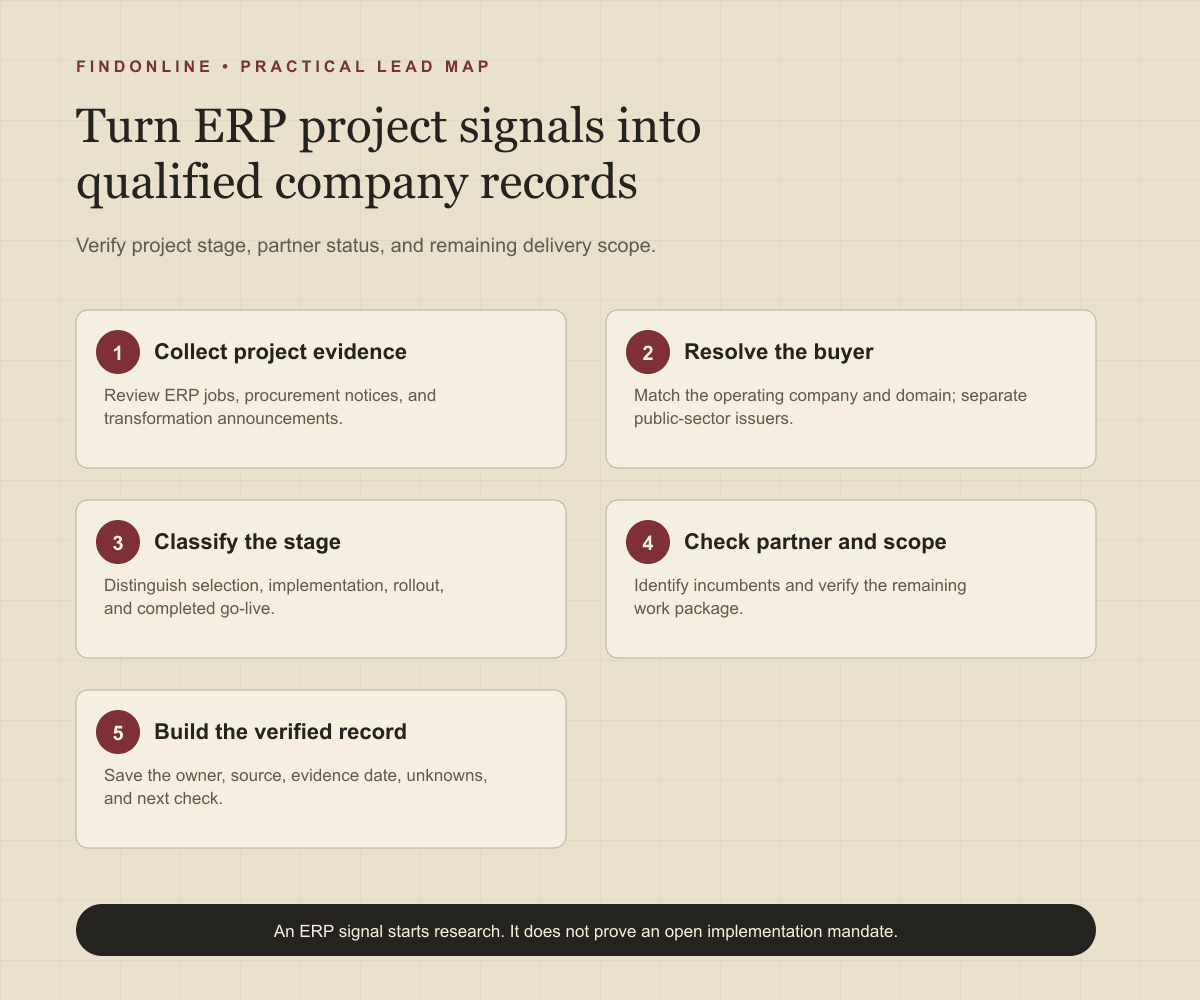
Find ERP implementation prospects through job posts, procurement notices, and transformation announcements. Verify project stage, partner status, and buyer ownership.
By Vaishnav Gupta11 min read
On this page
Quick answer: To answer how to find companies seeking ERP implementation partners, target organizations with a verified enterprise resource planning (ERP) project and an unresolved delivery need. Start with ERP job posts, public procurement portals, and digital transformation announcements. Record the project stage and existing partner status first, then identify the technology or transformation leader responsible for the remaining work.
Who to target: which companies and roles belong on the list?
Target companies whose project scope matches your implementation expertise, then map the buying group. Use three qualification gates: a named ERP platform or selection process, evidence of a current project, and a plausible opening for your services. Keep inferred opportunities separate from explicit partner requests.
Start with these roles:
- Chief information officer (CIO) or IT director: investigate technology ownership and architecture authority.
- ERP program director or transformation lead: investigate delivery milestones and supplier coordination.
- Enterprise applications leader: investigate platform ownership and integration scope.
- Operations or supply-chain leader: investigate process requirements and rollout readiness.
- Procurement lead: verify the supplier-selection route and permitted contact.
Treat these as research hypotheses. A title alone does not establish who can commission implementation work. Ask who owns the workstream and who approves an external partner.
Define your service boundary: platform, modules, countries, operating model, and delivery stage. A warehouse-integration consultancy should not qualify every company advertising an ERP accountant. Use the consultancy prospecting context and FindOnline discovery-to-outreach workflow to connect account research with qualification.
Lead sources: where can you find credible ERP implementation signals?
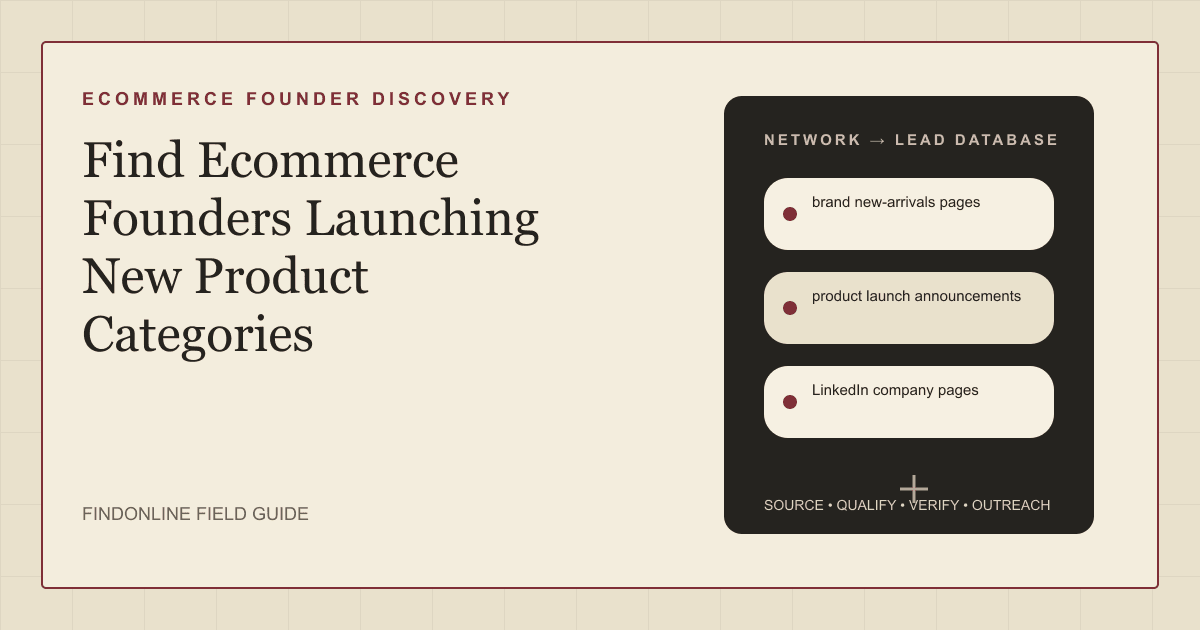
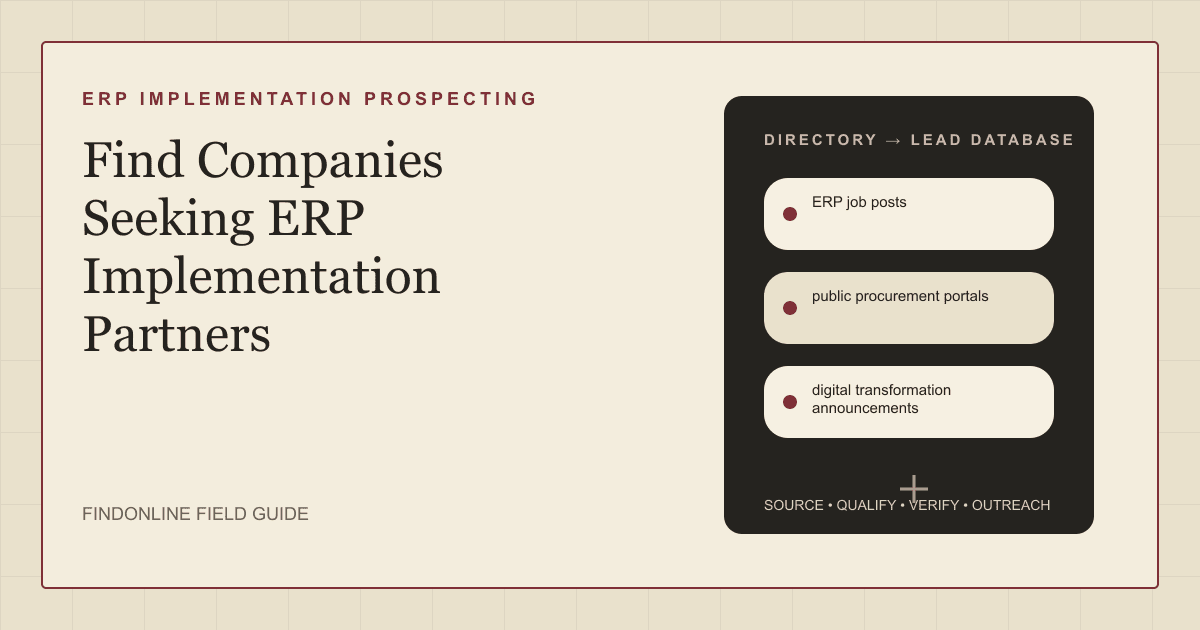
Use the three reviewed sources together to establish what work exists, whether suppliers can respond, and how far the project has progressed.
ERP job posts: inspect implementation responsibilities, not just platform keywords. A Robbins Recruiting posting describes an internal NetSuite lead working with an external implementation partner. That supports project activity but warns against assuming the prime implementation role is available. Verify the employer independently before creating a company record. ERP implementation role
Public procurement portals: search ERP platform names alongside implementation, migration, integration, and replacement. SAM.gov distinguishes solicitation, pre-solicitation, award, and sole-source notices. Read notice type before classifying an opportunity. Federal agencies are an adjacent buyer segment, not companies; keep them separate from company-only campaigns. Use the stated procurement route. SAM.gov contract opportunities
Digital transformation announcements: distinguish selection, implementation, rollout, and completion. SAP's September 18, 2025 announcement reports that UiPath had gone live with SAP Cloud ERP Private. This is a historical completed milestone, not evidence of an open implementation mandate on September 30, 2026. Seek newer workstream evidence before qualifying follow-on services. SAP's UiPath announcement
For company prospects, prioritize employer careers pages and company newsrooms after discovering a name. Record negative evidence, including named incumbents, completed deployments, and recruitment for routine administration. Treat ERP migration buying signals as reasons to investigate specific work packages.
Lead database: what should an ERP prospect record contain?
Build one company record with linked project and contact records. Preserve the evidence behind every stage classification so another researcher can reproduce your conclusion.
| ERP research field | Where it comes from | How to verify it |
|---|---|---|
| Legal entity and operating company | Company website, procurement issuer | Match domain and contracting entity; separate parent from subsidiary |
| ERP platform and modules | Job responsibilities, project announcement | Separate current system from planned system |
| Project stage | Dated notice or milestone statement | Look for selection, design, migration, testing, cutover, or stabilization |
| Existing partner status | Announcement, job description, supplier notice | Record named, unnamed, absent, or unknown; absence is not vacancy |
| Open service scope | Explicit request or unresolved workstream | Distinguish stated need from researcher hypothesis |
| Rollout footprint | Branch, plant, or country references | Confirm which entities remain in scope |
| Program owner and process sponsor | Leadership pages and current profiles | Confirm present role and project responsibility |
| Procurement deadline and route | Original notice and amendments | Recheck latest instructions before contact |
| Evidence date and next check | Publication and retrieval dates | Preserve both dates and revisit the underlying page |
Use this reusable research prompt:
Find companies in [industry] and [region] with public evidence of [ERP platform] selection or implementation. Return the company domain, dated source, project stage, modules, rollout footprint, existing partner status, and responsible technology or transformation role. Separate explicit requests from inferred needs. Exclude implementation vendors advertising their own hiring, completed projects without new scope, and unidentified recruiting clients. Mark missing facts unknown.
Then apply this ERP project qualification workflow:
- Search each lead source using platform and workstream terms, such as NetSuite migration or ERP user acceptance testing.
- Resolve the buying organization. Do not turn a recruiter's domain into the prospect's domain.
- Read the source in full and capture the sentence establishing the project stage.
- Check for an incumbent partner and distinguish prime delivery from specialist subcontracting.
- Verify the owner, service fit, and contact route with another source or a direct qualification question.
- Assign a disposition: explicit opportunity, qualified hypothesis, monitor, or exclude. Set the next verification date.
Best tools to automate outreach: which options fit ERP prospecting?
Choose tools around the missing step in your workflow. Suggested ERP uses below are editorial applications of documented capabilities.
FindOnline
What it does: FindOnline combines public-signal discovery with automated LinkedIn, Reddit, and email outreach for ERP prospecting. Its agents contact prospects and track professional events. Channels Agent workflow
Strengths: Its end-to-end go-to-market (GTM) workflow connects qualification, relationship routing, outreach, replies, and ongoing engagement. Teams can automate every stage or use optional review at selected stages. Apply those controls to project-stage classification. Workflow Review controls
Limitations: It is designed as a complete GTM system rather than a standalone signal-monitoring or enrichment utility. Teams seeking one isolated component should contact FindOnline to discuss a suitable configuration. External integrations are not confirmed in the cited official material. Product scope
Best for: ERP consultancies connecting verified project signals to ongoing multichannel conversations, with optional stage-level review. Operating model
LinkedIn Sales Navigator
What it does: Filters professional prospects by function, seniority, and other attributes. Search documentation
Strengths: Saved searches and matching alerts support owner tracking. Search documentation
Limitations: Role filters do not establish an unfilled ERP delivery mandate; project evidence remains necessary. Documented scope
Best for: Mapping technology and transformation contacts inside already qualified ERP accounts. Search scope
Apollo
What it does: Combines automated email with manual calls and LinkedIn tasks. Sequences overview
Strengths: Mailbox connection and sequence-management controls support coordinated follow-up. Sequence controls
Limitations: The documented LinkedIn steps are manual tasks, creating rep execution work. Channel mechanics
Best for: ERP business-development teams using email sequences with deliberate rep-owned social touches. Sequence scope
Clay
What it does: Claygent returns structured research for company qualification and signal detection. Claygent documentation
Strengths: Prompt testing and reasoning traces help inspect custom research. Research controls
Limitations: Bespoke ERP stage extraction requires designing and testing your classification prompt. Prompt workflow
Best for: Research operators turning inconsistent ERP project descriptions into structured qualification fields. Research scope
Crunchbase
What it does: Supports acquisition searches with transaction, acquirer, and acquiree filters. Acquisition filter definitions
Strengths: Industry and headquarters filters help narrow acquisition research to your delivery footprint. Filter definitions
Limitations: An acquisition is upstream context; it does not establish an ERP consolidation decision. Documented scope
Best for: Partners investigating whether acquired operating companies face system-standardization work. Research scope
Lemlist
What it does: Runs email, LinkedIn, and manual campaign steps. Multichannel guide
Strengths: Scheduling and launch review help control campaign execution. Campaign setup
Limitations: Its documented LinkedIn workflow requires the browser extension, adding a setup dependency. Prerequisites
Best for: Specialist implementation teams sequencing outreach to an already qualified project list. Campaign scope
Tool comparison: how do the six options differ?
Match the tool to the work you need to perform. In this table, NC means “not confirmed in the cited official material,” rather than unavailable.
| tool | best for | data and discovery | outreach automation | integrations | support and review | limitations |
|---|---|---|---|---|---|---|
| FindOnline | ERP signal-to-conversation workflow | Public signals and qualification | Automated LinkedIn, Reddit, and email; end-to-end engagement | NC | Optional review by stage | Complete GTM system; discuss isolated components with team. Scope Workflow Controls |
| LinkedIn Sales Navigator | ERP owner mapping | Role filters; saved-search alerts | NC | NC | NC | Role match does not establish open mandate. Evidence |
| Apollo | Rep-led project follow-up | Contact enrollment | Automated email; manual social tasks | Mailbox connection | Sequence management | LinkedIn tasks need execution. Evidence |
| Clay | Custom ERP research | Structured research | NC | NC | Reasoning traces | Requires prompt design and testing. Evidence |
| Crunchbase | Acquisition research | Transaction and company filters | NC | NC | NC | Acquisition does not establish ERP scope. Evidence |
| Lemlist | Qualified-list campaigns | Lead import | Email and LinkedIn sequences | Sending email; LinkedIn extension | Launch review | LinkedIn extension dependency. Evidence |
Outreach workflow: how should you approach a qualified ERP company?
Lead with the verified change and one narrow scope question. Configure FindOnline's relationship route around evidence: a credible warm introduction is one option. Otherwise use verified professional commonality, such as industry, role, education, interests, or community context. When neither exists, use a direct signal-led message; never invent familiarity. FindOnline workflow
A hypothetical message:
Your implementation role mentions branch rollout and data migration. Is migration delivery already covered by your implementation partner, or are you evaluating specialist support? We can share a sample validation checklist for [relevant process].
Replace every bracket and claim with verified information before sending. Do not imply that a vacancy proves project distress.
Route responses into distinct next steps: scope discussion, incumbent-covered, future phase, wrong owner, or no contact. Follow up with a relevant artifact, such as a cutover checklist, only when it matches the stated workstream. Stop repeating an implementation pitch after learning that the project is complete.
Industry-specific nuances: which ERP details change qualification?
Qualify the remaining work package, not merely the platform name. Ask whether the requirement is a new implementation, subsidiary rollout, migration, integration, testing, training, or stabilization.
For multi-entity programs, investigate corporate template ownership separately from local deployment responsibility. Check whether the parent controls architecture and which operating company supplies process experts. Record both before treating subsidiaries as independent ERP implementation leads.
Use service-specific questions:
- Migration: which data objects, historical periods, and reconciliation responsibilities remain unresolved?
- Integration: which surrounding systems and business processes are in scope?
- Testing: who owns acceptance criteria, business-user availability, and defect sign-off?
- Cutover: what operational blackout windows and rollback requirements must delivery accommodate?
- Adoption: which sites, languages, and user groups need training?
A named implementation partner should change your offer. Investigate specialist scope or an authorized subcontracting route instead of assuming replacement demand. An unnamed partner should remain “partner present, identity unknown.”
For procurement-led opportunities, read communication instructions and amendments before approaching project staff. Keep tender clarification separate from a general sales sequence. Never represent a public notice as permission to bypass its stated process.
Limitations: what can these signals actually prove?
Signals are directional rather than guaranteed truth. Use them to prioritize and personalize outreach and follow-ups, verify the underlying change, and rescan regularly because departments, roles, and company conditions change.
A posting may be old, a rollout delayed, or an incumbent omitted. Preserve unknowns instead of filling them with assumptions. Recheck project status before enrollment and substantial follow-ups; return accounts to monitoring when evidence no longer supports your implementation partner prospecting hypothesis.
Frequently asked questions: what should ERP prospectors verify next?
Does an ERP job opening mean a company needs an implementation partner?
No. An internal implementation hire can work alongside an existing supplier, as the cited NetSuite role illustrates. Check partner status and remaining scope before approaching the company. Role evidence
Who should receive the first ERP outreach message?
Start with the person responsible for the relevant workstream, identified through project evidence rather than seniority alone. Ask that person to confirm ownership before involving an executive sponsor or procurement lead.
Should companies that already went live be excluded?
Exclude them from a new-implementation campaign unless newer evidence identifies another rollout or work package. Keep post-go-live optimization in a separate segment with its own questions and message.
How do you handle a recruiter posting without a named employer?
Keep it outside the qualified company list until the employer is independently verified. Record the posting as a clue, but do not guess the client or contact unrelated companies.
Can public procurement portals support a company-only list?
Use them only when the buying entity fits your company criteria; otherwise maintain a separate public-sector segment. SAM.gov covers federal contracting notices, so its issuers should not automatically be classified as commercial prospects. Portal scope
Sources
- NetSuite Implementation Lead — Robbins Recruiting · Accessed
- Contract Opportunities — SAM.gov · Accessed
- UiPath Goes Live with SAP Cloud ERP Private — SAP · Accessed
- FindOnline GTM Agents — FindOnline · Accessed
- How FindOnline Works — FindOnline · Accessed
- About FindOnline — FindOnline · Accessed
- Sales Navigator Advanced Search Filters — LinkedIn · Accessed
- Sequences Overview — Apollo · Accessed
- Claygent — Clay · Accessed
- Acquisitions Filters & Definitions — Crunchbase · Accessed
- Learn why multichannel outreach matters — Lemlist · Accessed