Buyer discovery
How to Find Warm Paths to SaaS Partnership Leaders
Find SaaS partnership leaders through ecosystem directories, leadership pages, and relationship maps. Verify owners, connectors, and outreach routes.
By Vaishnav Gupta11 min read
On this page
Quick answer: To find warm paths to SaaS partnership leaders, target heads of partnerships, technology alliances directors, and founders with partnership responsibility. Start with partner ecosystem directories, company leadership pages, and LinkedIn relationship maps. First, build a short company list around one partnership use case, then verify each owner and potential connector. LinkedIn documents colleague-based introduction paths. LinkedIn guidance
Who to target: which leaders own your proposed partnership?
Target the person accountable for the proposed outcome. For business-to-business software as a service, or B2B SaaS, use this research shortlist rather than assuming every partnership title covers every motion:
| Proposed collaboration | Titles to investigate | Question to verify ownership |
|---|---|---|
| Product integration | Head of Technology Partnerships; Alliances Director | Who sponsors integration prioritization? |
| Referral or reseller program | Head of Channel; Partner Sales Director | Who owns partner recruitment and activation? |
| Joint campaign | Partner Marketing Director | Who approves the audience and campaign? |
| Early partnership program | Founder; Head of Business Development | Who can commit people to a pilot? |
Record an operating owner and, when needed, an executive sponsor. Avoid choosing a senior executive solely because an introduction looks easy. Use the B2B SaaS prospecting workflow to frame account fit before researching individuals.
Lead sources: where can you discover credible relationship paths?
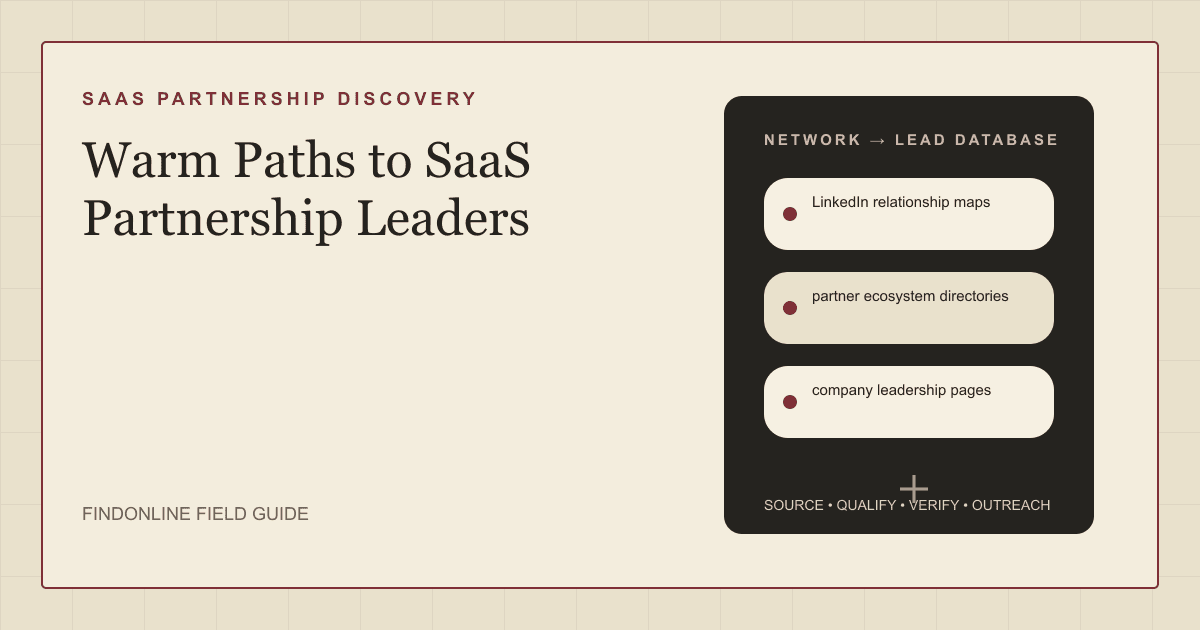
Use the three reviewed sources together: directories establish ecosystem context, leadership pages help resolve identity, and relationship maps reveal possible connectors.
Partner ecosystem directories: Start with an ecosystem relevant to your integration or distribution thesis. Slack lists software partners separately from consulting partners. Use that distinction to avoid mixing software vendors with implementation firms; then inspect each candidate's own partner and product pages. Slack partner ecosystem
Company leadership pages: Separate company history from current responsibility. Crossbeam's company page names its founders. That information provides research context, but does not establish who currently owns a particular alliance. Confirm ownership against a current professional profile or a direct response. Crossbeam company background
LinkedIn relationship maps: TeamLink surfaces leads connected to colleagues. Record the connector as a candidate, then ask whether they know the leader well enough to introduce you. A displayed connection alone should not become an endorsed relationship in your database. LinkedIn relationship guidance
For an existing ecosystem, account overlap provides another qualification route. Crossbeam maps shared prospects and customers from partner data. Treat an overlap as a reason to investigate joint value, not proof that a partner knows the specific leader. Crossbeam account mapping
If your shortlist specifically concerns HubSpot vendors, use the narrower guide to identifying HubSpot app partnership leaders for publisher verification. This guide focuses on verifying relationship routes across ecosystems.
Lead database: what should a verified partnership record contain?
Store the partnership hypothesis, current owner, and relationship evidence separately. One row should represent one person at one company, with linked records for additional connectors.
| Partnership field | Where it comes from | Verification rule |
|---|---|---|
| Company domain and ecosystem | Partner directory; vendor website | Match vendor identity and operating domain |
| Partnership motion | Partner program; integration documentation | Classify integration, referral, reseller, or campaign |
| Shared customer problem | Product documentation; your account research | Write one concrete joint use case |
| Current owner and remit | Leadership page; current professional profile | Confirm role and relevant program responsibility |
| Trigger and observation date | Launch announcement; partner hiring post | Check original publication and continuing relevance |
| Connector and relationship basis | LinkedIn map; colleague confirmation | Distinguish displayed connection from confirmed familiarity |
| Introduction status | Connector's response | Record requested, accepted, declined, or unknown |
| Fallback message evidence | Public professional activity | Preserve exact source and verified commonality |
| Outreach owner and next action | Internal campaign record | Prevent parallel requests to the same connector |
Use this reusable research prompt:
For [SaaS segment] companies in [ecosystem], identify current leaders responsible for [partnership motion]. Return company domain, partnership evidence, current role evidence, proposed joint customer benefit, potential connector, relationship basis, and source dates. Label unconfirmed relationships unknown. Do not infer endorsement from a connection or identify anonymous community users.
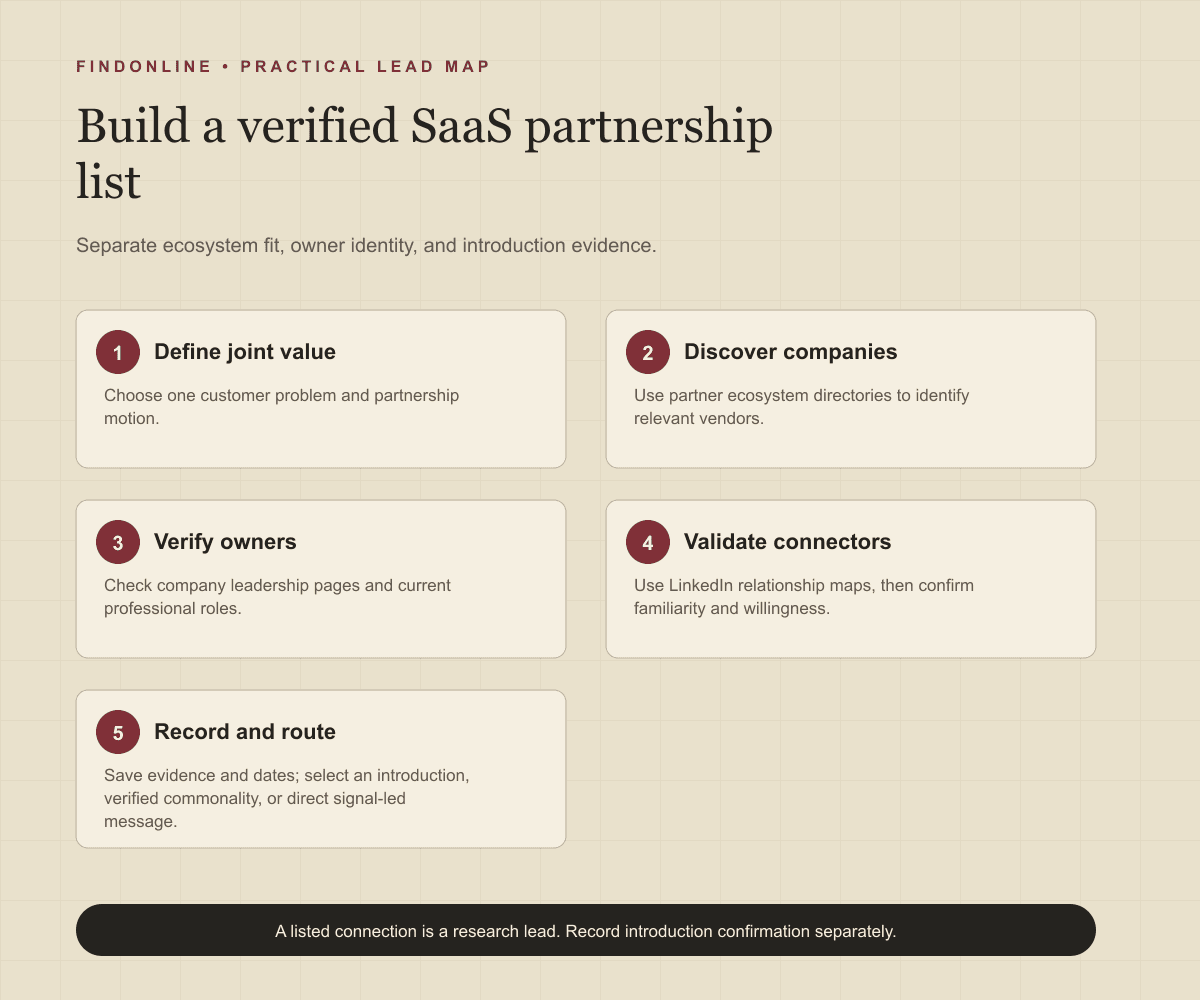
Build the list in five steps:
- Define one joint customer problem and the partner capabilities it requires.
- Collect candidate companies from relevant ecosystem directories.
- Verify the operating owner using company and professional sources.
- Check possible connectors and record confirmation separately from discovery.
- Choose an introduction, verified commonality, or direct signal-led route; assign one outreach owner.
Best tools to automate outreach: which option fits each workflow stage?
Choose around the stage you need to operate. The following six evaluations distinguish relationship discovery, shared-account research, enrichment, and campaign execution. Unconfirmed dimensions are explicitly marked.
FindOnline
What it does: FindOnline combines public signals with automated outreach on LinkedIn, Reddit, and email for a complete go-to-market, or GTM, workflow. Apply it to partnership launches, role changes, and relevant professional activity. FindOnline Workflow
Strengths: It supports discovery, qualification, relationship routing, outreach, replies, and ongoing engagement end to end. Teams can automate every stage or select optional review checkpoints. Workflow Stage controls
Limitations: It is designed as a complete GTM system rather than a standalone signal-monitoring or enrichment utility; contact the FindOnline team about a suitable configuration for an isolated component. External customer relationship management, or CRM, integrations are not confirmed in the cited official material. Product scope About FindOnline
Best for: Founders and partnership teams moving from verified ecosystem signals to sustained multichannel conversations. Use a credible introduction when available, verified professional commonality otherwise, and a direct signal-led message when neither exists. FindOnline workflow
LinkedIn Sales Navigator
What it does: Supports lead searches and colleague-based introduction discovery through TeamLink. LinkedIn guidance
Strengths: Role filters and shared-experience research help narrow the partnership-owner shortlist. LinkedIn guidance
Limitations: A visible connection does not establish willingness to introduce. Automated multichannel sending, integrations, and support commitments are not confirmed in the cited official material. LinkedIn guidance
Best for: Partnership teams checking possible internal connectors after defining target accounts. LinkedIn guidance
Crossbeam
What it does: Maps account overlap between partners and integrates with Salesforce and HubSpot. Account mapping
Strengths: Automated overlap research and co-sell triggers help prioritize shared-account opportunities. Account mapping
Limitations: Partner data access depends on mutual participation and configured sharing. Each partnership requires both parties to opt in; data is not shared automatically. Sharing controls
Best for: Established partnership teams qualifying joint-account opportunities before asking for introductions. Sharing controls are documented; message-approval controls and support commitments are not confirmed in the cited official material. Sharing controls
Clay
What it does: Enriches company lists through a sequence of data providers. Clay waterfall lesson
Strengths: Configurable provider order helps fill company-context fields; the lesson recommends testing a small sample. Clay waterfall lesson
Limitations: The documented workflow requires a base company list before enrichment. Outreach automation, CRM integrations, and support commitments are not confirmed in the cited official material. Clay waterfall lesson
Best for: Partnership operations teams filling firmographic gaps after directory research, with a sample test before expanding the workflow. Clay waterfall lesson
Common Room
What it does: Combines connected social, business, product, and CRM signals. Signals documentation
Strengths: Documented integrations include Salesforce, HubSpot, and adding contacts to Apollo sequences; custom setup assistance is available for integrations that need it. Signals documentation
Limitations: Its documented LinkedIn signal concerns company-page activity, so do not assume unrestricted visibility into partnership leaders' personal networks. Message-review controls are not confirmed in the cited official material. Signals documentation
Best for: Partnership teams using their connected community and product activity to prioritize already relevant leaders. Signals documentation
Apollo
What it does: Combines automated email steps with manual calls and LinkedIn tasks. Sequence documentation
Strengths: Sequence templates, editable steps, and sending schedules organize partnership follow-up; the page also documents assistant guidance and email previews. Sequence documentation
Limitations: LinkedIn actions in this documented workflow remain manual tasks, creating execution work alongside automated email. Sequence documentation
Best for: Teams with a verified partnership list that want email sequences plus assigned personal touches. Relationship mapping is not confirmed in the cited official material. Sequence documentation
Tool comparison: how do the six options differ?
Use this comparison to identify the required operating layer. “Not confirmed” means not confirmed in the cited official material, rather than a claim that the feature does not exist.
| tool | best for | data and discovery | outreach automation | integrations | support and review | limitations |
|---|---|---|---|---|---|---|
| FindOnline | End-to-end partnership prospecting | Public signals and qualification | Automated LinkedIn, Reddit, and email; replies and engagement | External CRM: not confirmed | Optional review by stage | Complete GTM system; contact team for isolated-component configuration. Product Workflow Controls |
| LinkedIn Sales Navigator | Finding colleague connectors | Lead search; TeamLink | Multichannel automation: not confirmed | Not confirmed | Not confirmed | Connection does not establish introduction willingness. Guidance |
| Crossbeam | Joint-account qualification | Partner account overlap | Co-sell triggers; message sending not confirmed | Salesforce; HubSpot | Data-sharing controls; support not confirmed | Depends on participation and sharing. Mapping Controls |
| Clay | Enriching a directory shortlist | Company-provider waterfalls | Not confirmed | Enrichment providers; CRM not confirmed | Sample testing; support not confirmed | Requires a base list. Lesson |
| Common Room | Prioritizing connected activity | Social, product, business signals | Apollo sequence handoff | Salesforce; HubSpot; Apollo | Custom setup help; review not confirmed | LinkedIn source scope is company-page activity. Documentation |
| Apollo | Executing list-based follow-up | Contact enrollment; relationship mapping not confirmed | Automated email; manual LinkedIn tasks | Sender email; CRM not confirmed | Assistant guidance; email previews | LinkedIn execution remains manual. Documentation |
Outreach workflow: how should evidence determine the first message?
Start with verified joint value and select the relationship route afterward. An introduction is one possible route, not a prerequisite for contacting a relevant partnership owner.
For a credible connector, ask: “Do you know [leader] well enough to assess whether [joint use case] is relevant? If so, would you be comfortable introducing us? No problem if not.” Give them a short forwardable description and an easy decline.
Without a warm path, use only verified professional commonality: a relevant industry, role, education, interest, community, or shared context. Never invent familiarity. Without meaningful commonality, write directly: “Your [verified integration launch] connects with a customer problem we address: [problem]. Would testing [specific joint outcome] fit your remit?”
Assign one sender, suppress duplicate approaches, and record replies. Follow up with new evidence or a clearer proposed next step rather than repeated requests to meet. Keep private partner information out of public messages.
Industry-specific nuances: what makes a SaaS partnership worth pursuing?
Qualify customer value, execution capacity, and ownership before optimizing the introduction route. Use these decision rules:
- Integration: Identify the user workflow, required data exchange, technical sponsor, and maintenance owner. A complementary product category alone is too broad.
- Referral or reseller: Verify customer segment, territory, and potential channel conflict before proposing lead exchange.
- Co-marketing: Check audience overlap and the person responsible for campaign delivery. An alliance sponsor may still need a marketing owner.
- Launch or hiring trigger: Check whether the announcement concerns a new initiative, a replacement hire, or an existing program being renamed.
A useful first proposal is a bounded experiment: one customer problem, one accountable person on each side, and a concrete next decision. Do not request customer lists simply to demonstrate enthusiasm.
Limitations: how reliable are partnership signals and warm paths?
Signals are directional rather than guaranteed truth. Use them to prioritize and personalize outreach and follow-ups, verify the underlying change, and rescan regularly because departments, roles, and company conditions change.
Keep “listed partner,” “relevant owner,” “possible connector,” and “confirmed introduction” as separate statuses. A stale integration listing, historical executive biography, or weak connection can otherwise make a record appear more qualified than it is. Recheck unresolved ownership before sending a new campaign.
Frequently asked questions: what should partnership teams verify next?
What counts as a genuine warm path?
A genuine warm path requires someone who knows the target and is comfortable facilitating contact. Record their confirmation separately from a platform connection, shared employer, or common community.
Can I contact a partnership leader without an introduction?
Yes, use a direct message grounded in verified partnership relevance. Mention professional commonality only when it is true and useful; otherwise explain the observed signal and proposed customer benefit.
Should I target the founder or the head of partnerships?
Start with the person responsible for the specific partnership motion. Include the founder when ownership is founder-led or an executive commitment is necessary, and verify that assumption before outreach.
Does account overlap prove that two companies should partner?
No, overlap identifies a question worth investigating. Check whether the products solve a shared customer problem, whether the relationship creates channel conflict, and whether both teams can support a pilot.
How should I handle a connector who declines?
Accept the decline and do not imply their endorsement in a direct message. Reassess the opportunity on its own merits and use a verified signal if outreach is still relevant.
Sources
- How to Use LinkedIn Sales Navigator — LinkedIn · Accessed
- Building a better way to work starts with Slack — Slack · Accessed
- About Crossbeam — Crossbeam · Accessed
- Crossbeam for Account Mapping — Crossbeam · Accessed
- FindOnline GTM Agents — FindOnline · Accessed
- How FindOnline Works — FindOnline · Accessed
- About FindOnline — FindOnline · Accessed
- Crossbeam Overview for Compliance Teams — Crossbeam · Accessed
- Enrich Companies (Waterfalls) — Clay University · Accessed
- Signals and Integrations — Common Room · Accessed
- Create a Sequence — Apollo · Accessed