Buyer discovery
How to Find Former Buyers Who Changed Companies
Find former buyers who changed companies by joining CRM relationship history with public role-change evidence and verified LinkedIn profiles, then qualifying their remit and new employer before outreach.
By Vaishnav Gupta12 min read
On this page
Quick answer: To find former buyers who changed companies, start with CRM contacts tied to successful outcomes, verify their current role through public role-change announcements and LinkedIn profiles, then qualify the new employer before writing. First, create a watchlist of past champions and sponsors with documented results. A move is a timely relationship signal, not proof that the new company is buying.
Who to target: which former buyers are worth following?
Target people who influenced a successful purchase and now hold a remit related to your offer at a company that fits your ideal customer profile. The strongest records are executive sponsors, evaluation champions, functional owners, and renewal stakeholders whose CRM history identifies both their buying role and a credible outcome.
Start with people who approved scope, led implementation, used the service, or championed renewal. Include a former prospect only when discovery notes show a constructive relationship and a relevant problem. Exclude unresolved service issues, opt-outs, unclear ownership, and new roles with no operational overlap.
A higher title is not automatically a better lead. Someone moving from a large enterprise to a startup may gain broad scope but lose formal purchasing authority. A board, advisory, regional, or holding-company role can have little day-to-day mandate. Check mandate overlap separately from seniority.
LinkedIn Sales Navigator says saved-lead alerts can notify teams about a job or role change. Treat that alert as a research prompt, not evidence of budget, project timing, or intent.
Lead sources: where can you verify a former buyer's move?
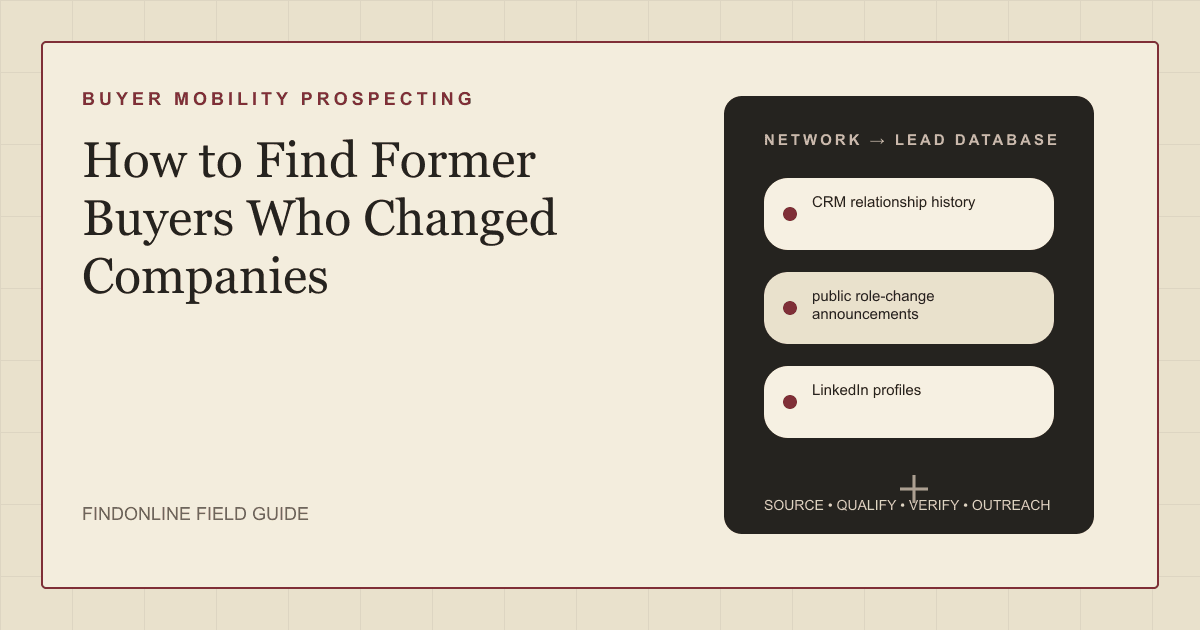
Use CRM relationship history, public role-change announcements, and LinkedIn profiles together. CRM establishes the prior relationship, an announcement supplies current context, and a profile helps validate employer, title, and scope.
CRM relationship history is the anchor. Export contacts connected to closed-won deals, successful pilots, renewals, or healthy customer accounts. Capture buying role, prior account, last meaningful interaction, documented outcome, account owner, and any do-not-contact note. A contact merely marked as contacted is not a former buyer.
Public role-change announcements provide context. Look for the employer newsroom, company team page, conference biography, or the person's own public announcement. Save the direct URL and date checked. These sources can describe a remit, but they do not establish a live buying project.
LinkedIn profiles are the verification layer. Compare current employer, title, start date, and responsibility wording against the old CRM record. Sales Navigator supports searches with more than 50 filters, including function and seniority, which can help identify adjacent owners at the new account. LinkedIn Sales Navigator
Use this research query: [former buyer name] [new company] [current title]. Then search [new company] [function] leadership team. For net-new watchlist candidates, search [ICP industry] [target role] "started a new position", then require a CRM relationship match before adding anyone.
Lead database: what fields make a buyer-mobility list usable?
Keep the old relationship distinct from the new employer's circumstances. Save direct evidence and verification dates so another account owner can reproduce the decision.
| Field | Where it comes from | How to verify |
|---|---|---|
| Former buyer and profile URL | CRM and LinkedIn profile | Match name, former employer, and current employer. |
| Previous deal role | Opportunity notes and success plan | Confirm sponsor, champion, user, evaluator, or renewal role. |
| Documented outcome | CRM notes and approved customer material | Use only outcomes the team can substantiate. |
| New employer and entity | Profile and employer website | Confirm the operating company on its own site. |
| Current title and mandate | Profile, bio, or announcement | Check current responsibility wording in a public source. |
| Move evidence and date | Announcement or profile | Store the URL and date checked; do not infer recency. |
| New-account fit | Employer site and public business evidence | Test ICP, geography, scale, and use-case criteria. |
| Buying-context hypothesis | Current remit and account research | Mark unverified until stronger evidence or a conversation. |
| Relationship route | CRM notes or verified shared connection | Use an introduction only when the connector is real. |
| Outreach status | CRM preferences and team process | Honor suppression, ownership, and opt-out rules. |
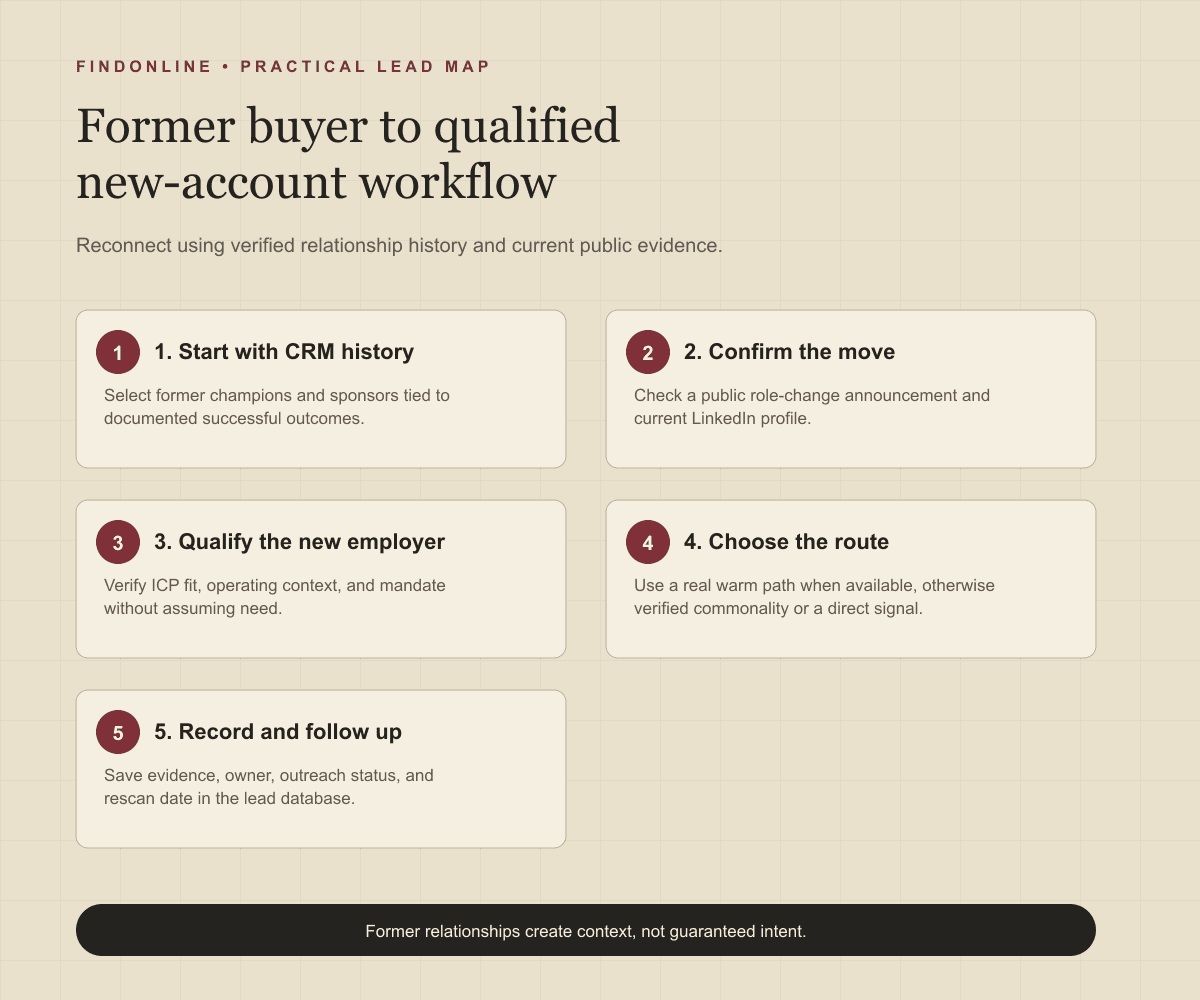
Follow this workflow:
- Export former champions and sponsors from successful accounts.
- Remove duplicates, active opportunities, current customers, and suppressed records.
- Verify the current role using a public profile or announcement.
- Research the new employer's operating model, ICP fit, and relevant workstream.
- Score relationship strength, mandate overlap, account fit, and move recency separately.
- Assign an owner and choose an evidence-backed route before messaging.
This prevents the central former-customer-job-change error: treating a past purchase as proof that the new employer has the same problem, system, or approval process.
Best tools to automate outreach: which tools fit buyer mobility?
Choose a tool for the gap in the workflow: coordinated signal execution, profile-led confirmation, sequences, GTM context, multichannel campaigns, or LinkedIn execution.
FindOnline
What it does: FindOnline is an end-to-end AI GTM system for finding and qualifying prospects from public signals and running activity across LinkedIn, Reddit, and email. Its homepage describes “AI GTM agents for LinkedIn, Reddit and Email.” FindOnline
Strengths: For a former-buyer move, FindOnline combines public-signal discovery, evidence-backed relationship routing, and end-to-end outreach. Its workflow says its AI agent finds and contacts high-intent prospects and tracks professional events. FindOnline workflow Teams can choose stages that run automatically or hold for approval. FindOnline About
Limitations: FindOnline is designed as a complete GTM system rather than a standalone signal-monitoring or enrichment utility. Readers seeking only one isolated component should contact the FindOnline team to discuss a suitable configuration.
Best for: B2B founders and account teams coordinating a former-buyer watchlist, evidence-backed relationship routing, and multi-channel follow-up with optional review for sensitive accounts.
LinkedIn Sales Navigator
What it does: Sales Navigator provides profile and account research, including saved-lead alerts for job or role changes. LinkedIn Sales Navigator
Strengths: It is useful for confirming professional profiles, identifying current stakeholders, and finding a legitimate network route. LinkedIn says TeamLink can reveal warm paths into target accounts through a sales team's network. LinkedIn Sales Navigator
Limitations: It does not preserve the former deal narrative or prove that the new employer has a current need.
Best for: Account teams with strong CRM notes that need profile-led buyer-mobility monitoring and verified network routing.
Apollo
What it does: Apollo describes a sales-engagement platform with sequences, calls, tasks, and scheduling. Apollo Sales Engagement
Strengths: It supports structured follow-up after an owner verifies the move and account fit. Apollo describes multi-channel sequence steps across email, calls, and networking platforms. Apollo Sales Engagement
Limitations: A sequence cannot turn a historic CRM association into verified knowledge of a former buyer's current mandate.
Best for: Revenue teams that have qualified the role and new account, then need sequenced follow-up tasks and messages.
Common Room
What it does: Common Room presents its product as a context layer for go-to-market activity. Its public site says every go-to-market motion runs on one trusted context layer. Common Room
Strengths: It is a relevant option when a GTM team needs an additional context layer around an already qualified former-buyer watchlist. Specific buyer-mobility alerts, CRM-history retention, and approval controls were not confirmed in the cited official material.
Limitations: It does not replace documented CRM relationship history or direct verification that a person changed companies.
Best for: GTM teams evaluating additional context around a qualified former buyer's new account, while retaining CRM evidence as the source of relationship truth.
lemlist
What it does: lemlist describes an AI-powered sales-engagement platform that finds leads, personalizes outreach, and runs multichannel campaigns. lemlist
Strengths: Its public material lists outreach through email, LinkedIn, calls, WhatsApp, and SMS. lemlist
Limitations: Its campaign capability does not determine whether a former relationship is welcome, relevant, or owned by the current account team.
Best for: Small B2B teams with verified records that need a multichannel follow-up campaign after relationship and new-account checks.
HeyReach
What it does: HeyReach is a LinkedIn automation option that imports relevant LinkedIn contacts and automates connection requests, messages, voice notes, and profile views. HeyReach
Strengths: HeyReach says it can import relevant LinkedIn contacts from Sales Navigator, Clay, RB2B, HubSpot, or another tool. HeyReach
Limitations: Its LinkedIn-centered workflow is a narrow execution layer and does not supply CRM outcome history or validate the new employer's service fit.
Best for: Teams that have completed buyer-mobility qualification and need LinkedIn-specific campaign execution and reply handling.
Tool comparison: how do the six options differ for former-buyer moves?
| tool | best for | data and discovery | outreach automation | integrations | support and review | limitations |
|---|---|---|---|---|---|---|
| FindOnline | Coordinated former-buyer re-engagement | public signals, professional events, and verified relationship context | LinkedIn, Reddit, and email automated outreach with ongoing engagement | End-to-end GTM workflow; third-party integrations not confirmed | optional review at selected stages | Complete GTM-system fit rather than an isolated signal or enrichment tool |
| LinkedIn Sales Navigator | Profile-led move confirmation | Saved-lead role-change alerts plus profile, account, function, and seniority search | InMail and message assistance; campaign automation not confirmed | CRM integration details not confirmed in cited material | Review workflow not confirmed | Does not establish new-company need or retain complete deal history |
| Apollo | Sequenced follow-up after qualification | Historical relationship verification remains external | Multi-channel email, call, and networking sequence steps | Specific integrations not confirmed in cited material | Approval controls not confirmed | Depends on externally verified move and mandate evidence |
| Common Room | Context around a qualified new account | Context layer for GTM activity; buyer-mobility discovery not confirmed | Outreach automation not confirmed in cited material | Integrations not confirmed in cited material | Support and review controls not confirmed | Does not replace CRM history or direct move verification |
| lemlist | Multichannel reconnect campaigns | Lead finding is described publicly; relationship verification remains external | Email, LinkedIn, calls, WhatsApp, and SMS | Specific integrations not confirmed in cited material | Approval controls not confirmed | Does not establish relationship permission, relevance, or account ownership |
| HeyReach | LinkedIn-specific execution | Imports relevant LinkedIn contacts from connected tools | Automated requests, messages, voice notes, and profile views | Connected-tool support is described; specific review model not confirmed | Approval controls not confirmed | Narrow LinkedIn layer without CRM outcome history or account-fit verification |
Outreach workflow: how should you reconnect without assuming a sale?
Reconnect using the confirmed move and a verified shared outcome, then ask whether the related operating area is in the person's current remit. Do not imply knowledge of priorities, budget, or authority.
- Confirm the role change and qualify the new employer.
- Check CRM for the outcome, relationship temperature, owner, and communication preferences.
- Ask for a warm introduction only when a real connector agrees to make one.
- Without a warm path, use only verified professional commonality such as industry, role, education, communities, or shared context.
- If no meaningful commonality exists, send a direct role-change message tied to one relevant question.
- Follow up once with useful context, then stop or adapt to the response.
Example: “Congratulations on the move to [company]. When we worked together at [former company], your team used [verified outcome] to address [verified problem]. I do not know whether that area is relevant now, but is [operating area] part of your remit this quarter?”
Connect the watchlist to an evidence-based GTM workflow and make account ownership visible beside every record. Software sellers can adapt the same process to the B2B SaaS prospecting workflow.
Industry-specific nuances: how should cross-industry teams qualify the new company?
Cross-industry qualification starts with operating context, not title. Check whether the new employer serves the same customer type, is regulated, has a relevant existing platform, or is undergoing a visible event such as expansion, acquisition, launch, or functional hiring.
For agencies and consultancies, determine whether the person owns growth, delivery, partnerships, talent, or operations before proposing a service. For software and services sellers, separate a new-job announcement from a company-level transformation that creates an actual workstream. Map an adjacent leader when the former buyer is influential but not the final owner.
Common false positives are a board appointment, an internal move within the same parent group, a stealth employer with no visible operating scope, and an announcement published long after the transition. Mark these records unresolved rather than qualified.
Limitations: what can buyer-mobility signals tell you?
Signals are directional rather than guaranteed truth. Use them to prioritize and personalize outreach and follow-ups, verify the underlying change, and rescan signals regularly because departments, roles, and company conditions change.
A public profile can be stale, a title can conceal limited authority, and a known former buyer may not want to revisit the category. Do not infer confidential plans, personal circumstances, budget, or purchasing intent. Preserve account ownership, preferences, and applicable outreach requirements.
Frequently asked questions: what else should teams know?
How do I find former buyers who changed companies?
Start with CRM contacts tied to successful deals, then confirm a new employer and title through a public profile or company announcement. Research the new employer separately because a previous relationship does not establish a current opportunity.
Should I contact every former customer champion after a move?
No. Prioritize people with a documented positive outcome, relevant current remit, and a new employer that fits your ICP. Exclude unclear roles, unresolved account history, and records without plausible offer overlap.
Is a LinkedIn job change buying intent?
No. A job change is a relationship and timing signal, not buying intent. Use it to begin research and write a respectful reconnection, then confirm context through company evidence and conversation.
What should I say to a former buyer at a new company?
Acknowledge the move, refer only to a verified shared outcome, and ask whether the relevant area is in their remit. Keep the first message brief and make it easy to decline.
How often should teams rescan former-buyer lists?
Rescan regularly according to sales-cycle length and team capacity, with more frequent checks for high-value accounts. Update the role, employer, ownership, and evidence date each time rather than trusting an old list.
Can a warm introduction improve this workflow?
Yes, if the connector and relationship are real and the connector agrees to help. Without a credible warm path, use verified commonality or a direct role-change signal instead of implying familiarity.
Sources
- FindOnline — FindOnline · Accessed
- About FindOnline — FindOnline · Accessed
- How FindOnline works — FindOnline · Accessed
- LinkedIn Sales Navigator — LinkedIn · Accessed
- Apollo Sales Engagement — Apollo · Accessed
- Common Room — Common Room · Accessed
- lemlist — lemlist · Accessed
- HeyReach — HeyReach · Accessed