Buyer discovery
How to Find Companies Migrating Off Legacy On-Premise Systems
Find companies migrating off legacy on-premise systems using cloud migration job posts, modernization announcements, company technology pages, and end-of-support dates, then verify stage and owner.
By Vaishnav Gupta13 min read
On this page
Quick answer: To find companies migrating off legacy on-premise systems, target CIOs, infrastructure VPs, and cloud program leads at firms with dated evidence of a move. The strongest sources are cloud migration job posts, modernization announcements, company technology pages, and Microsoft end-of-support dates. Start by saving ten current job posts that name a source platform, a target cloud, and migration waves.
Who to target: which roles own a legacy migration?
Target the executive who sponsors the program, the leader who owns the data center, and the architect who chooses how each application moves. Titles vary by company size, so map all three seats before writing.
- CIO or CTO: sponsors the program and signs the cloud commitment. ArcelorMittal's release dated 3 August 2026, filed as a Form 6-K exhibit, says Azure will be the backbone for modernizing its core IT systems (SEC EDGAR).
- VP or Director of Infrastructure, Head of Cloud: owns the data center exit, hosting contracts, and the partner shortlist. This is usually the first conversation for a migration provider.
- Enterprise architect or cloud program manager: assigns a strategy to each application. AWS guidance says refactoring is not recommended for large migrations because it modernizes the application during the move (AWS Prescriptive Guidance). Expect many buyers to rehost first and modernize later, which creates two separate service windows.
- Database and application owners: influence timing when a database or operating system version loses vendor support.
- CISO or security architect: approves the landing zone and connectivity design.
Decision rule: at companies without a CIO, the IT Director holds all of these roles. At large enterprises, start with the program manager named in the job post and work upward.
Lead sources: where do migration signals appear?
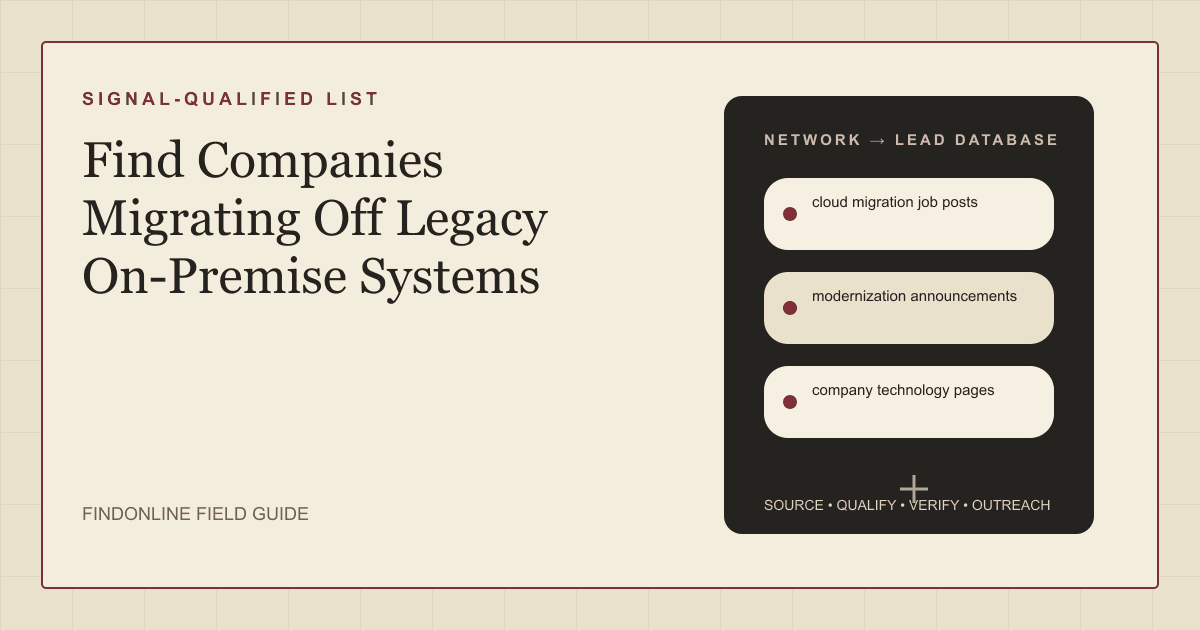
Migration signals appear where a company hires for the move, announces it, describes its stack, or faces a vendor deadline. All three reviewed starting points are used here, and two topic-specific sources are added.
- cloud migration job posts - the most detailed signal, because duties name the source platform, target cloud, and stage. A True Zero Technologies posting on Built In lists moving applications, virtual machines, databases, file systems, and enterprise data to AWS GovCloud as a core duty (Built In). When the employer is a services firm, the buyer is its client, so record the end client if the post names one.
- modernization announcements - press releases and filings that confirm the target cloud and the sponsor. On's release of October 8, 2026 says the company used AI agents to migrate 24 core services to Google Cloud (PR Newswire). Announcements do not always name the source environment, so mark it unconfirmed until a second source does.
- company technology pages - first-party pages and engineering blogs that show how far a program has gone. Capital One's technology page says the bank is all in on the cloud and closed its last data center in 2021 (Capital One). A finished exit is a modernization or optimization prospect, not a migration prospect.
- Microsoft end-of-support dates - a deadline trigger for any company still running an affected version. Microsoft tells customers whose SQL Server instance reaches end of support to choose among upgrading, migrating to Azure, or subscribing to Extended Security Updates (Microsoft Learn). The same page applies to SQL Server 2014 and 2016.
- GAO legacy system reports - a public-sector starting list. A GAO report published July 17, 2025 identified 11 of the most critical federal legacy systems at agencies including Health and Human Services and Treasury (GAO).
Lead database: which fields prove a migration is real?
A migration lead is real when you can record a source platform, a target, a stage, and an owner, each with a dated public link. Use the fields below.
| Field | Where it comes from | How to verify |
|---|---|---|
| Source platform (mainframe, VMware, SQL Server version) | Job post duties, technology page | Match in two independent sources |
| Target cloud | Announcement, job post | Confirm in a company release or filing |
| Stage (planning, wave execution, complete) | Job post wording, technology page | Check posting date; a closed data center means complete |
| Strategy (rehost, replatform, refactor) | Job post duties | Compare wording with AWS strategy definitions |
| Deadline trigger | Microsoft end-of-support dates | Check the vendor lifecycle page for the version |
| Incumbent partner | Announcement, integrator job posts | Search the partner name in the release |
| Program owner | Leadership page, LinkedIn profile | Confirm current role and start date |
| Evidence link and date | Every source | Reopen the page before outreach |
Reusable research prompt:
Find companies in [industry] and [region] with public evidence dated after [date] of moving off [legacy platform]. Return company, source platform, target cloud, stage, named partner, program owner, evidence link, and evidence date. Exclude integrators hiring for client projects and companies whose migration is complete.
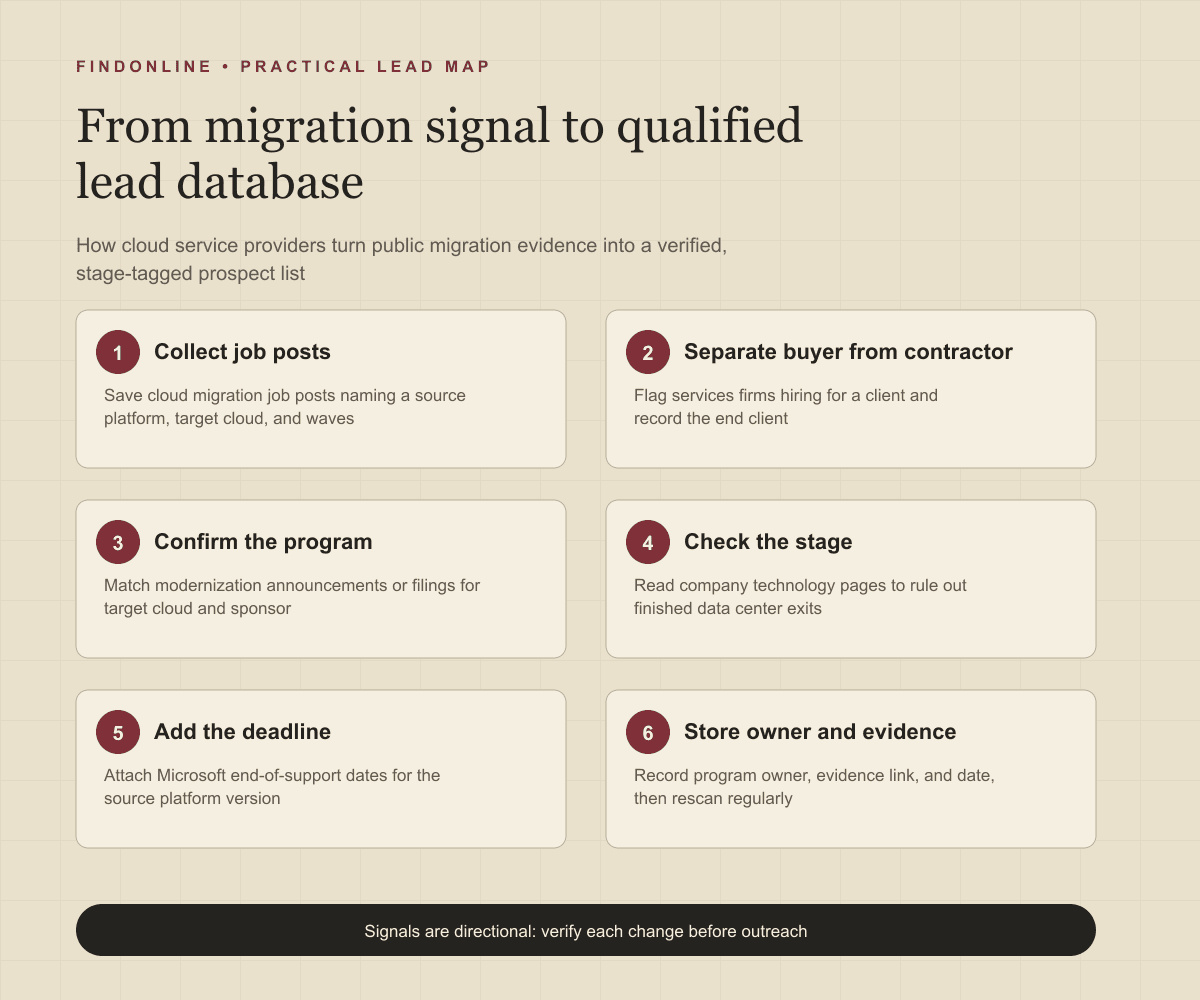
Step-by-step workflow:
- Search job boards for [legacy platform] plus migration terms such as waves, cutover, and runbook.
- Separate end employers from services firms hiring for a client.
- Find a matching announcement or filing and record the target cloud and sponsor.
- Read the company technology page to rule out finished programs.
- Add the nearest vendor deadline for the source platform.
- Identify the program owner, then store every field with its link and date.
Best tools to automate outreach: which tools fit migration prospecting?
No single tool reads migration stage from public evidence and also contacts the owner, except where discovery and outreach are designed together. The six options below cover discovery, verification, enrichment, and sending.
FindOnline
What it does: FindOnline is an end-to-end AI GTM system that finds and qualifies prospects from public signals such as hiring, role changes, and post activity, then runs outreach and reply handling. FindOnline's homepage describes AI GTM agents for LinkedIn, Reddit, and email (FindOnline).
Strengths: Discovery and outreach run as one automated flow, so a migration hire can lead directly to a relevant message. FindOnline's about page says teams choose which stages run automatically and which hold for approval (FindOnline about). A credible warm introduction is one possible route. Without one, it uses only verified professional commonality, and otherwise sends a direct signal-led message.
Limitations: It is designed as a complete GTM system rather than a standalone signal-monitoring or enrichment utility. Providers who need only one isolated component should contact the FindOnline team to discuss a suitable configuration.
Best for: Cloud and infrastructure service providers who want migration signals, owner qualification, and multi-channel outreach in one system. See how FindOnline's agents work.
LinkedIn Sales Navigator
What it does: A people and account search product for confirming who holds a role today. Sales Navigator offers search with more than 50 filters, including function, seniority level, and years at company (LinkedIn Sales Solutions).
Strengths: Years-at-company and seniority filters help separate a new infrastructure leader from a long-tenured one. On support, LinkedIn says it provides structured onboarding, training, and support to drive product adoption (LinkedIn Sales Solutions).
Limitations: It filters by profile attributes, so it cannot read migration stage from job post duties or filings. Automated sequences and CRM details were not confirmed in the cited official material.
Best for: Providers who already have a qualified company list and need the current VP of Infrastructure or cloud program lead.
Apollo
What it does: A sales engagement product for sequencing contacts. Apollo supports multi-channel sequence steps across email, call, and networking platforms (Apollo).
Strengths: Sequences and records stay connected. Apollo says activity syncs straight into the CRM a team already uses (Apollo).
Limitations: Source platform, stage, and deadline must be researched elsewhere and imported as custom fields. Discovery of modernization announcements was not confirmed in the cited official material.
Best for: Teams with a verified migration list who need consistent follow-up across email and calls.
Clay
What it does: A data and workflow builder. Clay says teams can create intent signals from anything on the internet (Clay).
Strengths: It suits custom logic, such as flagging job posts that mention cutover or mainframe. Clay triggers emails, ads, and other actions through integrations with existing GTM tools (Clay).
Limitations: Someone must design and maintain the tables and signal rules, which takes operator time. Support terms were not confirmed in the cited official material.
Best for: GTM operators at cloud consultancies who want to encode their own migration-stage rules.
ZoomInfo
What it does: A company and contact data platform. ZoomInfo lets teams build lists using more than 300 attributes, including technology stack (ZoomInfo).
Strengths: Technology attributes help size the installed base for a platform you migrate from. ZoomInfo supports multi-touch sales cadences with a phone dialer and email tool (ZoomInfo).
Limitations: An installed technology shows what a company runs, not whether a move has started or when. CRM and support details were not confirmed in the cited official material.
Best for: Providers building a broad account universe by legacy platform before applying migration signals.
BuiltWith
What it does: A website technology data source, included here as a discovery source rather than a direct competitor. BuiltWith's keyword tab lets users filter a report by keywords found on the homepage of the websites in that report (BuiltWith Knowledge Base).
Strengths: Homepage keyword filters can surface companies that publicly describe a modernization program.
Limitations: Website scans cannot see mainframes, internal databases, or data center footprint. Outreach automation, integrations, and support were not confirmed in the cited official material.
Best for: Researchers who want a quick first pass on public web wording before reading job posts.
Tool comparison: how do the six options differ?
The options differ mainly in whether they find migration evidence, verify the owner, or send the message.
| tool | best for | data and discovery | outreach automation | integrations | support and review | limitations |
|---|---|---|---|---|---|---|
| FindOnline | Migration signals and outreach in one system | Prospects qualified from public signals | Automated LinkedIn, Reddit, and email outreach | Not confirmed in the cited official material | Optional review at chosen stages | Complete GTM system, not a standalone utility |
| LinkedIn Sales Navigator | Confirming the current infrastructure owner | 50+ filters by function and seniority | Not confirmed in the cited official material | Not confirmed in the cited official material | Structured onboarding, training, and support | Cannot read migration stage from posts |
| Apollo | Sequencing a verified migration list | Migration discovery not confirmed | Multi-channel sequences across email and calls | Syncs into the existing CRM | Not confirmed in the cited official material | Migration evidence must be imported |
| Clay | Custom migration-stage rules | Intent signals built from internet sources | Triggers emails through integrated tools | Integrations with existing GTM tools | Not confirmed in the cited official material | Needs an operator to maintain logic |
| ZoomInfo | Sizing accounts by legacy platform | 300+ attributes including technology stack | Multi-touch cadences by dialer and email | Not confirmed in the cited official material | Not confirmed in the cited official material | Installed technology shows no move date |
| BuiltWith (source) | First-pass web keyword research | Reports filtered by homepage keywords | Not confirmed in the cited official material | Not confirmed in the cited official material | Not confirmed in the cited official material | Cannot see internal systems |
Outreach workflow: how should you sequence migration outreach?
Lead with the dated evidence and the stage, then offer one service that fits that stage.
- Match the offer to the stage. Planning: assessment and wave design. Execution: migration capacity or a specialist skill. Complete: optimization and modernization.
- Pick the route. Use a credible warm introduction if one exists. If not, reference verified professional commonality, such as a shared platform community. Otherwise send a direct signal-led note.
- Write to the owner. Name the public evidence, for example the posting for a cutover lead, and ask one question about the hardest workload.
- Add a second contact. Message the architect with technical detail and the sponsor with timeline risk.
- Follow up on change. A new posting, a filled role, or an approaching deadline justifies the next touch.
Providers selling advisory work can adapt this using the FindOnline workflow for consultancies. For adjacent signals, see the guide to IT buyers discussing cloud problems on Reddit and the guide to companies seeking ERP implementation partners.
Industry-specific nuances: what is different about legacy migration buyers?
Legacy migration buyers are constrained by deadlines, incumbents, and approved platforms, so qualification depends on details generic lists miss.
- Approved clouds narrow the fit. A General Dynamics Information Technology posting for a judiciary program states that migrations will use only pre-approved, FedRAMP authorized public clouds (Built In). FedRAMP is the federal cloud authorization program, so check your own authorizations first.
- Extended support buys time. A company that subscribes to Extended Security Updates has deferred its move. Treat it as a later-dated prospect, not a lost one.
- Incumbents matter. When a release names an integrator, your route is a specialist subcontract or a later phase.
- Common false positives. Cloud-to-cloud moves, finished exits, repatriation projects, and vendors announcing migration products all look like migration news.
- Mainframe programs run long. Ask which workloads remain rather than assuming the whole estate is in scope.
Limitations: how reliable are migration signals?
Migration signals are directional, not guaranteed truth. A job post can be filled, paused, or written for a client. Use signals to prioritize accounts and personalize outreach and follow-ups, and verify the underlying change on a second source before contacting anyone. Rescan signals regularly, because departments, roles, program scope, and company conditions change.
Frequently asked questions
What is the best signal that a company is migrating off on-premise systems?
A current job post that names the source platform, the target cloud, and wave or cutover duties is the strongest single signal. It shows budget, stage, and technical scope together. Confirm it with an announcement or a company technology page before outreach.
How do I tell whether a job post belongs to the end buyer or a contractor?
Check whether the employer is a services firm and whether the post names a client program. Contractor posts point to a project that already has a partner. Record the end client and treat the opportunity as a subcontract or later-phase route.
Which decision-maker should a cloud service provider contact first?
Contact the VP or Director of Infrastructure or the cloud program lead first. They own the partner shortlist and the migration schedule. Bring in the CIO or CTO when the conversation turns to commitment and timeline risk.
How do end-of-support dates help with timing?
End-of-support dates give a public deadline for companies still running an affected version. Buyers must upgrade, migrate, or pay for extended updates, so the months before the date are active planning time. Verify the version in a job post or technology page before citing it.
How often should a migration lead list be refreshed?
Refresh the list at least monthly during an active campaign. Postings close, programs change scope, and leaders move. Reopen each evidence link before sending a message.
Sources
- ArcelorMittal reshaping digital backbone with Microsoft Cloud and AI (Form 6-K exhibit) — SEC EDGAR · Accessed
- About the migration strategies — AWS Prescriptive Guidance · Accessed
- Cloud Migration Engineer / Architect (R-00199) - True Zero Technologies — Built In · Accessed
- On Establishes Google Cloud as Enterprise AI Backbone, Beginning with Agent-Led Cloud Migration — PR Newswire · Accessed
- Capital One Tech: Cloud — Capital One · Accessed
- End of Support Options - SQL Server — Microsoft Learn · Accessed
- Information Technology: Agencies Need to Plan for Modernizing Critical Decades-Old Legacy Systems — GAO · Accessed
- Cloud Migration SME - General Dynamics Information Technology — Built In · Accessed
- FindOnline homepage — FindOnline · Accessed
- About FindOnline — FindOnline · Accessed
- LinkedIn Sales Navigator — LinkedIn Sales Solutions · Accessed
- Apollo Sales Engagement — Apollo · Accessed
- Clay homepage — Clay · Accessed
- ZoomInfo Sales — ZoomInfo · Accessed
- Filtering a Report by Keyword, Phrase or Vertical — BuiltWith Knowledge Base · Accessed