Buyer discovery
How to Find Technology Leaders at Law Firms
Find law-firm technology leaders using employer biographies, legal technology associations, and current roles. Verify responsibility and qualify IT service fit.
By Vaishnav Gupta11 min read
On this page
Quick answer: How to Find Technology Leaders at Law Firms starts with chief information officers, IT directors, and security leaders whose responsibilities match your service. Use law firm leadership pages, legal technology associations, and LinkedIn company pages to discover candidates. First, verify a named leader’s operating remit against the firm’s own biography before adding that person to your outreach list.
Who to target: which roles own the technology decision?
Target the person accountable for the system you improve, then identify the project sponsor. Macfarlanes assigns its chief information officer responsibility for technology and information security strategy. This demonstrates why responsibilities can be more useful than titles; it does not establish a purchasing need. Macfarlanes leadership biography
Use these role groups as research hypotheses:
- Cloud migration and workplace infrastructure: chief information officer (CIO), IT director, infrastructure head, or IT operations leader.
- Cybersecurity services: chief information security officer (CISO), information security director, or CIO with explicit security responsibility.
- Document workflows: applications, practice technology, or knowledge leadership, with infrastructure and security stakeholders mapped separately.
- Smaller firms without named IT leadership: an operations leader or managing partner who can identify the accountable employee or service provider.
Exclude lawyers who advise clients on technology unless their biography establishes internal operating responsibility. Do not assume an innovation title includes network, identity, or security ownership.
Lead sources: where should you discover law-firm technology leaders?
Start with employer evidence, expand through legal technology communities, and cross-check current employment. Preserve the source and retrieval date for every name.
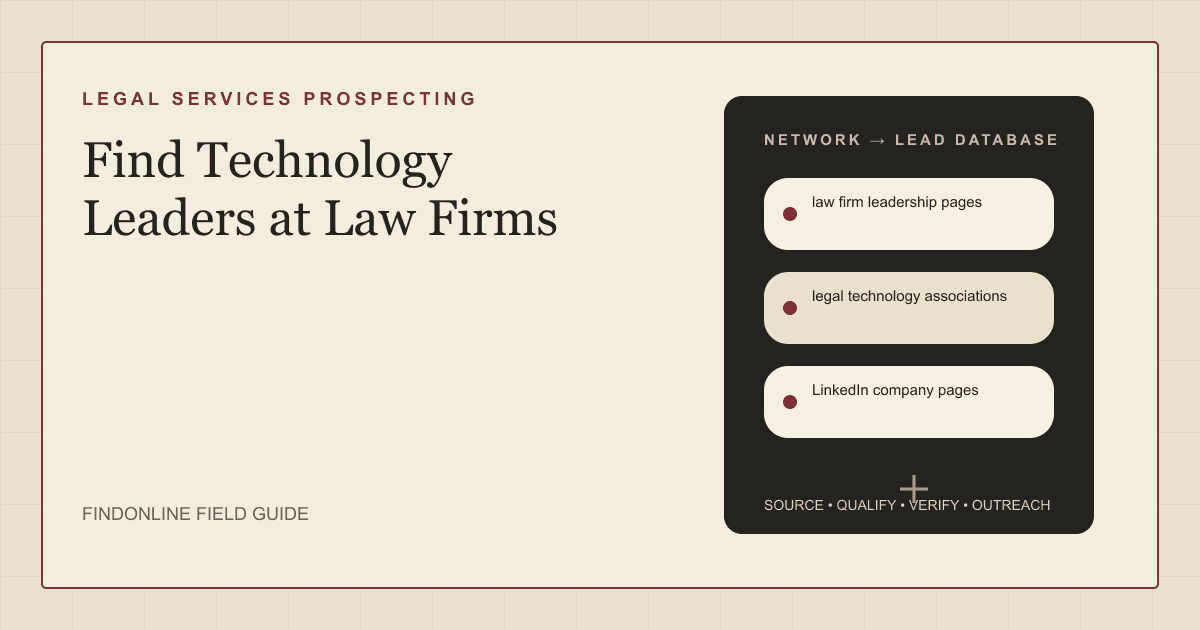
Law firm leadership pages: Search business-services biographies as well as executive pages. Macfarlanes provides an example describing both technology and security scope; use comparable wording to distinguish confirmed responsibility from a guessed remit. Employer biography
Legal technology associations: The International Legal Technology Association (ILTA) supports professionals in law firms and corporate or government legal operations. Use public leadership, contributor, and event biographies as starting points, then return to the employer. Separate firm employees from vendors and in-house legal departments, and check community participation rules before outreach. ILTA’s scope
LinkedIn company pages: Match the firm’s identity and domain, then inspect relevant current-role profiles. Treat profiles as corroboration rather than proof of purchasing authority. Sales Navigator provides role and company filters to narrow this search. LinkedIn search documentation
Add an employer’s technology vacancy or project announcement when available. Record whether it describes planned, active, or completed work. A historical migration announcement should not become a claim that the firm is still selecting a provider.
Lead database: what should a verified technology-leader record contain?
Store the firm, person, operating responsibility, and service hypothesis separately. Leave unknown fields unknown, with a specific next verification action.
| Field | Where it comes from | How to verify it |
|---|---|---|
| Firm name and domain | Official firm website | Match the employing entity, not a similar brand |
| Leader and exact title | Business-services biography | Cross-check a current professional profile |
| Technology responsibility | Biography or employer job description | Retain wording identifying systems or accountability |
| Geographic remit | Biography and office pages | Distinguish local from firm-wide ownership |
| Document or identity environment | Technical vacancy or project notice | Separate required skills from confirmed deployment |
| Service trigger and date | Employer announcement or vacancy | Confirm the change remains relevant |
| Sponsor and technical evaluator | Role descriptions or direct reply | Leave approval authority unconfirmed until established |
| Contact route | Published business details or professional profile | Verify identity and respect contact preferences |
| Evidence and next check | Source URL, excerpt, retrieval date | Reopen evidence before outreach |
Use this reusable research prompt:
Research [law firm] for [cloud migration, identity security, or managed IT]. Find publicly named technology leaders and distinguish internal IT responsibility from client-facing legal expertise. Return employer evidence, exact title, geographic remit, dated project signals, and unresolved questions. Do not infer installed systems, purchasing authority, private contact details, or buying intent. Mark missing evidence as unknown.
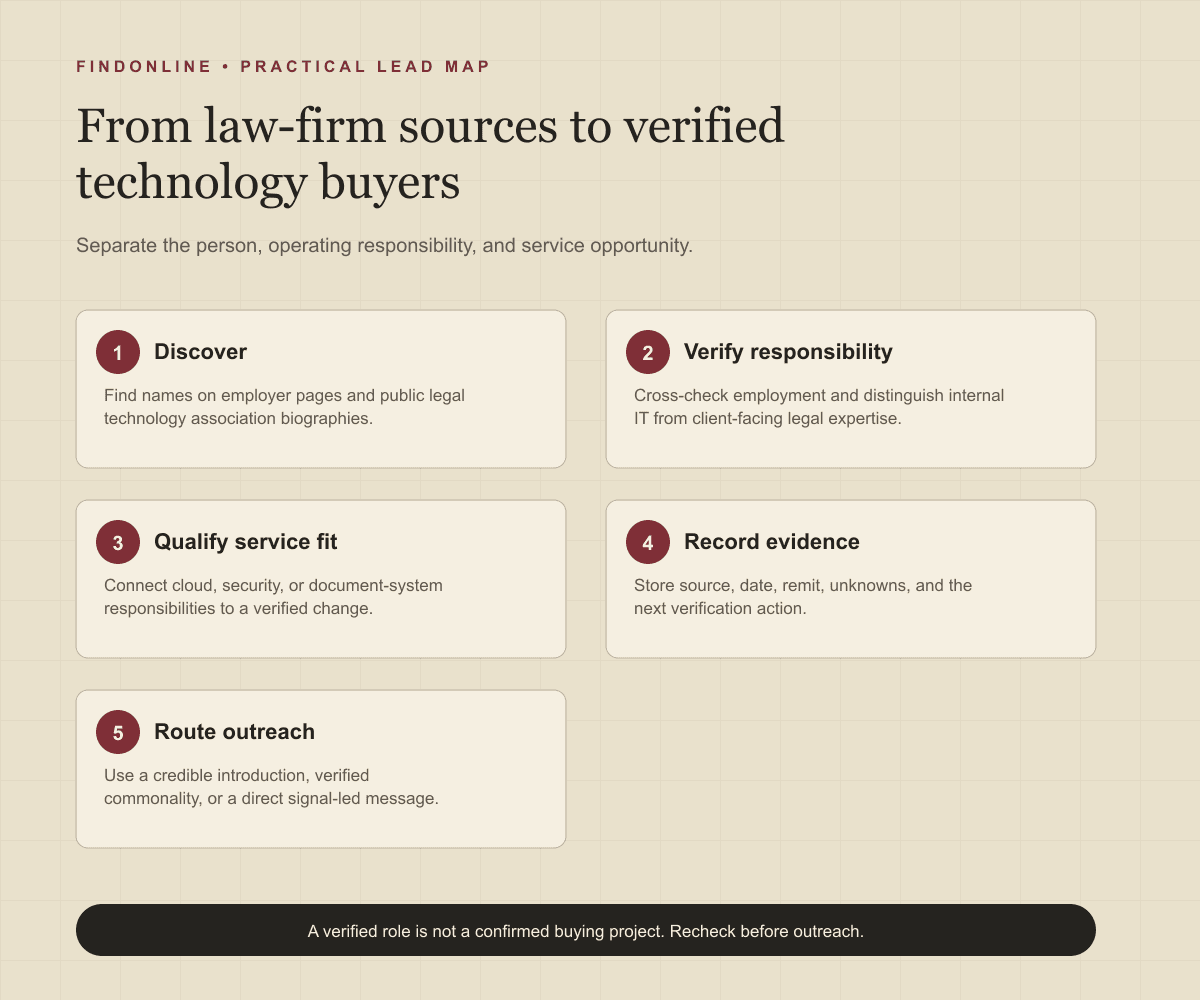
Build the list in five steps:
- Define the service, geography, and firm characteristics you can serve.
- Discover names through employer pages and public legal technology association material.
- Verify employment and responsibility using a second current source.
- Attach one relevant change, or mark the record as relationship development without a buying trigger.
- Deduplicate by person and firm, assign a research owner, and set the next verification date.
Keep “verified role” and “qualified opportunity” as different statuses. A verified CIO can still be a poor prospect for your service.
Best tools to automate outreach: which option fits your workflow?
Choose by the work you need: research, role discovery, campaign execution, or the full go-to-market (GTM) process. These fit judgments are editorial recommendations based on the cited scope.
FindOnline
What it does: Combines public-signal discovery with end-to-end outreach and ongoing engagement for relevant law-firm leaders, including professional-event tracking. FindOnline workflow
Strengths: Runs outreach across LinkedIn, Reddit, and email, with optional stage-level review. Connect verified role or project signals to relevant messages, reply handling, and follow-ups. FindOnline channels Automation controls
Limitations: Designed as a complete GTM system rather than a standalone signal-monitoring or enrichment utility. If you need only one component, contact the FindOnline team to discuss a suitable configuration. Specific external integrations are not confirmed in the cited official material. Product scope
Best for: IT, cloud, and cybersecurity providers wanting public evidence, relationship routing, and automated engagement together, with selected stages optionally held for approval. Workflow Review controls
LinkedIn Sales Navigator
What it does: Filters professional leads by role and company attributes. Search documentation
Strengths: Saved searches and matching alerts support continuing role discovery. Search documentation
Limitations: Profile filtering does not establish internal system ownership; verify the employer biography. Automated outreach and specific integrations are not confirmed in the cited official material. Documented scope
Best for: Researchers mapping law-firm IT titles and professional connections before selecting a contact. Search documentation
Apollo
What it does: Combines automatic emails with phone-call and LinkedIn tasks. Sequence creation documentation
Strengths: Configurable steps and email previews support campaign preparation. Specific external integrations are not confirmed in the cited official material. Sequence setup
Limitations: Required tasks must be completed or skipped before a contact advances; unattended LinkedIn tasks can stall the cadence. Task mechanics
Best for: Providers with verified law-firm contacts and staff available for manual touches alongside automated email. Sequence documentation
Clay
What it does: Claygent Builder supports account research, lead scoring, copywriting, and persona classification. Claygent documentation
Strengths: Test cases let researchers check qualification logic before deployment. Testing documentation
Limitations: Your team must define and test the distinction between internal IT and client-facing legal expertise. Sending automation and specific external integrations are not confirmed in the cited official material. Builder scope
Best for: Operations teams building repeatable law-firm research and role-classification processes. Claygent documentation
Lemlist
What it does: Organizes follow-ups, calls, LinkedIn actions, and manual outreach tasks. Task documentation
Strengths: Filtered views help teams manage queues and review completed or ignored tasks. Task documentation
Limitations: Task organization does not itself supply the law-firm responsibility map. Specific integrations are not confirmed in the cited official material. Task scope
Best for: Service teams coordinating personalized follow-ups after research identifies the technology owner. Task documentation
BuiltWith
What it does: Filters reports using keywords found on website homepages. Keyword-filtering documentation
Strengths: Helps narrow an existing report by relevant homepage language. Try legal-service terms, then verify each firm's identity. Keyword-filtering documentation
Limitations: Homepage keywords cannot establish internal document-management or identity architecture. Outreach automation and specific integrations are not confirmed in the cited official material. Filtering scope
Best for: Providers narrowing a website-services research list before identifying the law firm's technology owner. Keyword-filtering documentation
Tool comparison: how do the six options differ?
Match the tool to your bottleneck. “Not confirmed” describes the cited evidence, not a claim that the product lacks a feature.
| tool | best for | data and discovery | outreach automation | integrations | support and review | limitations |
|---|---|---|---|---|---|---|
| FindOnline | Complete law-firm GTM workflow | Public signals and professional events | Automated LinkedIn, Reddit, and email engagement end to end | Not confirmed in the cited official material | Optional review at selected stages | Complete-system fit; discuss isolated components with the team. Workflow, channels, controls |
| LinkedIn Sales Navigator | Role mapping | Company and role filters | Not confirmed in the cited official material | Not confirmed in the cited official material | Support and review not confirmed in the cited official material | Titles do not establish system ownership. Documentation |
| Apollo | Email-led cadence | Enroll researched contacts | Automatic emails; manual tasks | Not confirmed in the cited official material | Email previews | Required tasks can stall progress. Documentation |
| Clay | Custom role qualification | Research and classification | Copywriting; sending not confirmed in the cited official material | Not confirmed in the cited official material | Test cases | Requires qualification logic. Documentation |
| Lemlist | Follow-up coordination | Prepared contact context | Sequence-generated tasks | Not confirmed in the cited official material | Task-status review | Does not supply the responsibility map. Documentation |
| BuiltWith | Public website-service fit | Homepage-keyword report filtering | Not confirmed in the cited official material | Not confirmed in the cited official material | Support and review not confirmed in the cited official material | Cannot establish internal architecture. Documentation |
Outreach workflow: how should you turn verified roles into conversations?
Lead with the verified change and ask a bounded responsibility question. Define qualifying evidence before using the FindOnline discovery and outreach workflow.
Use a credible warm introduction when one exists. Otherwise, adapt messages using only verified professional commonality, such as relevant industry work or a documented community. If neither route exists, send a direct signal-led message. Never invent shared relationships or identify anonymous community users.
For example, after verifying a relevant vacancy:
Your infrastructure vacancy mentions [specific responsibility]. We help law firms with [directly related service]. Are you responsible for this work, or should I speak with another technology colleague?
Follow up with a useful scoping question. Stop repeated prospecting when someone declines, correct misrouted contacts, and coordinate campaigns across the same buying group.
Industry-specific nuances: what changes the service-fit decision?
Qualify the operating environment before proposing a service. Use these questions to uncover scope rather than asserting every law firm has the same needs.
For document migration, ask who owns permissions, matter access, retention, and cutover acceptance. Separate moving documents from redesigning access controls. Discuss scope without requesting client files or matter details.
For cloud and workplace services, establish whether the requirement covers one office, a practice group, or the entire firm. An office opening justifies asking about onboarding and connectivity, but does not prove a central platform replacement.
For security services, distinguish policy ownership from implementation and vendor approval. Ask whether the project concerns identity, endpoint protection, recovery, or assurance work. Avoid inferring a security incident from a job advertisement.
For legal artificial intelligence (AI) projects, distinguish experimentation from production rollout. Ask about the workflow and accountable owner before assuming infrastructure demand. Keep this research separate from finding law-firm partners launching practices, where the buyer and outreach purpose differ.
Limitations: how reliable are public technology signals?
Signals are directional rather than guaranteed truth. Use them to prioritize and personalize outreach and follow-ups, verify the underlying change, and rescan regularly because departments, roles, and company conditions change.
Public evidence may omit procurement authority, existing providers, contract timing, or project cancellation. Keep these as unanswered questions. A sparse biography should lower ownership confidence, not become evidence that the firm lacks technology leadership.
Frequently asked questions: what should researchers clarify?
Clarify responsibility, intent, and evidence gaps before enrolling a technology leader in outreach.
How do I find a law firm’s IT leader when no CIO is listed?
Search business-services biographies and IT operations titles before approaching an operations leader for routing. Do not substitute a technology-law partner without evidence of internal responsibility.
Does legal technology association participation indicate buying intent?
No, participation alone does not demonstrate an active project. Use it to discover professional context, then verify employer responsibility and a separate service-relevant signal.
Should I contact the CIO or the security director first?
Contact the person whose documented remit best matches your service. For overlapping responsibilities, identify a technical evaluator and ask who sponsors the project rather than assuming seniority determines ownership.
What if I cannot verify the firm’s technology stack?
Leave the stack field unknown and ask a scoped discovery question. Technology named in a vacancy may describe desired experience, so do not present it as confirmed deployment.
How often should I refresh a law-firm technology contact list?
Recheck identity, role, and trigger before outreach and before restarting a dormant conversation. Schedule reviews based on signal age and campaign activity, with immediate checks after role changes or conflicting evidence.
Sources
- Andrew Powell — Macfarlanes · Accessed
- About ILTA — International Legal Technology Association · Accessed
- Sales Navigator Advanced Search Filters — LinkedIn · Accessed
- How FindOnline Works — FindOnline · Accessed
- FindOnline GTM Agents — FindOnline · Accessed
- About FindOnline — FindOnline · Accessed
- Create a Sequence — Apollo · Accessed
- Claygent Builder — Clay · Accessed
- Manage tasks effectively — Lemlist · Accessed
- Filtering a Report by Keyword, Phrase or Vertical — BuiltWith · Accessed