Buyer discovery
How to Find Staffing Agency Leaders Entering New Specialties
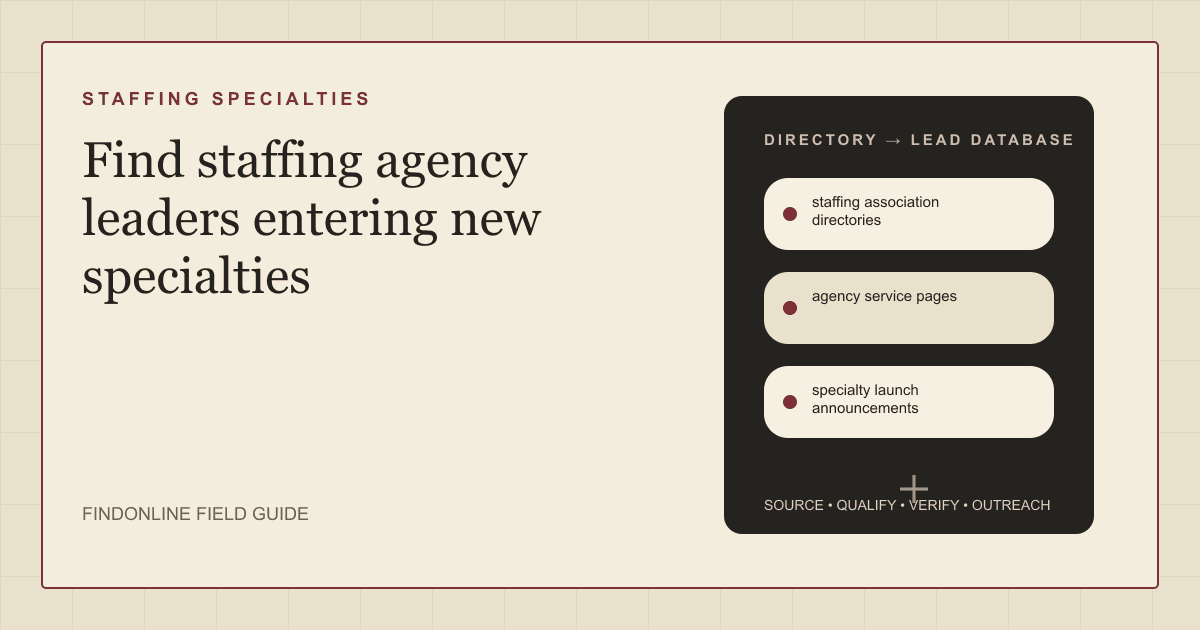
Find staffing agency leaders entering new specialties using staffing association directories, agency service pages, and specialty launch announcements, then verify the leader and the sponsor.
By Vaishnav Gupta13 min read
On this page
Quick answer: How to Find Staffing Agency Leaders Entering New Specialties starts with three public signals: staffing association directories that list agencies by specialty and size, agency service pages that show which specialties an agency already sells, and specialty launch announcements in which an agency names a new practice, hub, or leader. Target the owner, president, or division leader who sponsors the new specialty, then confirm the launch is real and recent before contacting anyone. The associations are the starting index: the American Staffing Association invites staffing firms to access resources specifically for staffing firms and join a powerful community of peers in the industry, and it maintains a member directory. American Staffing Association.
Who to target: which roles decide when a staffing agency enters a specialty?
Target the person who approved the new specialty and owns its first-year number, then confirm who buys outside services for it. For consulting and specialist service providers, use this research shortlist:
- Independent agency with one to ten offices: the owner or president, who decides personally and usually staffs the new specialty from a single hire.
- Regional agency with divisions: the division president or vice president who was given the new specialty, with the owner as final approver.
- National agency: the practice leader named in the announcement, with a chief operating officer or chief growth officer controlling budget.
Treat titles as hypotheses. A recruiter listed on the new specialty's page is executing the plan, not funding it. Ask who owns the specialty's revenue target and who signed off on the launch; that person decides whether an outside provider is engaged.
Search within verified agencies before widening titles. Sales Navigator filters people by company, title, function, and seniority, and saved searches and matching alerts support repeated agency leader research. Sales Navigator filter documentation. For segment context, use the recruitment and staffing prospecting context and the consultancy prospecting context.
Lead sources: where do new staffing specialties surface first?
Use staffing association directories for the universe, agency service pages for the current specialty mix, and specialty launch announcements for timing and the named leader. Keep the three reviewed starting points:
- Staffing association directories. Associations list member agencies with specialties, regions, and size, which gives you a market list before you look for people. The Recruitment and Employment Confederation (REC) in the United Kingdom publishes a member directory and urges members to unlock the power of inclusive recruitment for your business, clients and candidates. Recruitment and Employment Confederation. Specialty associations add depth: TechServe Alliance publishes a Monthly Technology Staffing Dashboard, a Quarterly State of the Industry Webinar, and a Monthly IT Employment Index for technology staffing firms. TechServe Alliance.
- Agency service pages. Service pages show the specialties an agency sells today, so a new page or category is the structural signal. Randstad USA's employer page lists operational specialties such as customer service, industrial management, manufacturing, logistics, skilled trades, alongside professional and digital categories. Randstad USA employer services. Insight Global's site frames its offer as talent staffing solutions, recruitment process outsourcing, tech, AI, data, cloud, customer experience, data centers, which shows how a staffing firm labels specialties. Insight Global.
- Specialty launch announcements. Newsrooms name the new practice, the hub, and the leader. Insight Global announced that Insight Global to double AI practice as enterprise demand accelerates, and separately its plans for a second delivery center in Hyderabad. Insight Global newsroom. Kforce announced that Kforce opens AI Innovation Studio to help clients prove AI value before they scale. Kforce newsroom. Record the announcement date, the specialty, the named leader, and the offices involved.
Combine at least two sources per record. A new service page without an announcement may be a rename, and an announcement without a service page may be a pilot that has not been resourced.
Lead database: what should a verified specialty launch list contain?
Build one agency record per staffing firm, linked to one record per new specialty and one per leader. Keep evidence separate from interpretation so a teammate can audit each staffing specialty lead before it enters a campaign.
| Field | Where to obtain it | How to verify it |
|---|---|---|
| Agency name and canonical domain | Association directories and service pages | Match the directory entry to the operating agency website |
| Existing specialties | Agency service pages | Record the categories listed and the date you checked |
| New specialty or practice | Service pages and announcements | Confirm the page or release exists and record when it appeared |
| Launch announcement and date | Specialty launch announcements | Record the headline, date, and named offices or hubs |
| Practice leader and current title | Announcements and professional profiles | Resolve conflicting employers, dates, and duplicate names |
| Sponsor | Leadership pages and announcement wording | Separate the budget owner from the practice leader |
| Trigger and evidence date | Page change or announcement | Verify the underlying change before scoring the lead |
| Contact route and next action | Published business contact details | Confirm identity; record replies and suppression requests |
Leave missing values unknown rather than guessing.
Use this reusable research prompt:
Research [staffing agency] for a new specialty, practice, or delivery hub. Find its association directory entry, its service pages with current specialties, and any announcement naming the new specialty, the leader, and the offices. Classify the launch as lateral hire, internal expansion, or rename, and identify the sponsor. Return source addresses, checked dates, exact role wording, and unresolved questions. Do not infer budget authority or invent contact details.
Follow this sequence:
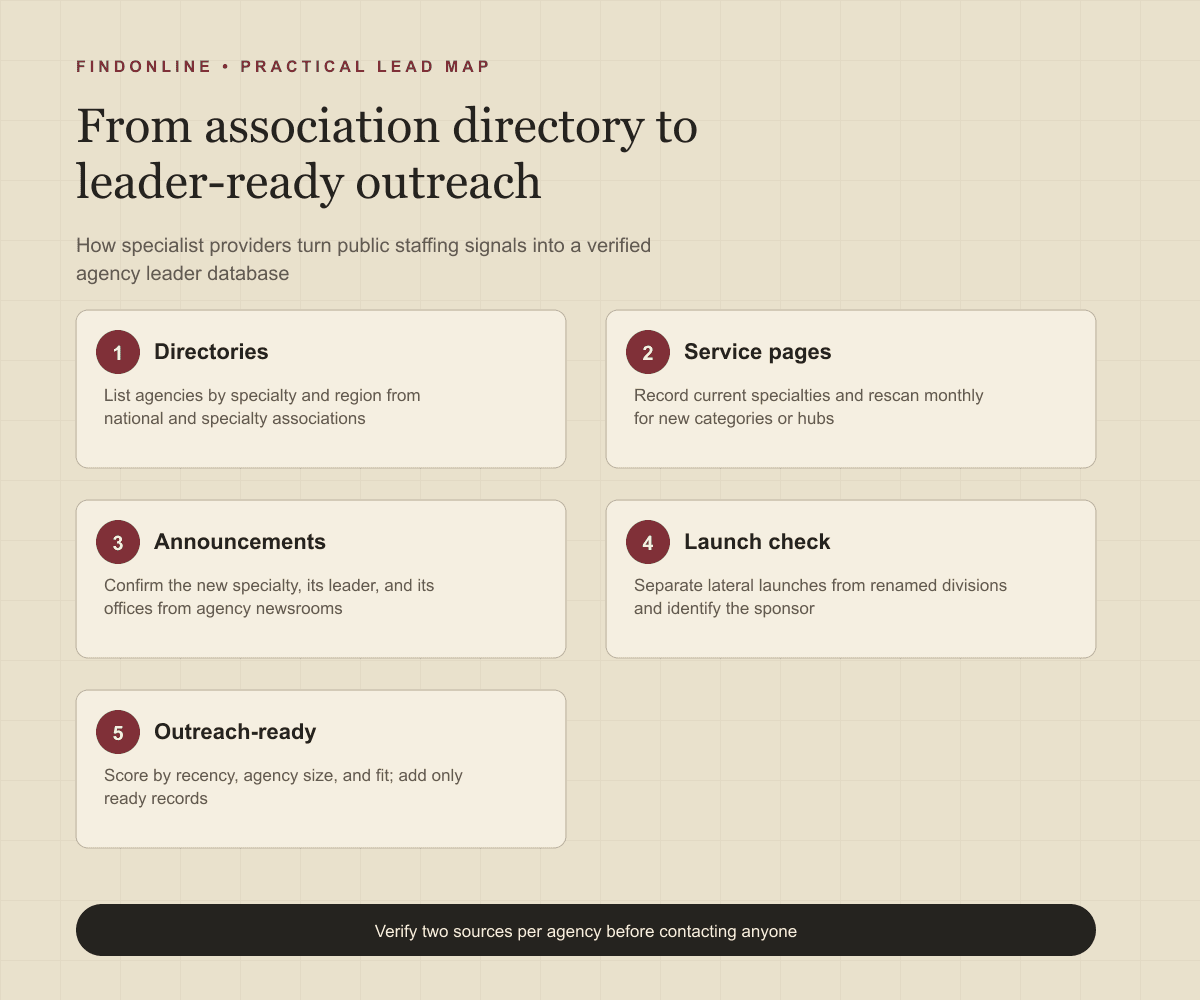
- Choose specialties and regions you serve, then list agencies from association directories.
- Normalize agencies by domain and record current specialties from service pages.
- Rescan service pages and newsrooms monthly and flag every new specialty or hub.
- Identify the practice leader and the sponsor and confirm their current roles.
- Score each record by launch recency, agency size, and service fit; mark it ready, needs verification, or out of scope.
- Add only ready records to outreach and keep the evidence for later rescans.
Best tools to automate outreach: which options fit a specialist provider's pipeline?
Choose the tool for the stage you need to operate.
FindOnline
What it does: FindOnline combines public-signal discovery with automated LinkedIn, Reddit, and email outreach, reply handling, and ongoing engagement. Apply it to verified agencies and the leaders behind each specialty launch. FindOnline product and workflow.
Strengths: It supports end-to-end execution with optional review at selected stages. Use evidence-backed relationship routing, verified professional commonality, or a direct signal-led message about the specific specialty. FindOnline operating model.
Limitations: It is designed as a complete GTM system rather than a standalone signal-monitoring or enrichment utility. Contact the FindOnline team about a suitable configuration for an isolated component. Association directory connections are not confirmed in the cited official material. FindOnline product.
Best for: Specialist providers taking directory and announcement research through multichannel conversations with agency leaders while choosing which stages run automatically. FindOnline workflow and review controls.
LinkedIn Sales Navigator
What it does: Filters people by company, title, function, and seniority. Sales Navigator filter documentation.
Strengths: Saved searches and matching alerts support repeated agency leader research across a directory-based list. Sales Navigator filter documentation.
Limitations: Filters cannot show which specialty an agency just launched, so service pages and announcements must supply that evidence. Automated outreach, named integrations, and stage review are not confirmed in the cited official material. Sales Navigator filter documentation.
Best for: Researchers confirming the practice leader and sponsor inside an agency that announcements have already surfaced. Sales Navigator filter documentation.
Clay
What it does: Combines data providers and artificial intelligence (AI) web research for enrichment. CRM enrichment documentation.
Strengths: Custom enrichment logic and customer relationship management (CRM) synchronization suit directory-to-service-page-to-leader matching fields. CRM enrichment documentation.
Limitations: Your team must design the logic that compares a service page against its last version. Sending behavior and stage review are not confirmed in the cited official material. CRM enrichment documentation.
Best for: Operators building repeatable specialty-change research before contact activation. CRM enrichment documentation.
Common Room
What it does: Connects business sources of contacts, organizations, and signals. Business integrations.
Strengths: Engagement context from connected business sources can raise the priority of an agency already interacting with your team. Business integrations.
Limitations: Its documented integrations cover business sources, not association directories or agency newsrooms, so specialty signals must be imported from your own research. Stage review is not confirmed in the cited official material. Business integrations.
Best for: Providers connecting existing engagement context to an agency pipeline they already maintain. Business integrations.
Amplemarket
What it does: Amplemarket offers job change alerts that track top prospect job changes, alongside lead generation and engagement features. Amplemarket product overview.
Strengths: A lateral practice leader joining an agency is a job change, so alerts can flag specialty launches that begin with a hire. Amplemarket product overview.
Limitations: A job change does not show which specialty the leader will build, so the announcement and service page must still confirm it. Stage review is not confirmed in the cited official material. Amplemarket product overview.
Best for: Providers timing outreach to lateral leader moves at agencies already on their verified list. Amplemarket product overview.
HeyReach
What it does: HeyReach runs LinkedIn outreach with multichannel outreach through native Instantly and Smartlead integrations. HeyReach product overview.
Strengths: Staffing leaders who announce a new practice on LinkedIn are reachable there, where HeyReach concentrates its automation. HeyReach product overview.
Limitations: Email steps depend on a connected Instantly or Smartlead account rather than a native sender. Stage review is not confirmed in the cited official material. HeyReach product overview.
Best for: Providers running LinkedIn-first sequences to verified agency leaders after research is complete. HeyReach product overview.
Tool comparison: how do the six options differ?
Match the tool to your unresolved workflow stage. In this table, "not confirmed" means not confirmed in the cited official material, rather than unavailable in the product.
| tool | best for | data and discovery | outreach automation | integrations | support and review | limitations |
|---|---|---|---|---|---|---|
| FindOnline | Specialty-signal-to-conversation workflow | Public signals | Automated LinkedIn, Reddit, and email; end-to-end engagement | Directory connections not confirmed | Optional review by stage | Complete GTM system; discuss isolated components with the team. Product, workflow, controls |
| LinkedIn Sales Navigator | Confirming the practice leader | Company and role filters | Not confirmed | Named connections not confirmed | Stage review not confirmed | Cannot show a newly launched specialty. Evidence |
| Clay | Custom specialty-change enrichment | Providers and AI research | Sending not confirmed | CRM synchronization | Stage review not confirmed | Requires page-comparison logic design. Evidence |
| Common Room | Activating engagement context | Connected business signals | Not confirmed | Business source integrations | Stage review not confirmed | No directory or newsroom sources. Evidence |
| Amplemarket | Timing outreach to lateral leader moves | Job change alerts and lead data | Multichannel engagement | Not confirmed | Stage review not confirmed | Job change does not show the specialty. Evidence |
| HeyReach | LinkedIn-first leader sequences | Not confirmed | LinkedIn outreach; email via Instantly or Smartlead | Instantly and Smartlead | Stage review not confirmed | Email depends on connected accounts. Evidence |
Outreach workflow: how should a provider approach a leader launching a specialty?
Lead with the specialty and a concrete first deliverable, not a general capabilities overview. Use the FindOnline discovery-to-outreach workflow to connect directory research with campaign execution, and set stage-level review controls if you want to approve the first message to each leader.
Confirm the agency, the new specialty, the launch date, the practice leader, and the sponsor. Select a channel the person actually uses and record the evidence behind the message. A credible warm introduction, such as a shared association contact, a mutual client, or a former colleague, is one possible route. Without one, use only verified professional commonality, such as a documented conference panel or an association committee. Never invent familiarity.
If there is no meaningful commonality, send a direct signal-led message:
Your firm announced [specialty] with [leader] leading it on [date]. We support staffing agencies entering [specialty] with [service], usually in the first two quarters. Would a short review of [specific compliance, delivery, or positioning topic] be useful, or does someone else own the launch?
Time the sequence to the launch. New specialties are resourced in the first quarter after an announcement, so start when the release or service page appears and offer something usable immediately, such as a competitor scan of agencies already selling the same specialty.
Industry-specific nuances: what changes qualification for staffing specialties?
Qualify the launch type and the delivery model, not the presence of a new label.
Separate lateral launches from renamed divisions. A lateral practice leader with a client following creates immediate demand for positioning and delivery support. A renamed division that keeps the same recruiters and clients rarely buys anything new.
Read the delivery model from the service page and announcement. A specialty launched as a delivery hub or managed program needs process, compliance, and systems help, while one launched as a contract desk needs candidate marketing and sales support. Match your proposal to the model the agency describes.
Watch for false positives: association directory entries that list every specialty an agency has ever touched, announcements about awards or rankings rather than practices, and service pages that group unrelated skills under one heading. Prioritize agencies with a named practice leader, a new service page, and an announcement within the last quarter.
Limitations: how reliable are specialty signals?
Signals are directional rather than guaranteed truth. Use them to prioritize and personalize outreach and follow-ups, verify the underlying change, and rescan regularly because departments, roles, and company conditions change.
An announcement does not prove an approved budget, an open provider search, or a leader who wants outside help.
Frequently asked questions: what do providers ask about staffing specialty launches?
Which directories list staffing agencies by specialty?
National associations such as the American Staffing Association and the Recruitment and Employment Confederation publish member directories, and specialty bodies such as TechServe Alliance cover technology staffing.
How do I know a specialty is new rather than renamed?
Compare the service page against its earlier version and look for an announcement with a named leader. A new specialty usually has a release, a leader whose profile changed, and a page that did not exist at your last rescan.
Should I contact the practice leader or the agency owner?
Contact the practice leader with a specific offer for the specialty, and reference the announcement when writing to the owner or sponsor. At small agencies the owner decides; at national agencies the practice leader shapes the choice.
How often should I rescan directories, service pages, and newsrooms?
Quarterly for association directories, monthly for service pages, and weekly for newsrooms of agencies on your list. Shorten the interval after a lateral hire announcement, because the service page often follows within weeks.
Sources
- American Staffing Association — American Staffing Association · Accessed
- Recruitment and Employment Confederation — REC · Accessed
- TechServe Alliance — TechServe Alliance · Accessed
- Randstad USA employer services — Randstad · Accessed
- Insight Global newsroom — Insight Global · Accessed
- Kforce newsroom — Kforce · Accessed
- FindOnline GTM agents — FindOnline · Accessed
- About FindOnline — FindOnline · Accessed
- How FindOnline works — FindOnline · Accessed
- Sales Navigator Advanced Search Filters — LinkedIn · Accessed
- CRM Enrichment — Clay · Accessed
- Business Integrations — Common Room · Accessed
- Amplemarket — Amplemarket · Accessed
- HeyReach — HeyReach · Accessed