Buyer discovery
How to Find Speakers at B2B Conferences
Find speakers at B2B conferences using conference agenda pages, speaker profiles, session recordings, call for speakers pages, and LinkedIn Event pages, then verify role and topic fit before outreach.
By Vaishnav Gupta14 min read
On this page
Quick answer: To find speakers at B2B conferences, start with the official agenda page, which lists each session with the speaker's name, title, and company, then confirm the person on the conference speaker profile and on LinkedIn. Prioritize speakers whose role matches your buyer and whose session topic overlaps your product, and open with one specific reference to their talk.
Who to target: which conference speakers are actually your buyers?
Target speakers whose title matches your buyer and whose session topic overlaps your product; treat the rest of the lineup as connectors or false positives. A speaker list is signal-qualified by design, because the organizer has already confirmed each person's role, company, and the problem they will discuss in public.
Four speaker types appear on most B2B lineups:
- Operator speakers are CEOs, chief marketing officers (CMOs), VPs, and heads of go-to-market (GTM) strategy presenting their own playbook. The Forrester B2B Summit North America 2026 agenda named speakers such as "Sarah Kim, VP of Commercial Marketing, Cox Communications" (Forrester B2B Summit North America 2026 agenda). These are the primary targets.
- Customer speakers in sponsor sessions are confirmed users of the sponsor's category. The same agenda listed "Clozd: How Canva Turns Win-Loss Feedback Into GTM Strategy", a vendor-prefixed session pairing a software company with its customer (Forrester B2B Summit North America 2026 agenda). That is a fit signal if you are complementary and a false positive if you compete with the sponsor.
- Vendor speakers are partnership or co-marketing targets, not buyers, unless your product serves software companies.
- Analysts and celebrity keynoters rarely hold budget for your category, so skip them.
Organizers select for practitioners: HubSpot's UNBOUND call for speakers asks for "practitioners, leaders, creators, and innovators who have real-world experience" (UNBOUND call for speakers), which is why lineups skew toward the senior operators GTM teams want to reach.
Lead sources: where do conference speaker names and roles appear publicly?
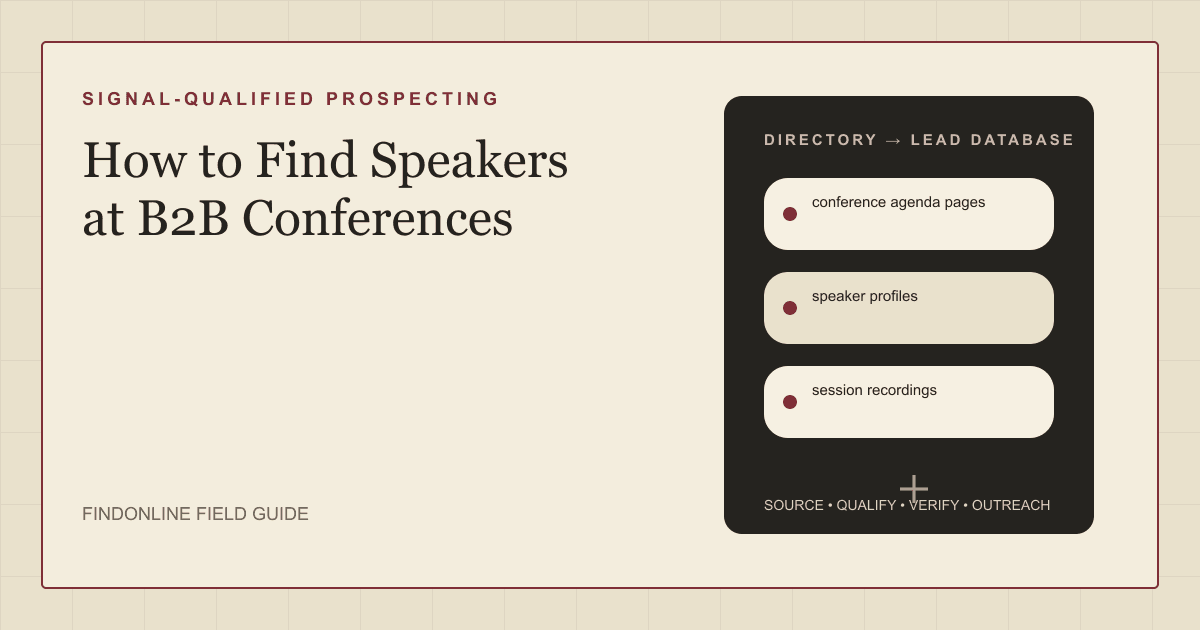
The official agenda, speaker directory, and recording library of each conference are the strongest sources; the call for speakers page and LinkedIn Event page add lineup timing and identity matching.
- conference agenda pages list every session with speaker names and roles attached. The SaaStr AI Annual 2026 agenda promises "Three days of content, networking, and AI-focused programming at the San Mateo County Event Center" and sorts sessions into workshop tracks and main-stage CEO interviews (SaaStr AI Annual 2026 agenda). Track names tell you what each speaker is working on.
- speaker profiles give the canonical title and company. B2B Ignite introduces its list with "Here are some our 2026 speakers diving into their sessions at B2B Ignite 2026" and shows company and title under each name (B2B Ignite 2026 speakers). Profiles can be thin: SaaStr's page for Matt Darrow, CEO and Co-Founder of Vivun, shows title and company but says "Session details for Matt Darrow are still being finalized" (SaaStr speaker profile for Matt Darrow).
- session recordings show how the speaker frames the problem and prove they appeared. SaaStr publishes top sessions after each Annual and told readers "Some are already up, and you can watch at ton of them here on the Live tab on YouTube" (SaaStr top sessions from the 2023 Annual).
- call for speakers pages reveal when lineups are decided. UNBOUND's 2026 applications "open Monday, February 2 and close February 18 at 11:59 PM ET", with decisions in mid-April (UNBOUND call for speakers). Refresh your list in the weeks after the notification date.
- LinkedIn Event pages list confirmed speakers linked to the right profile. LinkedIn's documentation says organizers "create the event, decide the details, invite attendees, and can add one or more speakers" (LinkedIn Help: LinkedIn Events overview), so the speaker card removes the name-matching step.
To reach the people who run these events rather than speak at them, see finding organizers of B2B conferences.
Lead database: what fields should a conference speaker list contain?
A speaker record needs event, session, role, and signal fields, each checked against two sources before outreach.
| Field | Where it comes from | How to verify |
|---|---|---|
| Speaker name and LinkedIn URL | Speaker profile, LinkedIn Event card | Headline and company match the conference listing |
| Current title and company | Speaker profile | Compare with LinkedIn current role; conference titles age |
| Conference and edition year | Agenda page URL | Confirm the year; sites roll over to the next edition |
| Session title and track | Agenda page | Read the description for topic overlap |
| Session type and sponsor | Session title prefix | Vendor name before the colon means a customer pairing |
| Recording link and key point | Recording library, LinkedIn Event | Confirm the speaker appeared; note one argument made |
| Buyer fit and outreach window | Your ideal customer profile (ICP) rules, event date | Role plus topic plus company size; pre-event or post-recording |
Reusable research query, run once per conference:
site:[conference domain] (speaker OR session OR agenda) "[your topic keyword]" ("VP" OR "Head of" OR "CMO" OR "CEO")
Step-by-step workflow:
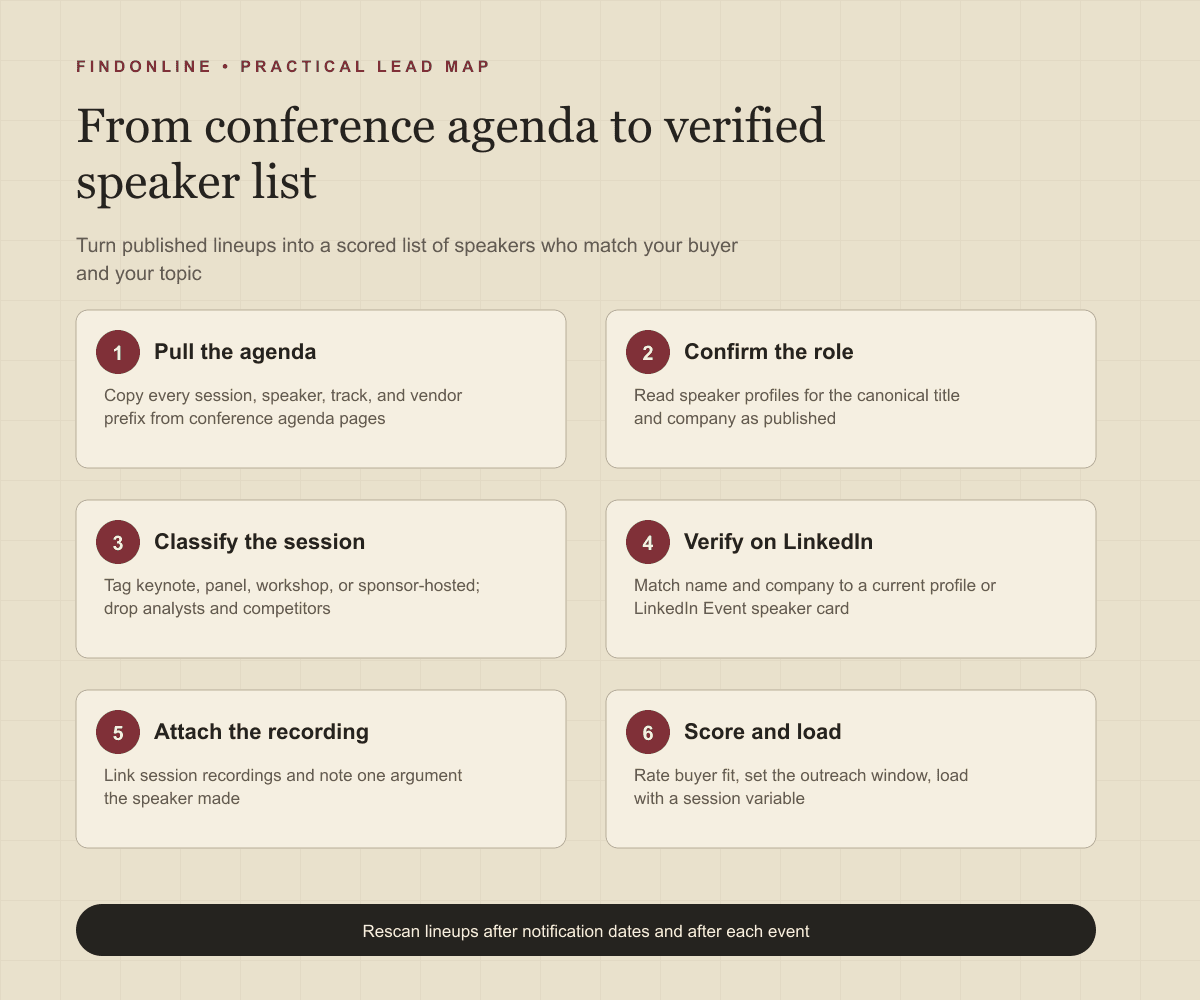
- Choose five to ten conferences your buyers attend and bookmark each current agenda URL.
- Copy every session and its speakers into a sheet, keeping the track name and any vendor prefix.
- Open each speaker profile and record title and company exactly as published.
- Tag session type and sponsor relationship, then drop analysts, celebrities, and direct competitors.
- Resolve each speaker to a LinkedIn profile and attach the recording link once published.
- Score buyer fit and load the list into your outreach tool with one session sentence as a variable.
Best tools to automate outreach to conference speakers
FindOnline combines public-signal discovery with multichannel outreach; the five alternatives each handle one part of the speaker workflow well.
FindOnline
What it does: FindOnline is an end-to-end AI GTM system whose agents find and qualify prospects from public signals, pick the strongest evidence-backed relationship route, run outreach, and handle replies. Its site describes "AI GTM agents for LinkedIn, Reddit and Email" (FindOnline). A speaker's session posts, role changes, and company hiring are the public signals it works from. Strengths: The agent can engage with a speaker's session posts on LinkedIn before messaging and continue by email. A warm introduction is one route when it credibly exists; otherwise outreach rests on verified professional commonality or a direct signal, never invented familiarity. Teams "choose which stages run automatically and which hold for approval" (FindOnline about), so review is optional. Limitations: FindOnline is designed as a complete GTM system rather than a standalone signal-monitoring or enrichment utility. Teams that only want agenda pages scraped into a spreadsheet should contact the FindOnline team to discuss a suitable configuration. Best for: B2B founders and GTM teams who want speaker discovery, session-aware LinkedIn and email outreach, and reply handling in one automated workflow.
LinkedIn Sales Navigator
What it does: Sales Navigator is LinkedIn's prospecting layer. Its page says you can "Search with 50+ filters like function, seniority level, years at company, experience, and more" and describes alerts for job changes and content engagement (LinkedIn Sales Navigator). Strengths: It resolves a speaker name and company to the correct profile quickly and alerts you when a saved speaker changes role. LinkedIn says it provides "structured onboarding, training, and support to drive product adoption" (LinkedIn Sales Navigator). Limitations: There is no filter for conference speaking, so every name comes from agenda pages first, and InMail credits buy one-to-one messages rather than sequences (LinkedIn Sales Navigator). Specific customer relationship management (CRM) integrations are not confirmed in the cited official material. Best for: GTM teams that already hold a speaker list and need verified profiles, saved-lead alerts, and a direct LinkedIn message channel.
Apollo
What it does: Apollo pairs a B2B contact database with a sales engagement engine. Its sales engagement page describes "Multi-channel sequence steps across email, call, and networking platforms" and an AI assistant that drafts sequence copy (Apollo sales engagement). Strengths: Once a speaker list is verified, Apollo runs the email cadence and logs activity: "Apollo syncs contacts, activities, and deal data with CRMs like Salesforce and HubSpot" (Apollo sales engagement). Limitations: Speaking history is not an Apollo attribute, so the list is built elsewhere and imported, and session references must be written per contact. Support options were not confirmed in the cited official material. Best for: GTM teams that want email-first sequences and CRM logging for a speaker list they have already qualified.
Clay
What it does: Clay is a data workspace that enriches tables of people and companies with many providers and AI research agents. Its site says you can "Create intent signals from anything on the internet" (Clay). Strengths: A research agent can read an agenda URL, extract speakers and sessions into rows, add LinkedIn URLs, then "Trigger emails, ads, and more with integrations to your existing GTM tools" (Clay). Limitations: Clay builds the table but does not send LinkedIn messages itself; outreach runs through connected tools, and agenda-parsing prompts need upkeep as conference sites change. Support options were not confirmed in the cited official material. Best for: GTM operators who want to convert many agenda pages into one enriched, scored speaker table before handing it to an outreach tool.
lemlist
What it does: lemlist is a multichannel outreach platform. Its site says you can "Reach leads via email, LinkedIn, calls, WhatsApp, and SMS" and names HubSpot and Salesforce as connected tools (lemlist). Strengths: Short sequences that mix a LinkedIn touch with email suit speaker outreach, and "our support team is just a click away via the in-app chat" (lemlist). Limitations: Its database filters target accounts that match your ICP rather than speaking history, so speakers are found elsewhere, and template sequences carry session references only as per-lead variables (lemlist). Best for: Small GTM teams running hand-verified speaker lists through brief multichannel sequences with chat support on hand.
HeyReach
What it does: HeyReach automates LinkedIn outreach across several sender accounts. Its site says you can "Automate actions such as connection requests, messages, voice notes, and profile views" (HeyReach). Strengths: Connection-first campaigns suit speakers who reply on LinkedIn, and activity syncs to a CRM: "Every connection, message, and reply shows up automatically on your HubSpot contacts" (HeyReach). Limitations: It is LinkedIn-only, so the email step in the workflow below needs another tool, and it discovers nothing: speaker lists are imported. Support options were not confirmed in the cited official material. Best for: Agencies and GTM teams running LinkedIn-only connection campaigns to speaker lists from several team accounts.
Tool comparison: which option fits speaker-led prospecting?
The table condenses the evaluations above for a speaker-led list.
| tool | best for | data and discovery | outreach automation | integrations | support and review | limitations |
|---|---|---|---|---|---|---|
| FindOnline | Founders and GTM teams automating speaker outreach end to end | Public signals: session posts, role changes, hiring | Automated LinkedIn, Reddit, and email outreach with replies | Agent reads your site to learn buyers | Optional review; stages hold for approval if chosen | Complete GTM system, not a standalone scraper |
| LinkedIn Sales Navigator | Resolving speaker names and tracking role changes | 50+ filters including function and seniority | InMail messages, no sequences | Specific CRMs not confirmed | Structured onboarding, training, and support | No conference speaking filter |
| Apollo | Email-first sequences with CRM logging | General contact database, no speaker data | Multichannel steps: email, call, networking platforms | Salesforce and HubSpot sync | Not confirmed in cited official material | Speaker list built elsewhere and imported |
| Clay | Turning agenda pages into enriched speaker tables | Intent signals from anything on the internet | Triggers emails through connected GTM tools | Integrations to existing GTM tools | Not confirmed in cited official material | Does not send LinkedIn messages itself |
| lemlist | Brief multichannel sequences to small verified lists | ICP account filters, no speaking history | Email, LinkedIn, calls, WhatsApp, SMS | HubSpot and Salesforce named | In-app chat support | Session references need per-lead variables |
| HeyReach | LinkedIn-only connection campaigns across team accounts | Imports contacts, no discovery | Automated connection requests, messages, voice notes | HubSpot contact sync | Not confirmed in cited official material | LinkedIn only, no email channel |
Outreach workflow: how do you contact a speaker without sounding like everyone else?
Lead with one specific point from the session, tie it to a problem you solve in one sentence, and ask one question. Speakers receive a wave of generic compliments after every conference, so specificity is the entire advantage.
- Pick the window. Two to three weeks before the event, speakers post about their session; comment with substance. During the event, do not pitch. Send the message one to three weeks after, when the recording is live.
- Choose the route. A warm introduction from a co-speaker or sponsor contact is one possible route when it genuinely exists. Otherwise use verified professional commonality such as the same track, role, or community; if none exists, send a direct signal-led message about the session.
- Sequence the channels. Send a LinkedIn connection request naming the session, engage with one post, then email five to seven days later with the recording timestamp you are reacting to. Use Reddit only when the speaker is publicly active there.
- Cap the follow-ups. Two follow-ups, each adding a new point from the recording or a role change, then pause until the next event cycle.
For software companies, FindOnline for B2B SaaS companies shows how this sequence is configured, and how FindOnline works describes the stage hand-offs.
Industry-specific nuances: what makes conference speakers different from other prospect lists?
Speaker lists carry topic, timing, and vendor information that ordinary contact lists lack, and they expire faster.
- Read the vendor prefix. A session titled "[Vendor]: How [Customer] ..." means the customer runs that vendor's product; sell into the adjacent gap, not against the incumbent.
- Treat the topic as this year's priority. A VP presenting on win-loss programs or AI agents is accountable for that initiative now, so lead with it.
- Separate speaker from budget holder. In large companies the speaker may be a practitioner; use the session to identify the executive sponsor, who is often named in the talk.
- Archive before rollover. B2B Ignite's speakers page already promotes the next edition, asking readers to "Continue the conversation by joining us on 1 July", while still listing 2026 speakers (B2B Ignite 2026 speakers), so save agendas the week they publish.
- Expect post-event volume. Everyone with a badge list messages speakers in the same week; a recording timestamp beats a generic compliment.
Limitations: how reliable is a speaking slot as a buying signal?
A speaking slot is directional, not proof of budget or intent. It shows the person was senior enough to be selected and cares enough about the topic to present it, nothing more. Use the signal to prioritize which speakers to contact first and to personalize the opening line and follow-ups, then verify the underlying change: the person still holds the title, the company still owns the initiative, and the session actually happened. Rescan agendas, speaker profiles, and LinkedIn regularly, because lineups change until the event, titles change after it, and departments, roles, and company conditions move on.
Frequently asked questions
How do I find the full speaker list for a B2B conference?
Open the official agenda page and the speaker directory on the conference site; together they list every session with each speaker's name, title, and company. The LinkedIn Event page fills gaps when the agenda is vague. Save a copy, because conference sites roll over to the next edition.
Is a conference speaker a good sales prospect?
Yes when the speaker's title matches your buyer and the session topic overlaps your product; no when they are an analyst, a celebrity keynoter, or a vendor you compete with. The speaking slot shows the topic is a current priority, which is a strong signal for complementary products.
When is the best time to contact a conference speaker?
One to three weeks after the event, when the session recording is published and the speaker is still engaged with the topic. Before the event, comment on their session posts instead of pitching, and hold outreach entirely during the event.
How do I verify that a speaker still holds the title shown on the conference page?
Match the speaker profile to a LinkedIn profile at the same company and compare the current headline. Conference pages are written months in advance and role changes are common after a speaking tour, so treat the LinkedIn current role as the source of truth.
Sources
- B2B Summit North America 2026 Agenda — Forrester · Accessed
- Apply to Speak at INBOUND — HubSpot UNBOUND · Accessed
- SaaStr AI Annual 2026 Agenda — SaaStr · Accessed
- B2B Ignite 2026 Speakers — B2B Marketing · Accessed
- SaaStr AI Annual 2026 Speaker: Matt Darrow — SaaStr · Accessed
- Watch the Top 7 Sessions from 2023 SaaStr Annual — SaaStr · Accessed
- LinkedIn Events overview — LinkedIn Help · Accessed
- FindOnline: AI GTM agents for LinkedIn, Reddit and Email — FindOnline · Accessed
- About FindOnline — FindOnline · Accessed
- LinkedIn Sales Navigator — LinkedIn Sales Solutions · Accessed
- Apollo Sales Engagement — Apollo · Accessed
- Clay: Go to market with unique data and the ability to act on it — Clay · Accessed
- lemlist: Multichannel outreach platform — lemlist · Accessed
- HeyReach: LinkedIn outreach automation — HeyReach · Accessed