Buyer discovery
How to Find Newly Appointed Revenue Leaders at SaaS Companies
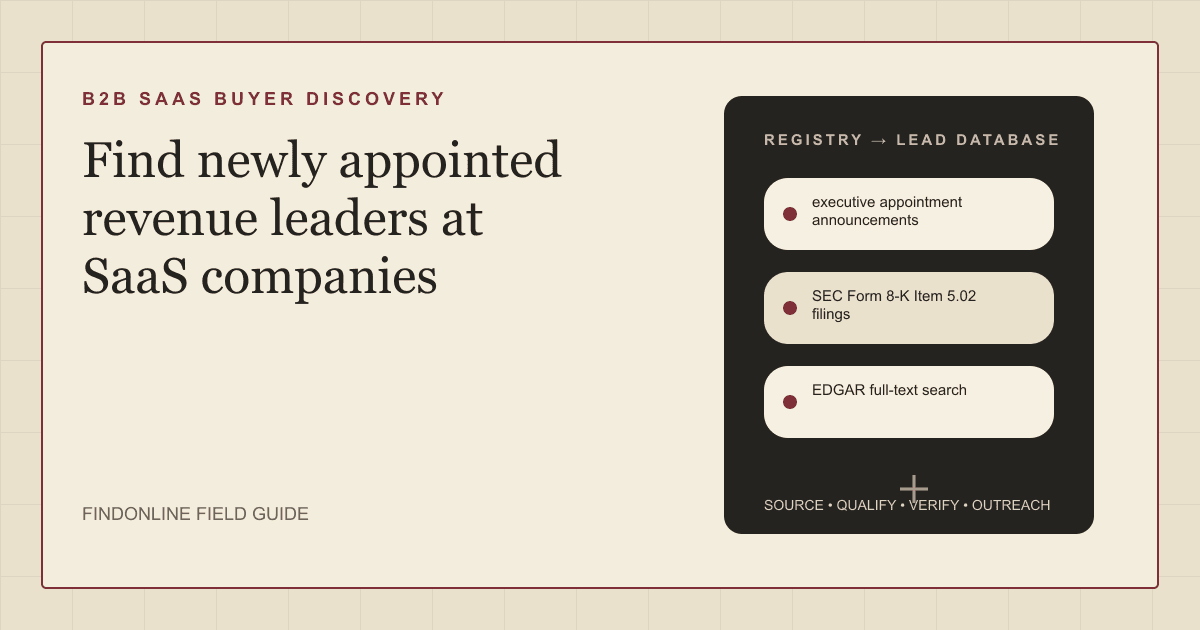
Find newly appointed revenue leaders at SaaS companies using appointment announcements, SEC Form 8-K Item 5.02 filings, EDGAR search, leadership pages, and LinkedIn role changes, then verify start dates before outreach.
By Vaishnav Gupta14 min read
On this page
Quick answer: To find newly appointed revenue leaders at SaaS companies, target new Chief Revenue Officers, Chief Sales Officers, and VPs of Sales in their first 90 days. The strongest sources are executive appointment announcements, Form 8-K Item 5.02 filings, company leadership pages, and LinkedIn role changes. Start by running EDGAR full-text search for appointments in the last 30 days, then verify each leader's current title before outreach.
Who to target: which roles own buying decisions after a revenue leadership change?
Target the newly appointed Chief Revenue Officer (CRO), Chief Sales Officer (CSO), or VP of Sales, plus the revenue operations (RevOps) leader they inherit or hire. The new leader sets the plan and tooling budget; RevOps owns the systems any vendor must fit.
Qualify by function, not title. Coveo moved its CRO into a Chief Operating Officer role overseeing "all revenue, customer and partner operations for the business" (Coveo), so a revenue title can change shape within months.
Four signals separate a buying window from a name on a page:
- External hire or internal promotion. External hires, such as New Relic's CRO arriving from Darktrace, replace tools and partners more often (New Relic). Internal promotions, such as Zscaler promoting its new CRO from inside, usually extend existing plans (SEC EDGAR).
- Effective date. Zscaler's filing names an outgoing officer "who will step down as an officer effective October 1, 2026" (SEC EDGAR). Before that date the appointee cannot sign.
- Scope. A CRO owning customer success and partners buys retention tooling; a VP of Sales owning new logos buys pipeline.
- Company size. Below roughly 200 employees the founder often still approves contracts, so add the CEO.
Lead sources: where do newly appointed SaaS revenue leaders appear first?
Company announcements and required filings surface appointments first, often days before profiles and data vendors update. The three reviewed starting points are retained; two filing-based sources are added because public SaaS companies must disclose officer changes.
- executive appointment announcements from newsrooms and investor relations pages. New Relic's July 13, 2026 release "announced the appointment of Hein Hellemons as Chief Revenue Officer" (New Relic). Appointments also hide in earnings releases: Workiva's results exhibit stated "Workiva is also announcing today the appointment of Michael Pinto as Chief Revenue Officer, effective November 6, 2025." (SEC EDGAR).
- SEC Form 8-K Item 5.02 filings for public SaaS companies. Item 5.02 covers "Departure of Directors or Certain Officers; Election of Directors; Appointment of Certain Officers", and Zscaler's September 24, 2026 filing used it to report a CRO promotion with exact dates (SEC EDGAR).
- EDGAR full-text search from the U.S. Securities and Exchange Commission (SEC) covers "the full text of electronic filings since 2001" with filing type and date filters (SEC). Search "Chief Revenue Officer" with form 8-K and the last 30 days for a weekly feed.
- company leadership pages confirm the appointee is in the seat. New Relic's page lists Hellemons as Chief Revenue Officer within a team described as having "deep experience in leading growth organizations through cloud and digital transformation" (New Relic leadership). Pages lag announcements, so a missing name means unverified, not false.
- LinkedIn role changes confirm the person's own account of the move. Members "can choose to notify your network about job changes, education changes, and work anniversaries", and "Updates about your job may take up to two hours" to reach the network (LinkedIn Help). Executives often update late, so use LinkedIn to verify titles, not as the only discovery source.
Private SaaS companies file no 8-K, so lean on newsrooms, leadership pages, LinkedIn, and funding announcements. For founder-led sales teams, see how to find SaaS companies hiring their first sales team.
Lead database: which fields make a new revenue leader list usable?
Record the appointment event, not just the person, so each row can be re-verified and each message cites the specific change.
| Field | Where it comes from | How to verify |
|---|---|---|
| Company and listing status | EDGAR company lookup, company website | Match filing entity to operating brand |
| Appointee and new title | Release, 8-K Item 5.02 text | Compare with the leadership page |
| Appointment type | Release wording: hired, promoted, designate | Same prior employer means promotion |
| Announcement and effective dates | Release dateline, 8-K text | Hold outreach until the start date passes |
| Predecessor and transition | Release or filing | Note consultant or advisory periods |
| Scope and reporting line | Release remit sentence | Tag new logos, expansion, partners; CEO line signals budget |
| RevOps leader | Leadership page, LinkedIn people tab | Title confirmed within 30 days |
| LinkedIn URL and last rescanned | Manual lookup, your log | Profile title matches; recheck every 30 days |
Reusable query and research prompt:
EDGAR full-text search: "Chief Revenue Officer" OR "Chief Sales Officer"
Form type: 8-K   Date range: last 30 days
Then: [company] newsroom [appointee] appointment
Then: site:linkedin.com/in [appointee] [company]

Prompt: For [company], find the latest revenue leadership appointment
announced after [date]. Return appointee, title, appointment type, dates,
predecessor, prior employer, remit, and a source URL per fact.
Flag any field the sources do not state.
Step-by-step workflow:
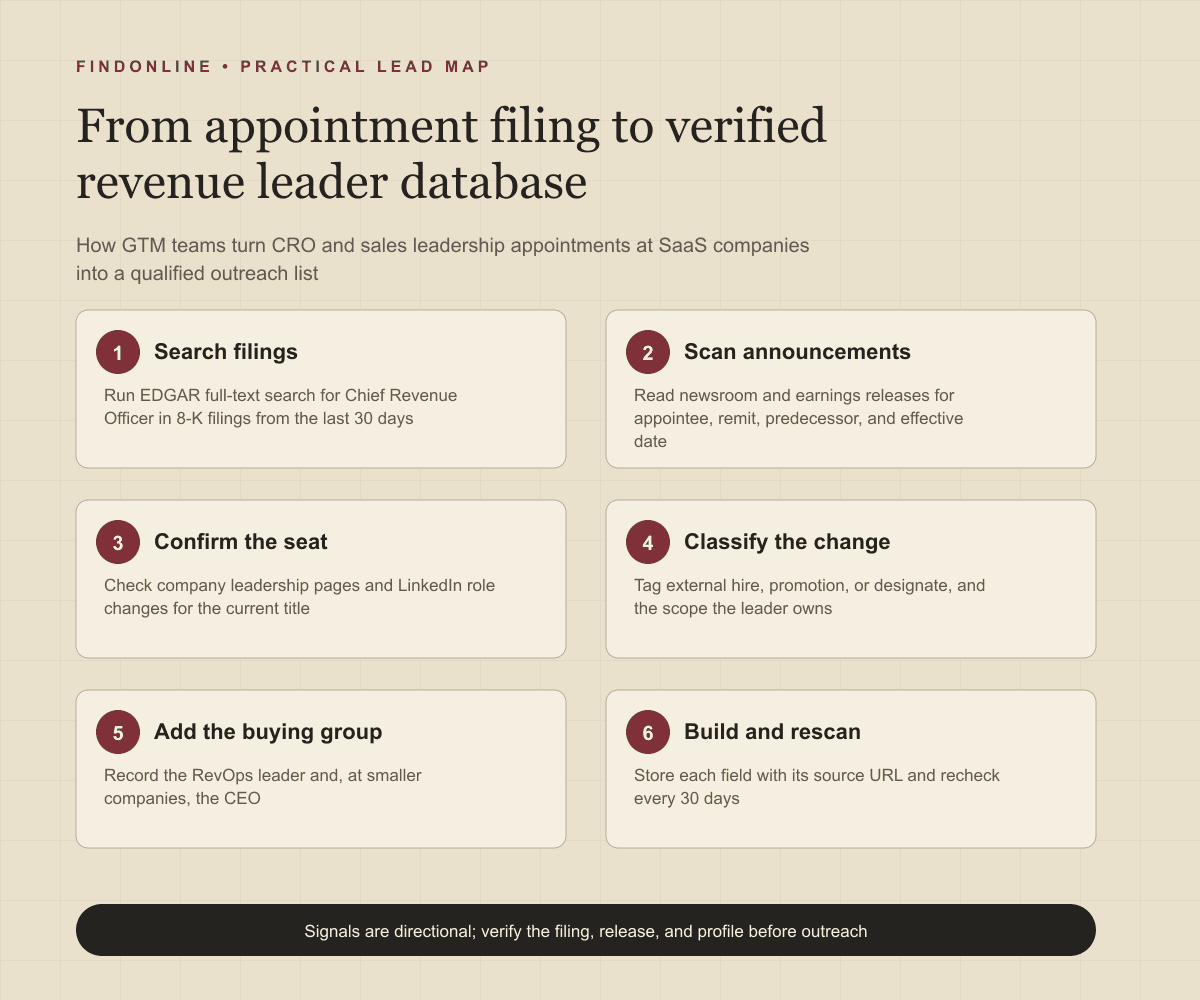
- Run the EDGAR query weekly and log each 8-K hit with its date.
- Scan newsrooms and earnings releases of target accounts for appointment language.
- Confirm title and start date on the leadership page and LinkedIn profile.
- Classify type and scope, score fit, and add the RevOps leader and, at smaller companies, the CEO.
- Store a source URL per field and set a rescan date 30 days out.
Best tools to automate outreach to newly appointed SaaS revenue leaders
Each tool is judged on turning an appointment signal into a timely first conversation. Unconfirmed capabilities are marked.
FindOnline
What it does: FindOnline is an AI go-to-market (GTM) system that finds and qualifies prospects from public signals such as appointment announcements, role changes, and posts, selects the strongest evidence-backed relationship route, and runs outreach with reply handling. It is described as "AI GTM agents for LinkedIn, Reddit and Email." (FindOnline), and the agent "finds and contacts high-intent prospects, engages with their posts, tracks their professional events" (FindOnline how it works).
Strengths: Discovery, qualification, outreach, and follow-up for a new CRO list run in one system. Control is optional and stage-level: "You choose which stages run automatically and which hold for approval." (FindOnline about).
Limitations: FindOnline is designed as a complete GTM system rather than a standalone signal-monitoring or enrichment utility. Teams wanting only an 8-K alert feed or one-off enrichment should contact the FindOnline team to discuss a suitable configuration.
Best for: B2B founders and GTM teams selling sales tools or revenue services who want appointment-triggered discovery and automated LinkedIn, Reddit, and email follow-up run end to end.
LinkedIn Sales Navigator
What it does: LinkedIn's sales product "delivers alerts when saved accounts add new decision-makers or saved leads change jobs or roles" (LinkedIn Sales Navigator).
Strengths: Alerts come from LinkedIn's own profile data, so a CRO who updates a profile surfaces without a filing. The product "connects LinkedIn Sales Navigator directly with your CRM" (LinkedIn Sales Navigator).
Limitations: Alerts depend on accounts and leads saved before the change and live inside LinkedIn. Export and outreach beyond LinkedIn messaging were not confirmed in the cited official material.
Best for: GTM teams that already maintain saved target SaaS account lists and want new-decision-maker alerts inside LinkedIn.
Apollo
What it does: Apollo is a sales data and engagement platform whose job change feature lets you "Receive alerts and notifications when designated contacts change jobs." (Apollo).
Strengths: It catches a former champion who becomes a CRO elsewhere, and it can "Update records in your CRM through regular syncs with Apollo." (Apollo).
Limitations: Job change alerts cover designated contacts already in your database, so Apollo tracks people you know rather than discovering never-recorded appointees. Delivery channels were not confirmed on the cited page.
Best for: Teams with a large existing contact base catching known sales leaders moving into new SaaS revenue roles.
Clay
What it does: Clay is a data workflow tool whose "Job Change Signals notify you when monitored contacts switch roles" (Clay University), with optional enrichments on each monitored row.
Strengths: You control the monitored list, run frequency, and enrichment steps, which suits a table built from filings and newsroom hits.
Limitations: Clay does not supply the list. You must build a table with each contact's LinkedIn URL first, and each check consumes workspace usage. CRM or Slack delivery was not confirmed in the cited documentation.
Best for: RevOps-minded teams assembling their own appointment-monitoring pipeline from EDGAR hits and LinkedIn URLs.
Common Room
What it does: Common Room is a signal platform with a Job change contact signal that "allows you to find members that have changed jobs within a defined time range" (Common Room).
Strengths: The documentation describes a Previous org filter, so you can isolate leaders who left a known customer or competitor, alongside community and product signals.
Limitations: Job change data currently comes from LinkedIn, and the signal runs over contacts already in your workspace rather than scanning all SaaS companies. Sending outreach was not confirmed on the cited page.
Best for: Community or product-led teams spotting existing members who become SaaS revenue leaders.
ZoomInfo
What it does: ZoomInfo is a B2B data platform with job change alerts. Its own guide, updated 09/10/2026, says "ZoomInfo integrates directly with Salesforce and HubSpot," with Slack routing for notifications (ZoomInfo).
Strengths: Alerts land on CRM records and reach reps, and the company database helps build the target SaaS account list.
Limitations: The same guide states that the "Tracker runs on a weekly verification cycle for named contact lists." (ZoomInfo), so day-of-announcement timing needs another source, and the details come from a blog post.
Best for: Sales teams on Salesforce or HubSpot attaching job change alerts to named SaaS account lists.
Tool comparison: how do the six options differ for appointment-triggered outreach?
Read the limitations column first; each tool fails at a different point in the appointment-to-conversation workflow.
| Tool | Best for | Data and discovery | Outreach automation | Integrations | Support and review | Limitations |
|---|---|---|---|---|---|---|
| FindOnline | Founders and GTM teams wanting end-to-end appointment outreach | Public signals: appointments, role changes, posts, professional events | Automated LinkedIn, Reddit, and email outreach with reply handling | Not confirmed in cited official material | Optional review: choose which stages run or hold | Complete GTM system, not a standalone alert utility |
| LinkedIn Sales Navigator (source) | Saved SaaS account lists inside LinkedIn | Alerts when saved accounts add decision-makers or leads change roles | LinkedIn messaging; sequences not confirmed | Connects directly with your CRM | Self-serve; review model not confirmed | Depends on pre-saved leads; stays inside LinkedIn |
| Apollo | Tracking known contacts into new revenue roles | Alerts when designated contacts change jobs | Not confirmed on cited page | Regular syncs update CRM records | Not confirmed in cited official material | Tracks designated contacts, not never-seen appointees |
| Clay | RevOps teams building their own monitoring table | Job Change Signals on monitored LinkedIn URLs | Sending not confirmed; hands off to other tools | Enrichment providers; CRM delivery not confirmed | Documentation-led self-serve setup | Needs prebuilt LinkedIn URL table; checks consume usage |
| Common Room | Community-led teams spotting members who change jobs | Job change signal with time range and Previous org filter | Not confirmed in cited documentation | LinkedIn-sourced job change data | Not confirmed in cited documentation | Workspace contacts only; data currently from LinkedIn |
| ZoomInfo | Salesforce or HubSpot teams with named account lists | Job change alerts on named contact lists | Workflows queue outreach tasks per its guide | Salesforce, HubSpot, Slack routing | Not confirmed in cited official material | Weekly verification cycle; details from a blog post |
Outreach workflow: how do you approach a revenue leader in the first 90 days?
Send the first message after the effective date and within the first 30 days, while the leader is still diagnosing. Reference only public facts: the title, start date, and remit stated in the announcement.
Pick the relationship route in order. First, check for a credible warm introduction, such as a former colleague or shared customer, as one possible route rather than the default. Second, with no warm path, use only verified professional commonality, such as a shared prior employer or sales community; never invent familiarity. Third, send a direct signal-led message: "Saw the October 1 start. Most new CROs rebuild territories in the first quarter. Happy to share how three SaaS teams sequenced it."
Run channels in sequence: a LinkedIn note tied to the appointment, a short email with one useful artifact, and Reddit engagement only where the leader posts publicly. FindOnline runs this sequence across LinkedIn, Reddit, and email with reply handling, holding the first message for approval if a team chooses (FindOnline about). The B2B SaaS prospecting page shows how that fits a SaaS motion.
At 30 and 90 days, recheck the leadership page. If the leader hires a RevOps head, open a second thread, reusing the approach from finding former buyers who changed companies when a past contact lands there.
Industry-specific nuances: what is different about SaaS revenue leadership changes?
- Fiscal boundaries drive start dates. Zscaler's change took effect October 1, a quarter start (SEC EDGAR). New leaders lock territories, quotas, and compensation plans in the first quarter, so planning and forecasting vendors must arrive before the plan is set; enablement services land better after it.
- Transition periods keep the old stack defended. Workiva's outgoing sales leader stayed on as a consultant through year end (SEC EDGAR), so expect incumbent tools to have an advocate for a quarter.
- Promotions rarely trigger rip-and-replace. An SVP promoted to CRO already chose the stack; sell expansion or outcomes against the plan they will present to the board.
- Public versus private disclosure. Filings give exact effective dates; private companies give narrative releases, so record a confidence level per field.
- False positives. Interim or acting titles, regional CROs, Chief Growth Officers with marketing remits, re-titled incumbents, and subsidiary appointments match keyword searches but rarely open a budget. Coveo's CRO becoming COO is a title change, not a new hire (Coveo).
Limitations: how much should you trust appointment signals?
Appointment and role-change signals are directional, not guaranteed truth. A new CRO may inherit a locked budget, a designate may never start, and a leadership page may lag by weeks. Use the signals to prioritize which companies to research first and to personalize the opening message with a verified fact, then verify the underlying change on the filing, release, and profile, and rescan every 30 days because departments, roles, and company conditions change.
Frequently asked questions
How soon after an appointment should you contact a new SaaS revenue leader?
Contact them after the effective date and within the first 30 to 45 days. Filings and releases state start dates, so wait for the date to pass, then lead with a diagnostic offer rather than a demo.
Do private SaaS companies announce revenue leadership changes?
Often, but through newsroom releases, funding announcements, and LinkedIn updates rather than SEC filings. Review target private accounts' leadership pages monthly and treat a LinkedIn title update as confirmation of a move found elsewhere.
Does a new CRO always mean a tooling or agency change?
No. External hires change vendors and partners more often than internal promotions, and the stated scope decides what is in play. A CRO owning customer success reviews a wider stack than a new-business VP of Sales.
How do you avoid false positives when searching filings for Chief Revenue Officer?
Read the item and the sentence, not just the keyword match. Exclude compensation-only mentions, interim or acting titles, regional roles, and designate appointments until the start date passes, and confirm the filer actually sells software.
Sources
- EDGAR Full Text Search — U.S. Securities and Exchange Commission · Accessed
- Zscaler, Inc. Form 8-K, September 24, 2026 — U.S. Securities and Exchange Commission · Accessed
- Workiva Inc. Form 8-K Exhibit 99.1, November 5, 2025 — U.S. Securities and Exchange Commission · Accessed
- New Relic Announces Hein Hellemons as Chief Revenue Officer — New Relic · Accessed
- Leadership — New Relic · Accessed
- Coveo Announces Changes to Responsibilities of Senior Executive Team — Coveo · Accessed
- Share profile updates — LinkedIn Help · Accessed
- LinkedIn Sales Navigator — LinkedIn · Accessed
- Enrichment & job change alerts — Apollo · Accessed
- Job change signal overview — Clay University · Accessed
- Job Changes — Common Room · Accessed
- Job Change Alerts: How Sales Teams Turn Buyer Moves Into Pipeline — ZoomInfo · Accessed
- FindOnline — FindOnline · Accessed
- About FindOnline — FindOnline · Accessed
- How FindOnline works — FindOnline · Accessed